

ideator
Ideator · Writing
Inspiq is an AI brainstorming tool from Ideator that grows a seed idea into a branching idea tree, so you can explore options and shape the best branch into a workable plan.
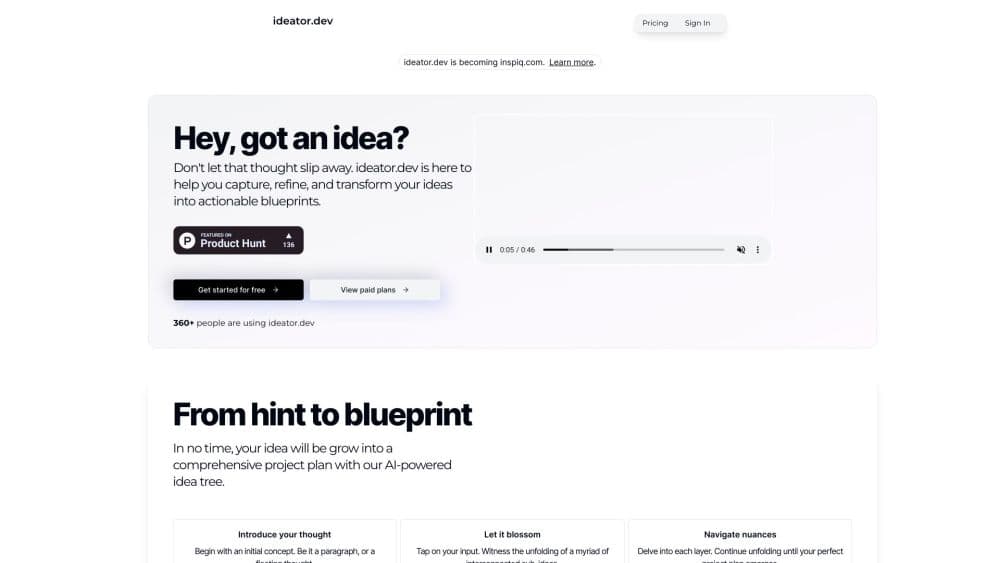
About ideator
What Is Inspiq
Inspiq is a web app built for the messy first hour of a project, when a rough thought has to become something you can act on. You type one sentence about your idea, and the tool answers with a tree of related concepts instead of a single wall of chat text. That shape is the point: options sit side by side, so comparing them takes a glance rather than a scroll.
The product sits in a crowded corner of the AI idea generator market, next to chat assistants and traditional mind map software, and it markets itself as an idea development platform rather than a drawing tool. Its pitch is that you get structure without drawing boxes yourself. Ideator inspiq runs the expansion for you, node by node, and keeps the surrounding context visible while you dig into one direction.
Two limits matter before you commit. A structured tree of ideas is still a list of ideas, and the tool does not test whether anyone wants them: no market data, no competitor research, no demand signal. The other limit is availability. As of late October 2026, inspiq.com loads a parked domain page rather than a product site, so new signups may not be possible. Older reviews still describe the workflow well, but treat their pricing and feature notes as historical.
Getting Started with Inspiq
- Open inspiq.com in a browser and create an account. A free tier existed for light use, and paid plans covered heavier use.
- Type a seed idea in one sentence. Short and specific works better than a paragraph, because every child node inherits the wording.
- Open the nodes that interest you and let the tool generate child ideas. Follow one branch at a time, then return to the trunk.
- Prune what you don't need. Keep two or three branches you could actually defend, and collapse the rest so the map stays readable.
- Turn the branch you kept into a written plan inside the tool, then move the result into whatever document your team already uses.
Product Information
A quick look at ideator's pricing, supported platforms, and performance.
Best for
The users, tasks, and scenarios where this tool fits best.
Users
- Founders with a half formed product idea
- Students working on projects or essays
- Writers and content planners
Tasks
- Naming and positioning
- Early project scoping
- Workshop prep
Scenarios
- The twenty minutes before a brainstorm
- Solo work with no one to bounce ideas off
- Restarting a stalled project
Key features
Seed to Idea Tree
You give the tool a starting sentence and it returns a tree, not a paragraph. Each node holds one idea, and children hang off it, which makes the relationship between concepts explicit. For anyone who has filled a notes app with loose bullets, that structure is the main draw, and it gives you a place to brainstorm ideas with AI without scrolling a chat log.
Branch by Branch Exploration
The interface lets you follow one line of thinking, then step back to the trunk without losing your place. Non linear navigation is the practical difference from a chat window, where an early answer scrolls out of reach after twenty messages. It also works as a mind map alternative for people who don't want to draw and label every node by hand.
AI Generated Child Nodes
Every expansion is written by the model, so a single seed produces more options than most people would type in the same time. The catch is quality drift: deeper levels get thinner, and the last generation often reads like a variation on the level above it. Skim at depth three before you commit to a direction.
Blueprint Drafts
Promising branches can be turned into a written blueprint with steps you can schedule. This is where an AI brainstorming tool stops being a toy, since a plan you can hand to someone else is more useful than a list of clever angles. The draft still needs your judgment about order and resources.
Browser Only Workspace
There is no install and no mobile app, so the product runs wherever you can open a browser tab. That keeps the barrier low and makes it easy to try during a call. It also means the tool is tied to your laptop and a network connection, which matters on commutes.
Low Learning Curve
The whole interaction is typing and clicking nodes, with no prompt syntax to memorise and no canvas to set up. A first time user can get a usable tree in a few minutes. Teams that already struggle with diagram tools tend to onboard faster here.
Pros and cons
Pros
- Turns a blank page into a set of options within minutes, which shortens the worst part of early planning.
- The idea tree keeps context visible, so you can compare directions instead of reconstructing them from chat history.
- No prompt engineering needed, and the interface gives beginners a clear next click.
- Free tier made it cheap to test before paying, and entry pricing sat near general purpose chatbots.
- Useful for solo thinking, where a branching workspace stands in for a whiteboard and a colleague.
Cons
- It generates ideas but does not validate them, so you get no market, pricing or competitor evidence to support a branch you like.
- Deep branches thin out fast, and sorting real options from plausible sounding filler costs time.
- Web only, with no mobile app or offline mode, so it's awkward for note taking away from a desk.
- Availability is unclear because the official domain now shows a parked page, which makes it a risky pick for a workflow you need next quarter.
Frequently asked questions
It's used to expand an early idea into a structured set of options and then into a written plan. People reach for it at the start of a project, before research and before building anything.
Related content
Explore related tools, skills, and articles for ideator.
ideator Alternatives

Claude for Google Workspace
Anthropic · Writing · Productivity · BusinessClaude for Google Workspace puts Claude in a sidebar inside Google Docs, Sheets, and Slides, where it reads the file you have open and edits it in place.

Claude Haiku 5.5
Anthropic · Writing · Coding · ChatbotClaude Haiku 5.5 is Anthropic's fastest and cheapest small model, built for high volume tasks at $0.10 per million input tokens with a 1M token context window.

NoteWorthy
Suman Hansada · Writing · Productivity · AI AssistantNoteWorthy is a notes app for iPhone, iPad and Mac that writes titles, tidies formatting, summarizes long notes and files each one with on-device AI. No account, no upload, no network requests.