

Instabase
Instabase (now SuperApp Inc.) · Coding
Instabase AI Hub automates enterprise document work. It classifies and extracts data from document packets, validates fields across files, and sends uncertain results to human reviewers.
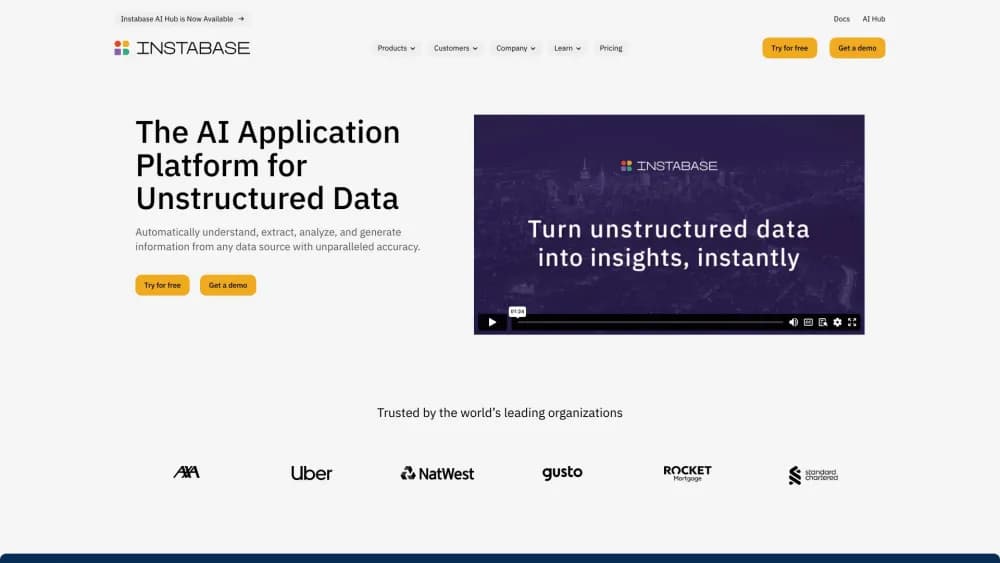
About Instabase
What Is Instabase
Instabase is an enterprise platform for intelligent document processing, and its agentic automation platform covers AI document automation for document-heavy workflows. It started as a general tool for working with unstructured business files and now centers on AI Hub, a product that takes a packet of documents, works out what each page is, pulls out the fields you care about, and checks those values against each other before handing anything to a downstream system.
The work it replaces is the slow middle of back-office processing. A loan file, an insurance claim, or a trade finance deal arrives as dozens of scanned pages, email attachments, and spreadsheets in different layouts. A person flips between them, copies figures into a system, and notices when two documents disagree. Instabase does that reading, cross-checks the numbers, and reserves human attention for the cases that don't clear its confidence thresholds.
Two things shape where it fits. Pricing isn't published and onboarding runs through a sales conversation, so this isn't a tool you try on a weekend. And the customers it's built for are regulated organizations: banks, insurers, healthcare administrators, and public sector teams, where audit trails and deployment inside your own cloud matter as much as accuracy.
Another detail worth flagging: in August 2026 the company renamed itself SuperApp Inc. and launched a separate collaborative AI workspace. AI Hub remains supported and continues to be sold and developed under the new corporate name, so you'll see both names in official material.
Getting Started
- Talk to the Instabase team and pick a subscription. Enterprise lite covers focused teams with up to five shared workspaces. Enterprise adds unlimited workspaces, advanced apps, review SLAs, and single sign-on.
- Join your organization. Most accounts begin with an invitation email, then you set a password with multi-factor authentication, or sign in through your company's single sign-on provider.
- Define a project. Name the document types your team handles, such as a bank statement or a purchase order, and list the fields you want pulled from each one. No model training or annotation is required.
- Build and test an app. Use the app editor for a guided no-code setup, or the flow editor if you're on a single-tenant Enterprise deployment and want Python steps chained into the pipeline. Run sample files and check the results against ground truth.
- Deploy and monitor. Connect upstream sources such as S3, Azure Blob, Google Cloud Storage, or a shared drive, route low-confidence records to a review queue, and track accuracy and handling time from the dashboard.
Product Information
A quick look at Instabase's pricing, supported platforms, and performance.
Best for
The users, tasks, and scenarios where this tool fits best.
Users
- Financial operations teams at banks and lenders
- Insurance claims and underwriting groups
- Shared services and business process outsourcing teams
Tasks
- Reading multi-page loan or mortgage files
- Processing invoices and purchase orders
- Screening identity documents
- Cleaning up messy handwriting and low-quality scans
Scenarios
- Handling a monthly volume spike
- Deploying inside a regulated environment
- Auditing a rejected decision months later
Key features
Document Packet Understanding
Most extraction tools treat each file as a separate job, so document packet automation stops at the page boundary. AI Hub reads a packet as a unit, links information across documents, and builds a structured map of the whole case. That's what lets it notice when an address on a utility bill contradicts the address on an application, instead of reporting both as clean fields.
Agent Mode Classification and Extraction
Agent Mode is the LLM-based engine behind both the app editor and the flow editor. It decides what each page is, keeps related pages together, and pulls fields using multi-modal reasoning rather than fixed templates. Instabase says this handles low-quality scans and unusual layouts that trip up template-based systems. Each configured pipeline runs the same way every time, which makes results repeatable rather than dependent on a single prompt.
No-Code Apps and Python Flows
Business users get an app editor where you name document types and fields and start running sample files. Developers on a single-tenant Enterprise plan get a flow editor that chains classification, extraction, validation, and refinement steps and lets you drop in Python for custom logic. Both produce apps that behave the same way in production, and pre-built apps for invoices, identity checks, and similar jobs are available if you'd rather start from something working.
Cross-Document Validation and Confidence Scoring
Extracted values come with confidence scores, and you can add custom validation logic or cross-reference one value against another file in the same packet. Records that fall below your threshold go to human in the loop review automatically. This is the part that separates straight-through processing from a faster version of manual entry.
Human Review Queues and SLA Tracking
The review interface shows results with the source text highlighted, and reviewers can work a whole packet rather than one page at a time. Teams create review and escalation queues, assign tasks manually or automatically, set SLA targets, and watch handling time. Useful when you have a large reviewer pool and need to know who is falling behind.
Accuracy Benchmarking and Version Control
Before promoting a change, you can run it against a labeled set and compare accuracy. Configurations and AI functionality are versioned, so a dev-to-production promotion doesn't silently alter how a live workflow behaves. Given that these pipelines feed regulated decisions, the audit trail matters as much as the accuracy number.
API, SDK, and Connectors
AI Hub exposes an API and a Python SDK for running apps and deployments and retrieving results, and it connects to Instabase Drive, Amazon S3, Azure Blob Storage, Google Cloud Storage, Google Drive, and email inboxes. That means document intake and downstream delivery can stay inside your existing systems instead of needing someone to upload files by hand.
Pros and cons
Pros
- Cross-document validation is the differentiator. Checking a value against another file in the same packet is what most extraction tools skip, and it's the step that actually reduces rework.
- The packet review interface lets one reviewer clear a whole case, which cuts the back-and-forth that eats time in claims and loan processing.
- Accuracy benchmarks and version control give you evidence before a change reaches production, which matters when the output feeds regulated decisions.
- Deployment inside your own virtual private cloud, plus SSO and role-based access, covers the security questions that block enterprise adoption.
- An API and Python SDK mean the automation can plug into existing intake and downstream systems rather than becoming another island.
Cons
- There's no published pricing and no self-serve signup. Every new account starts with a sales conversation and an invitation, which rules it out for individuals or small teams experimenting.
- Budget is quote based, so you can't estimate cost from the website. Comparisons with fixed-price IDP tools require a vendor call.
- The flow editor and advanced apps only come with a single-tenant Enterprise deployment, so mid-size teams on smaller plans work within the app editor's limits.
- Large-scale digitization of non-Latin scripts and the broadest file format support are tied to the Enterprise tier, which leaves Enterprise lite customers with fewer options in multilingual archives.
- Running it well assumes someone owns the setup: defining document types, writing validation rules, and tuning thresholds. There's a real implementation curve.
Frequently asked questions
Instabase builds AI Hub, a platform that automates document-heavy workflows. It classifies the pages in a document packet, extracts the fields you define, validates values across documents, and routes uncertain results to human reviewers. Common uses include loan files, insurance claims, invoices, and identity checks.
Related content
Explore related tools, skills, and articles for Instabase.
Instabase Alternatives

Base Code
Base44 (Wix) · Coding · ProductivityBase Code is a shared cloud development environment from Base44. Teammates describe changes to an existing GitHub codebase in chat, preview them live and send them back as pull requests.

Google EmbeddingGemma 2
Google DeepMind · Writing · Image · CodingGoogle EmbeddingGemma 2 is a 740M-parameter open model that turns text, code, images, audio, and video frames into vectors in one 768-dimension space, running on phones and laptops.

GitGlow
GitGlow · Coding · ProductivityGitGlow is a local-first desktop Git client that lets independent developers review their own code and their AI agents' changes in one place before shipping.