
InstaText
InstaText d.o.o. · AI Detection
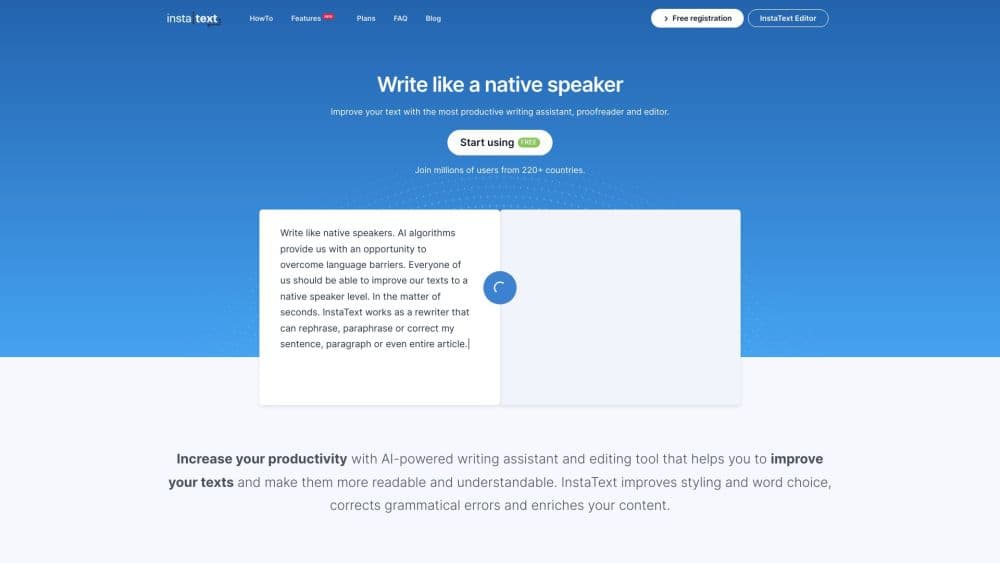
InstaText is an AI writing assistant and text editor that improves clarity, flow, and word choice in your existing text while keeping your voice. It runs in a web editor, a browser extension, and a Word add-in, and offers a free plan with daily limits.
About InstaText
What Is InstaText
InstaText is an editing assistant built by InstaText d.o.o., a Slovenian software company. As an AI text editor, it takes text you already wrote and suggests a clearer, more readable version, without writing new content for you. The pitch is aimed at non-native English speakers, students, researchers, and business writers who need their drafts to read like a fluent professional wrote them. It works as a grammar checker and proofreading tool, but pushes past those to rework clarity and word choice, so check InstaText pricing before you commit.
The idea behind it is different from a chatbot. A tool like ChatGPT generates fresh text from a prompt, and it can quietly change your meaning or your voice. InstaText only touches what's already on the page, and it shows every suggested change so you accept or reject each one. Nothing is applied on its own. That control matters for anyone publishing under their own name.
The tradeoff is that InstaText is a paid, hosted service, and the free plan is limited. Free users get 5 improvements a day and up to 1,500 characters per edit, which runs out fast if you write all day. To lift those caps you move onto InstaText One, and the yearly option costs less per month than the monthly one. InstaText is also an editor, not a writer, so it won't draft a paper from scratch.
Getting Started
- Create a free account at instatext.io, no payment method needed.
- Paste or type your text into the InstaText Editor and click Improve.
- Review each suggestion, then accept the ones that help and reject the rest.
- Optional: install the browser extension or the Word add-in to edit in Gmail, Google Docs, Word, or Overleaf without copying and pasting.
- Add recurring terms to your Personal dictionary and set dialect and tone in Language settings before you publish.
Product Information
A quick look at InstaText's pricing, supported platforms, and performance.
Best for
The users, tasks, and scenarios where this tool fits best.
Users
- Non-native English speakers
- Students and researchers
- Business professionals
- Editors and content creators
Tasks
- Rewriting unclear sentences
- Fixing word choice
- Matching a dialect and tone
- Editing long documents
- Keeping authorship intact
Scenarios
- A researcher finishing a journal paper
- A student writing a thesis in a second language
- A team sending daily client emails
- A marketer drafting blog posts
Key features
Full-Text Improvements Beyond Grammar
InstaText goes past spelling and punctuation and reworks clarity, flow, word choice, and readability at the sentence and paragraph level. It suggests rewrites for clumsy phrasing and wordiness, not just correction of mistakes. That's the difference between fixing an error and making the sentence actually read better.
You Approve Every Change
Each suggestion is visible and optional. You accept the ones that improve the text and reject the rest, and nothing is applied automatically. Because you see the change before it lands, you keep full control over the final version, which is a key reason researchers trust it for published work.
Keeps Your Voice and Meaning
InstaText improves existing text without generating new content. It doesn't add facts, shift your argument, or rewrite you into someone else's style. The company frames this as the core difference from generative AI tools, and for anyone publishing under their own name, it's the feature that makes the tool usable in academic and professional settings.
Browser Extension for 20+ Apps
The InstaText browser extension works in Chrome, Edge, Brave, Opera, and other Chromium browsers. It edits text directly in Gmail, Slack, Google Docs, Overleaf, Outlook, Notion, LinkedIn, WordPress, and other apps, so there's no copying and pasting between windows. You can toggle it on or off per app from the toolbar.
Word Add-In with Track Changes
InstaText ships as a Word add-in for both the online and classic versions of Microsoft Word. It hooks into Word's built-in Track Changes, so you review each suggestion as an editable change rather than retyping. For people who live in Word, that keeps edits inside the tool they already use.
Personal Dictionary
The Personal dictionary lets you lock in words and multi-word phrases that are part of your professional language or personal style. When InstaText would otherwise replace a term, the dictionary keeps your wording. This is handy for researchers and specialists whose vocabulary trips up generic editing tools.
Language and Tone Settings
Language settings let you set your English dialect and pick a formality level. You can move between UK and US spelling and between a formal and an informal register, so the same draft can fit a journal, a client email, or a casual message. You can also edit across several supported languages, including Spanish, French, German, Italian, and Portuguese.
Pros and cons
Pros
- Every suggestion is visible and optional, so you stay in control of the final text instead of accepting a full rewrite you can't inspect.
- It improves existing text without generating new content, which keeps your meaning and authorship intact for academic and professional publishing.
- The browser extension covers 20+ apps like Gmail, Google Docs, and Overleaf, so you edit where you write rather than in a separate window.
- A real free plan and a yearly option on InstaText One let light users start at no cost and heavier users cut the monthly price.
- The Personal dictionary and language settings adapt the tool to your terminology and to a formal or casual tone.
Cons
- The free plan caps you at 5 improvements a day and 1,500 characters per edit, so anyone writing regularly has to pay.
- It's an editor, not a writer, so it won't draft content or overcome a blank page for you.
- Only one suggestion is shown per issue, which some people prefer but which gives you less to compare if you want alternatives.
- The editor is browser-based, and there's no clear public API, so you can't wire it into your own pipeline.
Frequently asked questions
InstaText improves text you already wrote for clarity, readability, flow, and word choice, along with grammar, spelling, and punctuation. It's used for emails, reports, academic papers, blog posts, and any writing where you want a clearer, more professional read without changing your meaning.
Related content
Explore related tools, skills, and articles for InstaText.
InstaText Alternatives
Isgen AI
Isgen · AI DetectionIsgen AI is a web-based AI detector that scores text for machine authorship and shows you which sentences and phrases push the number up. It's built for teachers, editors, students, and writers. Their question is simple: did this draft come from ChatGPT, GPT-5, Claude, Gemini, DeepSeek, or another model? You paste or upload content, run a scan, and get a Human, AI, and Mixed breakdown in seconds. There's also a companion editor that scores text while you write it.
Humanizeai Tools
Humanizeai Tools · Writing · AI DetectionHumanizeai Tools is a web-based AI humanizer that rewrites machine-generated text so it sounds like a person wrote it, which is the whole point of the category it belongs to. Paste a draft from ChatGPT, Claude, or Gemini, run it through the tool, and it swaps out the phrases and sentence patterns that AI detectors flag. If your goal is to make AI text sound human before you publish it, this is the kind of tool built for exactly that. It suits students, bloggers, and marketers who need copy that reads naturally and clears tools like GPTZero, Copyleaks, and Winston AI after a single pass.

Hidemyai
Hidemyai · Writing · AI DetectionHidemyai is an AI content humanizer. It rewrites text from ChatGPT, Jasper, and similar tools so the result reads like a person wrote it. You paste your draft, pick a document type and tone, and the service returns a version meant to bypass AI detectors such as Originality.ai, Turnitin, and ZeroGPT. It targets writers, marketers, and students who lean on AI drafts but can't ship copy that sounds robotic. The promise is simple: make AI content undetectable.