

Internet.io
Internet.io · Other
Internet.io is an AI workspace for multi-model search: ask once, compare answers from several AI platforms side by side, and let a Superagent run scheduled tasks.
About Internet.io
What Is Internet.io
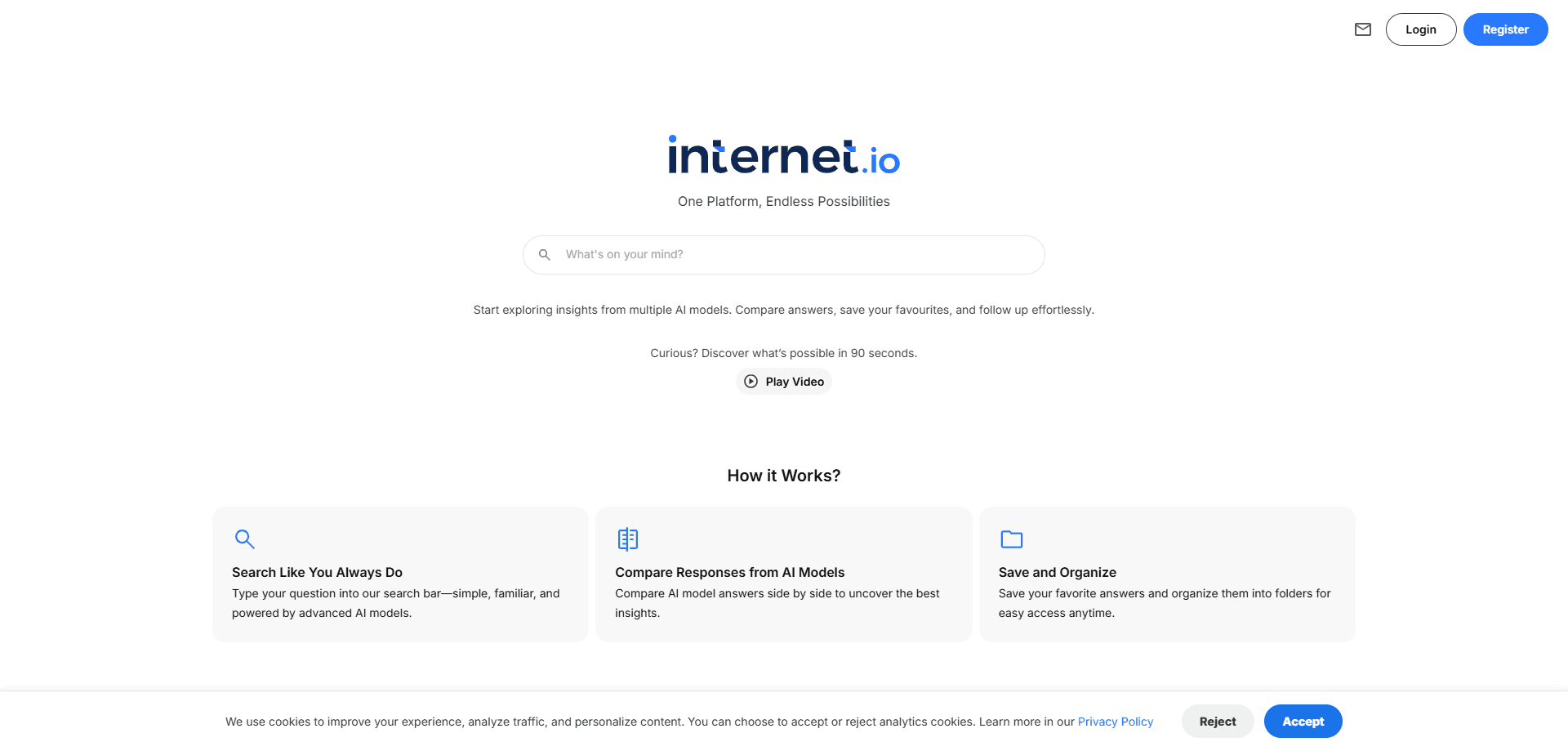
Internet.io is a browser-based AI workspace built around one idea: you shouldn't have to pick a single model and hope it's right. Ask a question once, and the platform sends it to several AI engines, then lays the answers out next to each other so you can see where they agree and where they diverge. It runs at internet.io and needs nothing more than a browser and an account.
The product has grown past multi-model search into a full assistant. Chat sits at the center, surrounded by projects that keep related work together, knowledge bases that ground answers in your own files, and integrations that connect outside tools. The headline piece is the Superagent, which the company describes as something that connects to your tools, runs your to-do list on schedule, and hands back finished work. In practice that means you describe a recurring job once, and the agent runs it on a schedule instead of waiting for a prompt.
The trade-offs are worth knowing up front. The platform leans on third-party models, so output quality tracks whichever engines it routes to, and answers can vary between runs. Anything that touches your connected accounts also widens what you have to secure. There's no free-for-all here either; heavier use runs through paid access.
Getting Started
- Create an account at internet.io with email, Google, or Microsoft sign-in.
- Type a question in the chat box and pick which AI engines should answer it.
- Read the responses side by side, then save the replies you want to keep.
- Group related chats and files into a project, and point a knowledge base at the documents the answers should draw from.
- Set up a Superagent task, connect the tools it needs, and give it a schedule so it runs without another prompt.
Product Information
A quick look at Internet.io's pricing, supported platforms, and performance.
Best for
The users, tasks, and scenarios where this tool fits best.
Users
- Researchers cross-checking an answer
- Writers who want a second and third opinion
- Busy professionals automating recurring chores
- Small teams that want one shared workspace
Tasks
- Comparing model outputs on one prompt
- Turning a repeated task into an automated run
- Grounding answers in your own material
- Organizing research into projects
- Getting quick second opinions while editing
Scenarios
- Deciding between two tools or two approaches
- Weekly reporting that never changes shape
- Reading a dense document
- Brainstorming with a group
- Fact-checking before you publish
Key features
Multi-model side-by-side answers
The core move is asking once and hearing from many. Internet.io routes a single prompt to several AI engines and returns their responses in a comparable layout, so you read differences instead of guessing which model was best for the task. It's a quick way to do an AI model comparison and catch an answer that only one model invents. The layout also lets you save the reply worth keeping and drop the rest.
The Superagent
The Superagent is the platform's pitch for work that repeats. Rather than waiting on a prompt, it connects to your tools, follows a task list, and runs on a schedule, then delivers the finished output. That suits jobs with a fixed shape, such as a weekly digest or a standing report. You set it up once and get the result without reopening the chat.
Projects and knowledge bases
Projects keep related chats, files, and saved answers under one roof, so a topic doesn't scatter across sessions. Knowledge bases go further, letting answers draw on the documents you attach instead of leaning only on what a model already knows. Together they turn the workspace from a chat window into a place where a body of work accumulates.
Integrations with your tools
The agent can reach outside the browser through integrations, which is what lets it act rather than just answer. Connecting a calendar, a drive, or a messaging tool expands what a scheduled task can finish on its own. Each connection also adds an account you're trusting with access, so it's worth connecting only what a job actually needs.
Saved and organized results
Not every answer deserves to survive, and the platform treats saving as a first-class step. You can keep the responses that matter, file them into a project, and find them again later. That's the difference between a chat you scroll back through and a workspace you build up over time. It also makes comparison useful, since you keep the winner rather than a wall of tabs.
Access across models and plans
The service reaches a spread of models rather than tying itself to one vendor, and its plans scale from a free entry point up to heavier paid use. Sign-in covers email, Google, and Microsoft, so teams can join with the accounts they already have. The mix keeps the workspace usable for someone testing an idea and for someone running it daily.
Pros and cons
Pros
- Several models answer one prompt, so disagreements surface without extra copy-pasting.
- The Superagent automates recurring tasks on a schedule instead of waiting for a prompt.
- Projects and knowledge bases keep research and answers grounded in your own material.
- Email, Google, and Microsoft sign-in make it easy to bring a whole team in.
- A free plan lets you test multi-model search before paying.
Cons
- The platform leans on third-party models, so output quality and consistency depend on which engines it routes to.
- Connecting tools for the Superagent hands real access to outside accounts, which raises the stakes if a connection is misconfigured.
- Answers can differ between runs on the same prompt, so results are harder to reproduce exactly.
- It's web only, which rules it out for anyone who needs an installable desktop or mobile app.
Frequently asked questions
Internet.io is a web-based AI workspace for multi-model search. It sends one prompt to several AI platforms, returns the answers side by side so you can compare answers, and adds a Superagent that connects to your tools to carry out scheduled tasks.
Related content
Explore related tools, skills, and articles for Internet.io.
Internet.io Alternatives

Odyssey 3
Odyssey · OtherOdyssey-3 is Odyssey's foundation world model. It simulates physics in real time, turns a prompt into an interactive environment, and adapts to robots, cars and games.

JarvisCore
Prescott Data · Coding · Productivity · OtherJarvisCore is an open source Python runtime where AI agents work as equal peers on an agent mesh, claim tasks from a shared ledger, and reach external services through a zero-trust broker.
Clef
Cloudflare · Business · OtherClef is Cloudflare's open-source decision model for Workers AI. It returns calibrated probabilities for typed questions, not generated text, so agents can classify, route, and act fast.