
Interview Solver
Interview Solver, Inc. · Coding · Business
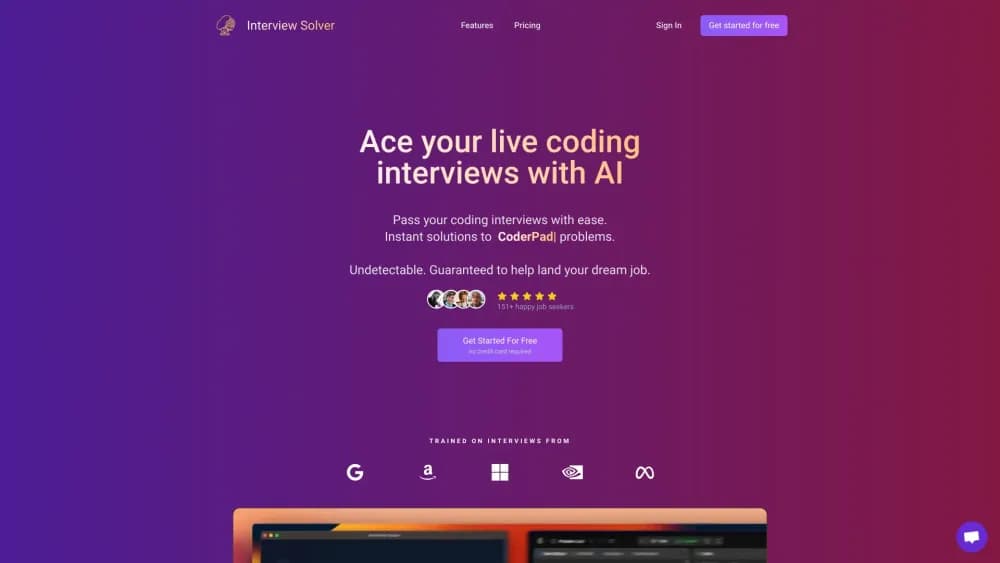
Interview Solver is a desktop AI interview copilot for software engineers. It reads live coding prompts from your screen, transcribes the call, and answers in an overlay that stays off screen shares.
About Interview Solver
What Is Interview Solver
Interview Solver is an AI interview assistant built for technical hiring loops, mainly coding and system design rounds. It runs as a native app on macOS and Windows rather than in a browser tab. During a live call you keep it docked to the side of the screen, and it turns whatever appears in the editor or on the shared slide into a worked answer.
The pitch is speed under pressure. Candidates who freeze on a tree traversal or an API design question get a full solution, comments included, before the pause becomes awkward. The same window also listens to the conversation and produces short spoken-style answers for behavioral questions.
Undetectability is the part the maker sells hardest, and it deserves the most caution. Interview Solver says its window stays invisible on screen shares and leaves no trace in the macOS Activity Monitor. The official docs stretch that claim to a list of specific tools and macOS versions, not to every platform. Employers also treat copilots as a rules violation in many hiring processes, and a tool that hides from screen sharing does nothing to hide the decision from a recruiter who later asks you to explain your code.
Getting Started
- Sign up for the interview solver app at interviewsolver.com. The free tier doesn't ask for a card.
- Download the macOS or Windows installer from your account and sign in with the same credentials.
- Upload a resume or job description so the copilot can ground its answers in your own projects.
- Set your hotkeys in Settings, then open the overlay next to your coding window.
- Grab the screen or start transcription when the question lands, and read the answer from the overlay.
Product Information
A quick look at Interview Solver's pricing, supported platforms, and performance.
Best for
The users, tasks, and scenarios where this tool fits best.
Users
- Software engineering candidates
- Career switchers without a CS degree
- Engineers returning to interviews after years out
Tasks
- Solving a live coding prompt
- Explaining a solution out loud
- Drafting a system design answer
- Answering behavioral questions
Scenarios
- A 45 minute technical screen on HackerRank or CoderPad
- A phone screen where the interviewer talks more than you
- A laptop with hotkey logging
- Practicing alone before the real round
Key features
Invisible Mode
The overlay stays off the shared screen in most browser-based screen sharing tools. Official docs note that the claim depends on the platform, and macOS users need at least Sonoma 14.7.1. On the software side, the app also hides itself from the macOS Activity Monitor. That matters if a company checks running processes.
Live Coding Solver
You trigger a screen capture with a hotkey, and the app sends the coding window to a vision model. The answer arrives as complete, runnable code with comments on each line, which is roughly what an interviewer wants to hear from a live coding interview assistant when they ask you to explain your approach.
Voice Transcription
The app captures system audio and your microphone, so both sides of the call land in a live transcript. You can answer from the text instead of replaying a recording, and the transcript doubles as notes for the next round.
Companion Mode
Companion Mode turns a phone or tablet into a second screen and remote control. It exists because some interview platforms log keyboard shortcuts on the laptop. Opening interviewsolver.com/web and entering the code from the app hands control to the phone.
Mobile Audio
Mobile Audio is a separate phone-only workflow with its own 10 minute free trial and no desktop pairing. You open the mobile site, allow microphone access, and pick an audio window of 30 seconds to 5 minutes before asking for an answer. It works for non-coding conversations too.
Resume and Document Grounding
Upload a resume, project notes, or the job description, and answers pull from those files before falling back on general knowledge. The result reads like your background instead of a textbook definition, which is the difference between a usable answer and a rehearsed one.
Model Choice
The default lineup includes GPT-6 Luna, DeepSeek V4.1 Flash, Claude Sonnet 5, and Grok 4.6. Premium models such as GPT-6 Astra, Claude Opus 5.5, and Claude Fable 5.1 need your own API key from the provider, so the higher end costs extra beyond the subscription.
Global Hotkeys
Hotkeys are registered at the operating system level, which means browsers don't see them and they work whichever app has focus. You can rebind every action in Settings, and a cancel shortcut stops a response that is already streaming.
Pros and cons
Pros
- Answers arrive fast enough to matter in a timed round, with commented code rather than a bare snippet.
- The macOS and Windows desktop build keeps the overlay resident, so you never alt-tab to a browser mid-question.
- Companion Mode covers the case where a platform logs laptop keypresses.
- Resume grounding makes behavioral answers sound like your own work.
- A free tier with no credit card lets you test the workflow before paying.
Cons
- At $59 a month, the cost rivals a month of premium AI subscriptions, and refunds are limited to cases where the app fails to run at all.
- Invisibility depends on the screen sharing tool and OS version, so a specific platform may still catch the window.
- Premium models require your own API keys, which adds a second bill.
- Relying on an AI interview assistant during an interview widely counts as cheating, and getting caught can end the hiring process.
Frequently asked questions
It is a desktop copilot that reads coding prompts from your screen, transcribes interview audio, and returns answers in an overlay. It handles LeetCode-style problems, system design questions, and spoken responses.
Related content
Explore related tools, skills, and articles for Interview Solver.
Interview Solver Alternatives

Base Code
Base44 (Wix) · Coding · ProductivityBase Code is a shared cloud development environment from Base44. Teammates describe changes to an existing GitHub codebase in chat, preview them live and send them back as pull requests.

Google EmbeddingGemma 2
Google DeepMind · Writing · Image · CodingGoogle EmbeddingGemma 2 is a 740M-parameter open model that turns text, code, images, audio, and video frames into vectors in one 768-dimension space, running on phones and laptops.

GitGlow
GitGlow · Coding · ProductivityGitGlow is a local-first desktop Git client that lets independent developers review their own code and their AI agents' changes in one place before shipping.