

intrvuAI
Intrvu · Leaning · Business
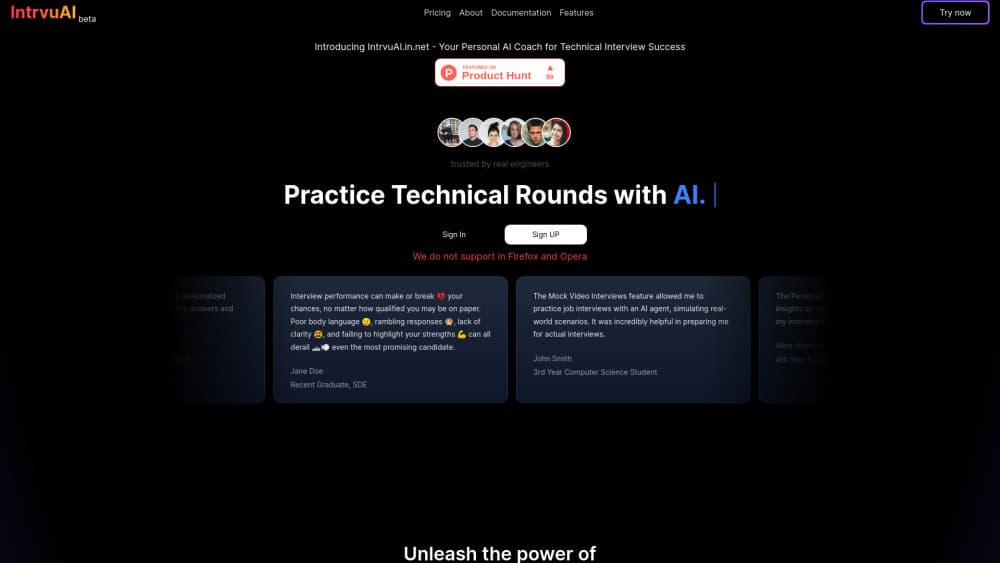
IntrvuAI is an AI mock interview platform that runs personalized practice sessions and scores your answers so you can fix them before the real interview.
About intrvuAI
What Is IntrvuAI
IntrvuAI was an interview preparation tool built around a simple loop: answer questions out loud, get a report, run the session again. The selling point was personalization. Instead of a fixed question bank, the platform adjusted the questions to the role and background you described, then returned feedback aimed at the specific answers you gave.
That format suits people who freeze in real interviews. You get the pressure of a live conversation without a human watching, and you can repeat a weak answer five times in an evening. The AI interview feedback is the part that makes repetition useful, because a second attempt with no notes teaches you very little.
The limits matter as much as the pitch. Everything below describes the product as it was positioned in listings and in its own materials, because the official site at intrvuai.in.net no longer serves the tool. That address now returns an unrelated page, and no working sign-in or pricing screen survives. Treat specifics like plan names, session caps and supported interview formats as unconfirmed.
Getting Started
- Open the IntrvuAI site in a browser and create an account.
- Enter the role you are targeting, plus your background or resume details.
- Pick an interview type and start a session.
- Answer each question out loud until the session ends.
- Read the feedback report, note the two weakest answers, then rerun the same session.
Product Information
A quick look at intrvuAI's pricing, supported platforms, and performance.
Best for
The users, tasks, and scenarios where this tool fits best.
Users
- First-time job seekers
- Career changers
- Candidates practicing in a second language
Tasks
- Rehearsing behavioral questions
- Testing whether your examples hold up
- Building a daily routine before a final round
- Getting comfortable with silence
Scenarios
- The week before a first interview
- Preparing for a role you have never interviewed for
- Practicing without a quiet room or a friend
Key features
Sessions Built Around Your Target Role
The question set came from the role you entered rather than a generic list. A support role and a data role got different questions, and the follow-ups leaned on whatever details you supplied about your background. That is the difference between AI interview practice and reading a blog post of fifty common questions.
Written Feedback After Each Answer
Every response produced a report covering structure, relevance and clarity. The useful part is specificity: a note saying your answer never mentioned a measurable result gives you something to change, while a score out of ten does not. This AI interview feedback arrived as text you could reread between attempts.
Spoken Answers Instead of Typed Ones
You answered with your voice, which is how the real thing works. Talking through an answer uncovers problems that typing hides, like a sentence that reads fine and sounds like a ramble. It also surfaces filler words you have stopped hearing in your own head.
Repeatable Sessions With a Before and After
Because the same session could be rerun, personalized interview practice turned into a comparison. You fix one answer, rerun, and see whether the fix landed. That loop is the reason people keep using a mock interview platform past the first week.
Progress You Can See Between Attempts
Session history let you look back at earlier attempts and compare them with your current answers. Watching your own wording tighten over a week is more convincing than a single score, and it tells you when to stop practicing a question.
Browser Access, Nothing to Install
The mock interview platform ran in a browser tab, so a laptop with a microphone was enough. No download, no separate desktop client. The tradeoff is that a phone browser works but feels cramped once you are answering out loud for twenty minutes.
Pros and cons
Pros
- Questions adapt to the role and background you enter, so practice maps to the interview in front of you.
- Feedback points at specific weak spots in an answer instead of handing out a single number.
- Sessions are repeatable, which makes the second and third attempt more valuable than the first.
- Running in a browser means no install and no dependency on one operating system.
- Answering out loud builds the habit of thinking while speaking, which is the actual interview skill.
Cons
- The original site no longer loads, so nobody can sign up or run a session today.
- No pricing page survives, which leaves the free tier and any paid plan unverified.
- Feedback judges how you said something, not whether the example you chose was the right one.
- There was no native mobile app, so practicing on a commute was awkward.
Frequently asked questions
IntrvuAI was an AI mock interview platform for job seekers. It generated interview questions around your target role and background, then returned written feedback on the answers you gave out loud.
Related content
Explore related tools, skills, and articles for intrvuAI.
intrvuAI Alternatives
Kaggle AI
Google · Coding · LeaningKaggle AI is a community platform where people build, test, and compare machine learning models against shared data. It combines data science competitions, tens of thousands of public datasets, and free cloud notebooks with GPU and TPU access, so anyone with a browser can train a model without buying hardware. Google owns the platform, and joining costs nothing.

Bunch
Bunch AI · Leaning · BusinessBunch is an AI leadership coaching app that turns a few spare minutes a day into real management practice. It hands you one short, personalized tip each day, tracks how you respond, and lets you compare notes with peers inside private groups. The pitch is simple: you lead better by practicing a little, often, instead of sitting through a weekend seminar. Think of it as a leadership training app you actually open.

AI Mock Interview
SQLPad · Coding · LeaningAI Mock Interview is a practice tool built into SQLPad that simulates real job interviews and gives you instant feedback on both what you say and how you say it. You pick a role template or upload a job description, answer questions out loud in real time, and then review a transcript with notes on structure, clarity, and grammar. It's aimed at data professionals prepping for SQL, Python, data engineering, machine learning, and system design roles, and it works entirely in the browser. No install needed.