

isFake.ai
isFake.ai · AI Detection
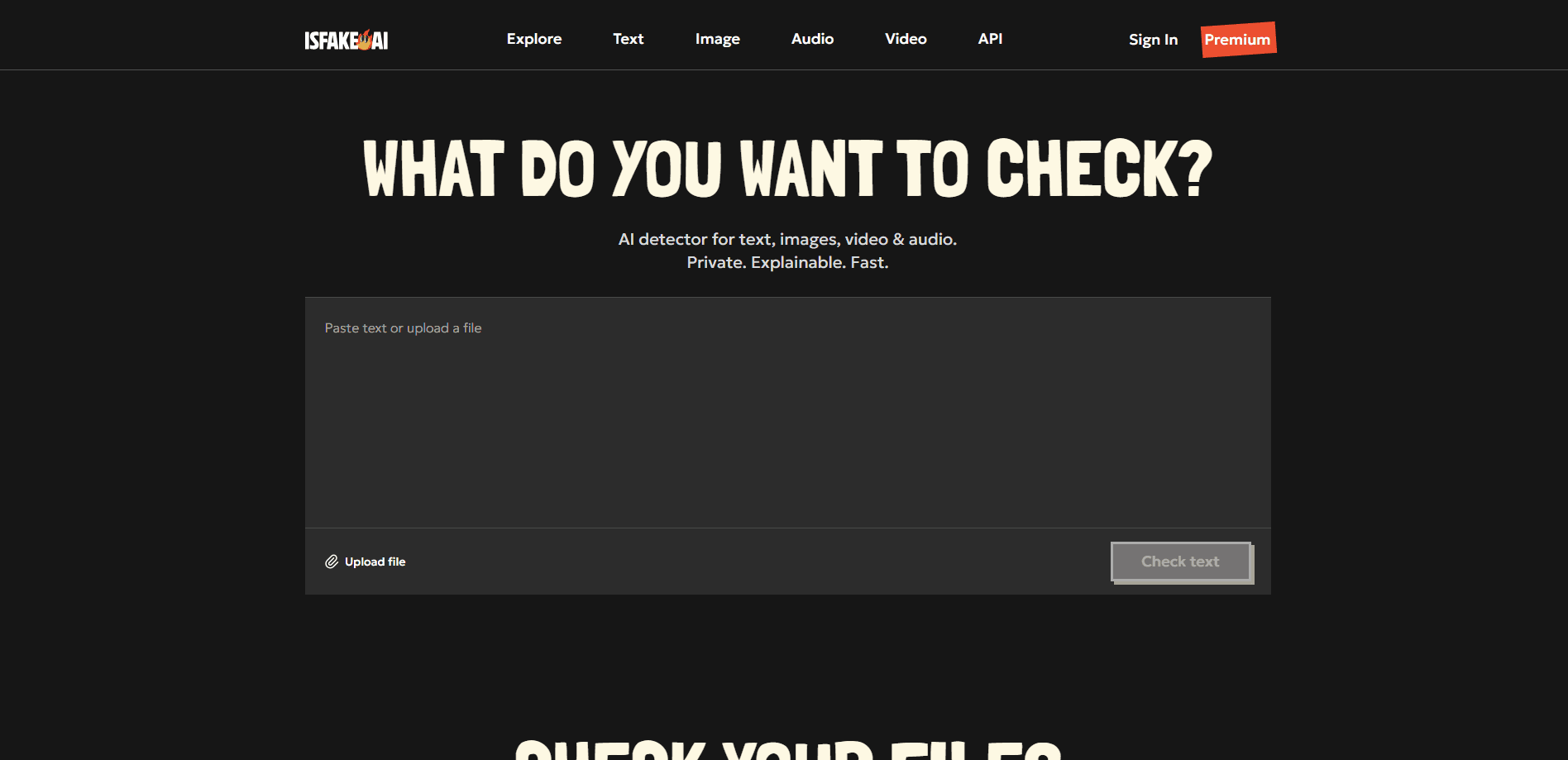
isFake.ai is an AI content detector that checks whether text, images, audio, or video was generated or altered by machines. It runs each file through several specialized models, then shows a probability score with highlighted fragments, heatmaps, or waveform markers so you can see the evidence behind the result. The platform targets journalists, teachers, and content teams who need a fast second opinion before publishing or accepting submitted work. No training required.
About isFake.ai
What Is isFake.ai
isFake.ai is a web-based authenticity platform built to flag AI-generated media across four formats at once. Instead of trusting a single model, it combines outputs from several detectors and reports a probability, not a verdict. That distinction matters. A high score means the content looks synthetic, not that a specific person or tool made it.
The service is aimed at people who deal with unverified content daily: editors checking freelance submissions, teachers grading essays, and businesses screening material before it goes public. You paste text or upload a file, and the report breaks the result into per-paragraph scores, a pixel-level heatmap on images, or frame-level marks on video.
The biggest limitation is baked into how detection works. Heavily edited AI output, mixed human-AI rewriting, and very short samples all tend to slip past or produce noisy scores. The company says so on its own site. So what should you do with a result? Treat the number as a signal to investigate, never as proof.
Getting Started
- Create a free account on isfake.ai and confirm your email.
- Pick the format you want to check: text, image, video, or audio.
- Paste your text or upload the file into the detector.
- Wait for the report, then read the probability score alongside the highlighted evidence.
- Upgrade to a one-time credit or a monthly plan if you need more checks or exportable PDF results.
Product Information
A quick look at isFake.ai's pricing, supported platforms, and performance.
Best for
The users, tasks, and scenarios where this tool fits best.
Users
- Journalists and fact-checkers
- Educators
- Content and social media teams
- Researchers and developers
Tasks
- Detect AI-generated text
- AI image detector
- AI video detector
- AI audio detector
- Deepfake detection
Scenarios
- Verifying a freelance article before it goes live on your site.
- Checking whether a voice message or call recording is a clone.
- Reviewing a submitted photo for a news piece or grant application.
- Auditing a batch of marketing assets for synthetic edits before a campaign.
Key features
Multi-format detection in one place
Most detectors specialize in a single format. isFake.ai covers text, images, audio, and video under one account and one monthly plan. If your workflow touches mixed media, keeping everything in one dashboard saves you from juggling four separate tools. One login, four detectors.
Explainable results instead of a bare score
Every report shows why content was flagged. Text gets token-level and per-paragraph probabilities, images get a pixel heatmap, video gets frame-level markers, and audio gets waveform analysis. The point is verification. You read the evidence and judge for yourself.
Text detector for long-form writing
The AI text detector targets essays, reports, and articles, flagging fragments that match common AI writing patterns. It handles the kind of long-form prose schools and publishers deal with most. It also names the writing tools people usually suspect.
Image detector with visual heatmaps
Upload a photo and the image detector highlights the regions most likely to be synthetic. It leans toward catching fully generated images from generators like Stable Diffusion or Nano Banana, so a lightly retouched photo may come back cleaner than you expect.
Video and audio deepfake checks
The video detector scans for lip-sync errors, facial glitches, and frame inconsistencies, while the audio detector looks for voice-cloning patterns in MP3, WAV, and AAC files. Both are tuned for raw, unedited synthetic media rather than heavily processed clips.
REST API with token-based pricing
Developers can plug detection into their own apps through a RESTful API that covers all four formats. Tokens are pay-as-you-go, and an OpenAPI spec is available. No subscription required.
Privacy-first processing
The company states that content is processed securely and personal data isn't stored without consent. That matters when you're checking confidential documents or private recordings. Nobody wants their source files sitting on someone else's server.
Pros and cons
Pros
- Covers text, image, video, and audio in a single tool and one monthly plan.
- Reports include visual evidence, so results are easier to defend than a lone percentage.
- Free plan is enough to test the detectors before paying.
- Token-based API lets developers pay only for what they use.
- Clear on its own limitations, including false positives on edited content.
Cons
- Detection is probabilistic. Scores can't prove authorship or intent.
- Heavily edited AI content and mixed human-AI writing often slip through.
- Very short text samples and low-resolution video produce unreliable results.
- Exportable PDF reports and faster processing sit behind the paid monthly plan.
Frequently asked questions
It checks text, images, audio, and video for signs of machine generation and returns a probability score with visual evidence. It's a detection and verification tool, not a content creation service.
Related content
Explore related tools, skills, and articles for isFake.ai.
isFake.ai Alternatives
Isgen AI
Isgen · AI DetectionIsgen AI is a web-based AI detector that scores text for machine authorship and shows you which sentences and phrases push the number up. It's built for teachers, editors, students, and writers. Their question is simple: did this draft come from ChatGPT, GPT-5, Claude, Gemini, DeepSeek, or another model? You paste or upload content, run a scan, and get a Human, AI, and Mixed breakdown in seconds. There's also a companion editor that scores text while you write it.
Humanizeai Tools
Humanizeai Tools · Writing · AI DetectionHumanizeai Tools is a web-based AI humanizer that rewrites machine-generated text so it sounds like a person wrote it, which is the whole point of the category it belongs to. Paste a draft from ChatGPT, Claude, or Gemini, run it through the tool, and it swaps out the phrases and sentence patterns that AI detectors flag. If your goal is to make AI text sound human before you publish it, this is the kind of tool built for exactly that. It suits students, bloggers, and marketers who need copy that reads naturally and clears tools like GPTZero, Copyleaks, and Winston AI after a single pass.

Hidemyai
Hidemyai · Writing · AI DetectionHidemyai is an AI content humanizer. It rewrites text from ChatGPT, Jasper, and similar tools so the result reads like a person wrote it. You paste your draft, pick a document type and tone, and the service returns a version meant to bypass AI detectors such as Originality.ai, Turnitin, and ZeroGPT. It targets writers, marketers, and students who lean on AI drafts but can't ship copy that sounds robotic. The promise is simple: make AI content undetectable.