

iSwift.dev
iSwift.dev · Coding
iSwift.dev is an AI app builder that turns plain language prompts into SwiftUI code for iOS, iPad, Mac, and Apple Watch. It previews your views in the browser and exports Xcode-ready files.
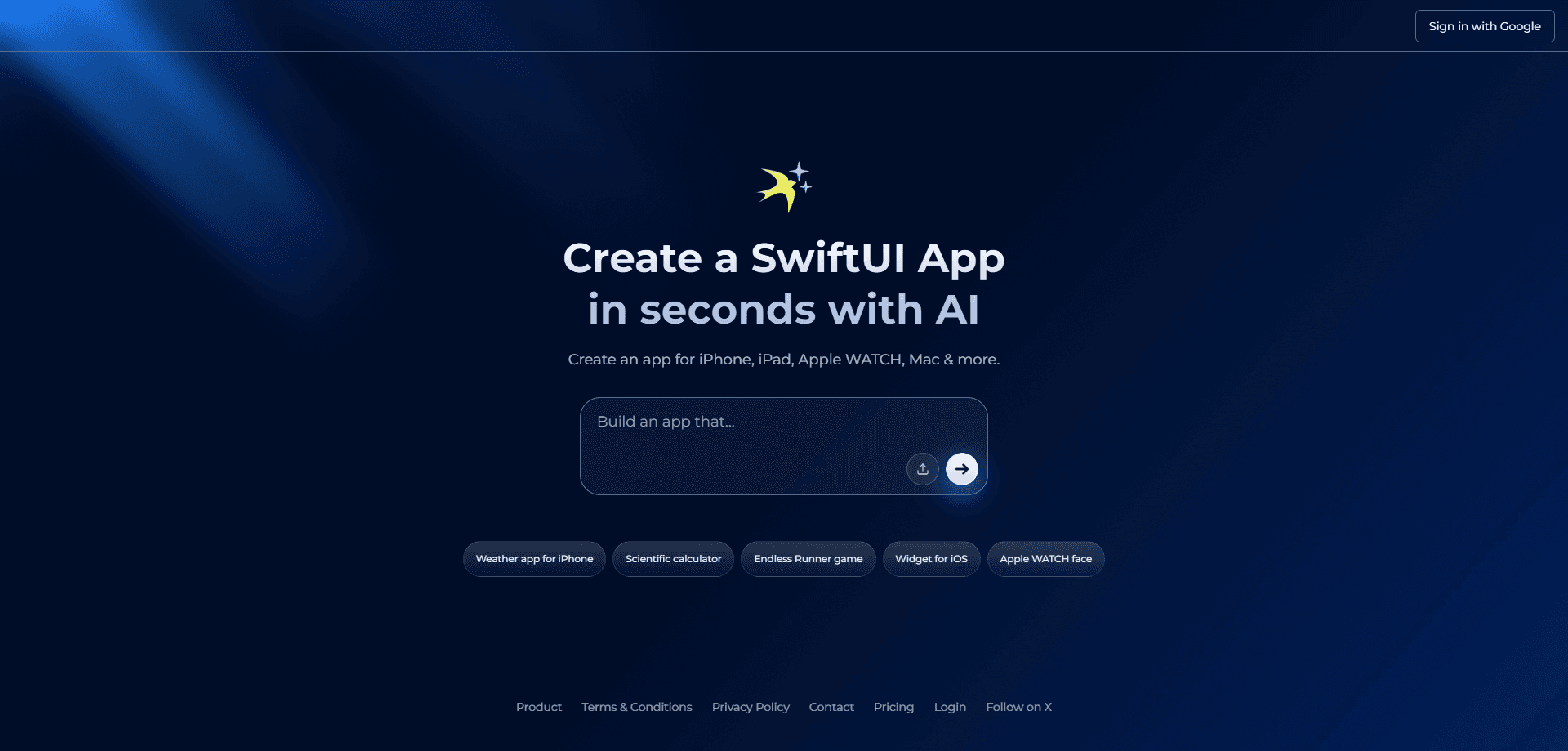
About iSwift.dev
What Is iSwift.dev
iSwift.dev is a browser-based AI SwiftUI tool that writes code for you. You describe the app you want, and the AI generates .swift files you can open, edit, and ship. It focuses on SwiftUI rather than cross-platform frameworks, so the output is native Apple code instead of a wrapped React or Flutter build.
The pitch is speed. A screen or a full starting app that would take an afternoon of typing comes back in seconds, and you refine it through a chat window. You can preview the result in the browser before ever touching Xcode. Think of it as a SwiftUI code generator that also happens to explain itself.
The catch is scope. iSwift.dev writes the code and helps you iterate, but it does not sign, test on physical devices, or publish to the App Store for you. That part still runs through Xcode and your Apple developer account. It also leans on paid AI models, so heavy use costs money once the free window ends.
Getting Started
- Sign in with your Google account to open the builder.
- Describe the app or screen you want in a prompt, or pick a template as a starting point.
- Review the generated SwiftUI code and chat with the AI to make changes.
- Preview the SwiftUI views straight in the browser to check the layout.
- Export the files and open them in Xcode for signing, device testing, and release.
Product Information
A quick look at iSwift.dev's pricing, supported platforms, and performance.
Best for
The users, tasks, and scenarios where this tool fits best.
Users
- Indie iOS developers
- Developers new to SwiftUI
- Product teams prototyping
Tasks
- Generating SwiftUI screens
- Iterating on existing code
- Scaffolding an app
Scenarios
- Validating an idea before committing
- Prepping a client demo
- Learning by doing on a side project
Key features
Prompt to SwiftUI code
Type what you want in everyday language and iSwift.dev returns SwiftUI code you own. The output follows common patterns and reads like something a developer wrote, so you can keep building on it rather than throwing it away.
Browser live preview
You see the SwiftUI views render in the browser without launching a simulator. This closes the feedback loop on layout and spacing fast, which matters most when you are nailing down a screen's look before wiring up logic.
Chat-based iteration
A chat panel sits beside the code so you can ask for changes, question a choice, or request a new component. Updates land in the file as you talk, and the back-and-forth beats editing by hand for small tweaks.
Organized project structure
Generated files come arranged into a sensible structure with modular components instead of one giant file. That makes the code easier to navigate later, whether you keep working in the tool or hand it off.
Apple platform coverage
The same SwiftUI output targets iPhone, iPad, Mac, and Apple Watch, since SwiftUI is shared across Apple's platforms. One framework means less rewriting when you want the app on a second device.
Templates and snippets
Ready-made starting points cover common app types like chat, dating, social, finance, and games, plus smaller components such as onboarding, paywall, and settings screens. They cut the blank-page problem and give you working code to adapt.
Pros and cons
Pros
- Generates native SwiftUI code you own, so there's no platform lock-in and no wrap around a web app.
- Browser preview speeds up layout checks without spinning up a simulator.
- Prompt-and-chat workflow lowers the barrier for people still learning Swift.
- Templates and snippets cover many common app types and components out of the box.
- Output exports cleanly into Xcode for the parts the tool does not handle.
Cons
- The free window lasts 7 days, and after that the cheapest plan runs $29 per month, so casual users pay to keep going.
- Higher AI models sit behind the $99 and $250 plans, which limits quality unless you upgrade.
- No built-in signing or App Store submission means you still need Xcode and an Apple developer account.
- Generated code needs review before release, since AI output can miss edge cases a production app has to handle.
Frequently asked questions
It builds SwiftUI apps and screens from text prompts. You describe what you want, and it writes SwiftUI code for iPhone, iPad, Mac, and Apple Watch that you can preview in the browser and export to Xcode.
Related content
Explore related tools, skills, and articles for iSwift.dev.
iSwift.dev Alternatives

Base Code
Base44 (Wix) · Coding · ProductivityBase Code is a shared cloud development environment from Base44. Teammates describe changes to an existing GitHub codebase in chat, preview them live and send them back as pull requests.

Google EmbeddingGemma 2
Google DeepMind · Writing · Image · CodingGoogle EmbeddingGemma 2 is a 740M-parameter open model that turns text, code, images, audio, and video frames into vectors in one 768-dimension space, running on phones and laptops.

GitGlow
GitGlow · Coding · ProductivityGitGlow is a local-first desktop Git client that lets independent developers review their own code and their AI agents' changes in one place before shipping.