

Jackalope
Jackalope · Coding · Productivity
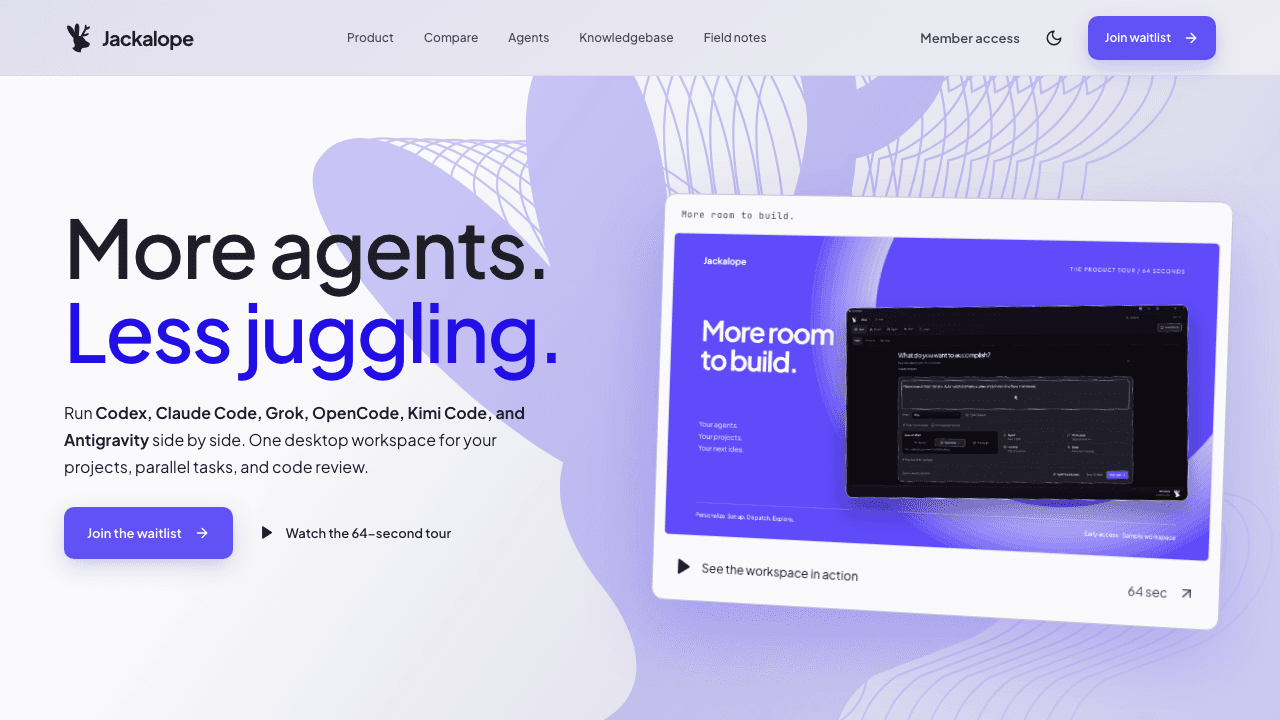
Jackalope is a shared workspace for AI coding agents. It puts Codex, Claude Code, Grok, and OpenCode inside one window instead of forcing you to juggle separate terminals for each tool. If you've ever wished you could point four agents at the same project, watch what each one does, and keep the results in one place, that's the idea here. Think of it as an agent orchestration tool that still leaves each agent in charge of its own work.
About Jackalope
What Is Jackalope
Jackalope is a multi-agent coding workspace built around a simple premise: the agent is no longer the hard part. Getting several of them to work on the same codebase without losing track of who changed what is. Jackalope collects Codex, Claude Code, Grok, and OpenCode into a single shared workspace, so the models stay separate but the room they work in doesn't.
Coordination is the bottleneck now. Not raw model quality.
The product matters most for people already running more than one coding agent. A solo developer might use Codex CLI for one kind of task and Claude Code for another. Keeping those sessions side by side usually means separate terminal tabs, separate logs, and a mental stack you have to hold yourself. Jackalope folds that into one surface, so the shared workspace carries the context instead of your short-term memory.
That's the gap it fills. Do you need four agents, or just two? If you run multiple AI coding agents at all, the workspace works either way.
The tradeoff is that a workspace tool depends on the agents underneath it. Jackalope doesn't replace Codex or Claude Code; it coordinates them. Each agent keeps its own account, its own permissions, and its own behavior, so if one of them is having a bad day, the workspace can't fix that. What it can do is make the coordination less painful.
Getting Started
- Go to the official site at jackalope.dev and create an account or connect the agent tools you already have installed.
- Add the coding agents you want in the workspace, such as Codex, Claude Code, Grok, or OpenCode, and sign in to each one.
- Open or point the workspace at a project so the agents share the same files and context.
- Send a task to one agent, compare the output, or hand the same task to another agent without leaving the window.
- Review the results and keep the work you want before moving on to the next task.
Product Information
A quick look at Jackalope's pricing, supported platforms, and performance.
Best for
The users, tasks, and scenarios where this tool fits best.
Users
- Developers juggling several coding agents
- Solo builders shipping without a team
- Teams standardizing on more than one agent
Tasks
- Comparing agent output on the same task
- Running multiple AI coding agents in parallel
- Cross-checking code reviews
Scenarios
- A weekend project where you want Codex to scaffold and Claude Code to polish
- Early-stage exploration when you're not sure which agent fits
- Long coding sessions where terminal clutter slows you down
Key features
One Workspace for Multiple Agents
Jackalope's core feature is the shared space itself. Codex, Claude Code, Grok, and OpenCode all sit inside the same window, which means you stop alt-tabbing between four terminals. The workspace holds the project context, so each agent starts from the same files rather than a fresh, empty prompt every time.
Support for the Agents You Already Use
Jackalope doesn't ask you to abandon the tools you've settled on. It works with Codex, Claude Code, Grok, and OpenCode right out of the box. Your existing accounts and habits carry over. If you've invested time learning one agent's quirks, that knowledge still counts here.
Shared Project Context
A shared workspace matters because context is the expensive part of AI coding. Separate terminal sessions each rebuild the picture of your project from scratch. When the agents share the same workspace, they work against the same code, so a change one agent makes is visible to the next one without you manually reloading anything. That saves real time. It also cuts mistakes.
Side-by-Side Comparison
When two agents disagree, the useful move is to see both answers next to each other. Jackalope gives you a single view for that, so you can compare output, spot which agent understood the task better, and pick a direction without exporting anything or losing your place. Comparing candidates beats guessing.
Parallel Agent Workflows
You can run agents on different tasks at the same time instead of waiting for one to finish before starting the next. One agent can handle a feature while another drafts tests or documentation. The workspace keeps those threads organized, which is the part that usually falls apart when you're doing it by hand. It rarely falls apart gracefully.
Pros and cons
Pros
- Consolidates Codex, Claude Code, Grok, and OpenCode into one window, cutting down on terminal switching.
- Shared project context means agents work from the same files instead of rebuilding context each session.
- Side-by-side output makes it easier to compare how different agents handle the same task.
- Works with agents you already use, so you don't have to relearn your toolchain.
Cons
- Coordination only goes as far as the agents underneath it, so Jackalope can't fix a weak or misbehaving model.
- Each agent keeps its own account and permissions, which means setup involves signing into several tools.
- Running several agents at once can get expensive fast if you're paying per-token across four providers. Four agents, four bills.
Frequently asked questions
Jackalope is a shared workspace for running multiple AI coding agents in one place. Instead of keeping Codex, Claude Code, Grok, and OpenCode in separate terminals, you manage them from a single window with shared access to the same project.
Related content
Explore related tools, skills, and articles for Jackalope.
Jackalope Alternatives
Forefront
Forefront · CodingForefront is a web platform for building with open-source AI. It lets you fine-tune leading open-source language models on your own data, evaluate how they perform, and run them through an API or export them to host yourself. Developers who want the convenience of a closed-source platform but insist on owning their models and data are the target audience here.

Startkit
StartKit.AI · CodingStartkit is a boilerplate for building AI SaaS and AI wrapper products. Think of it as an AI startup boilerplate with the boring parts already wired up: authentication, Stripe and Lemon Squeezy payments, usage limits, transactional email, and an AI API starter that talks to OpenAI, Anthropic, Groq, or Llama. You clone the repo, set your price, and start on the part of your product that people actually pay for. It's Next.js under React and Tailwind, so most of the boilerplate code already feels familiar.
Testim
Tricentis · CodingTestim is an AI-powered test automation platform for building and running end-to-end tests across web, mobile, and Salesforce applications. It leans on machine learning to keep tests stable when an interface changes, so teams spend less time fixing broken selectors. Not bad for an automated testing tool you can start using today. You create tests by recording actions in a browser, then optionally add JavaScript when you need more control. It's a solid pick for busy QA teams.