
JAMtime.ai
Jeff's Audio Machines (JAM) · Voice & Language
JAMtime.ai is a tone-building assistant that helps guitarists and producers turn a spoken or typed description of a sound into a working effects pedal or virtual instrument chain. It's a guitar tone AI, in plain terms. Instead of guessing at knob positions, you describe the result you want and the AI assembles the signal path for you, then lets you save it, tweak it, and sync it to JAM devices. A free tier covers previews and up to ten saved patches, while paid plans open up longer chats, a larger riff library, and higher AI usage.
About JAMtime.ai
What Is JAMtime.ai
JAMtime.ai is a web app from Jeff's Audio Machines (JAM) built for people who know the sound they want but not the exact settings to get there. You type or speak a description like "a short slapback echo behind a clean tone with a bit of spring reverb," pick a target device, and the assistant returns a chain of effects or a virtual instrument setup that matches the brief. It's a JAMtime.ai guitar tone builder for players who think in sounds, not parameters.
The main problem it solves is the gap between hearing a tone in your head and dialing it in on real gear. For beginners especially, translating "vintage and warm" into specific pedal order and parameter values is slow and frustrating. It doesn't have to be. JAMtime.ai shortens that loop to a conversation, so you spend less time reading forum threads and more time playing.
There are limitations worth knowing up front. AI usage is metered even on paid plans, with a daily cap that resets nightly, so heavy sessions can hit a wall before the month ends. Voice input requires a signed-in account, and the more advanced /smart messages are reserved for the Pro tier. Plan around the cap.
Getting Started
- Open jamtime.ai and sign in, since saving patches and voice input both need an account.
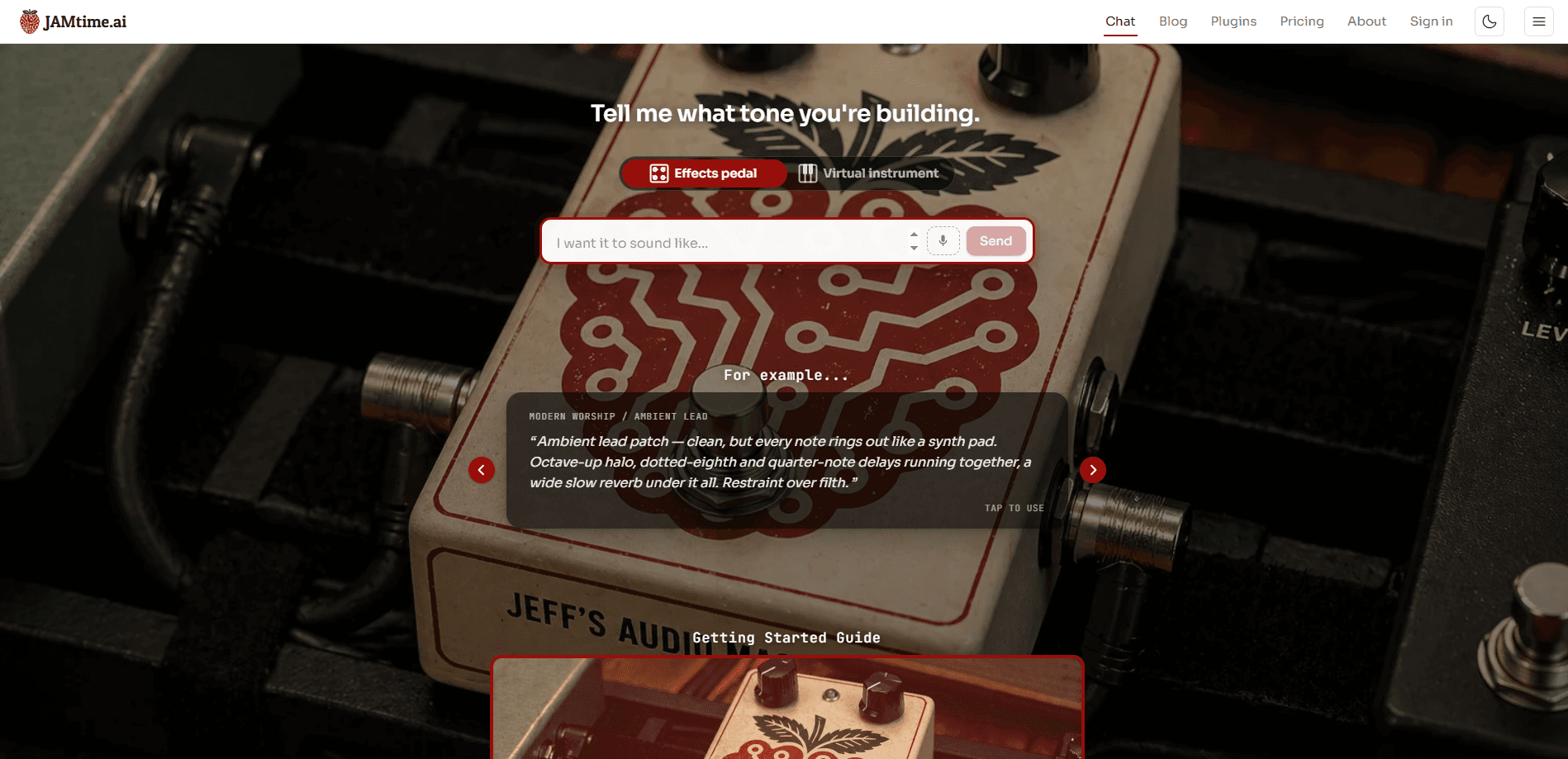
- Choose your target on the chat screen: Effects pedal or Virtual instrument.
- Describe the tone in the text box, or use the voice button, and send the message.
- Review the chain the assistant builds and refine it with follow-up messages until it sounds right.
- Save the result to My Library, or sync it to a JAM device if you have one.
Product Information
A quick look at JAMtime.ai's pricing, supported platforms, and performance.
Best for
The users, tasks, and scenarios where this tool fits best.
Users
- Beginner guitarists
- Home producers
- Experienced players chasing a specific reference tone
Tasks
- Turning a described tone into an effects chain
- Building virtual instrument patches
- Organizing tones
Scenarios
- Noodling at home and wanting a new sound without menu-diving your multi-effects unit.
- Prepping for a session where you need a rough version of a reference tone to work from.
- Experimenting with ambient or layered sounds, such as stacking several effect chains into a pad.
Key features
Plain-Language Tone Building
The core of JAMtime.ai is a chat box that asks one question: tell me what tone you're building. You describe the sound in everyday words, and the assistant returns a chain rather than a wall of numbers. No menu-diving required. This is the feature most people come for, and it's what separates the product from a preset list.
Effects Pedal and Virtual Instrument Targets
Before you send a message, you pick whether the chain is for a physical effects pedal or a virtual instrument. The two targets produce different setups, so a guitarist building a board and a producer building a synth patch both get output shaped for their gear instead of a generic answer. One setup, one target.
Voice Input
You can speak your description instead of typing it, which matters when you're holding a guitar. Hands stay on the strings. Voice input is tied to a signed-in account, so it's not available to someone just browsing the free preview.
Sync to JAM Devices
Finished patches can sync to JAM physical devices directly from the app. If you own the hardware, a tone you built in chat moves onto the device without manual re-entry. It just lands there.
My Library
Saved patches live in My Library so you can revisit them later. The free tier holds up to ten, while the Creator plan removes that cap. That's the point where casual users usually think about upgrading.
Custom Riff Uploads
On the Creator plan you can upload your own riffs, which lets the assistant work against your actual playing rather than a generic description. It's a practical detail if you're building tones to fit specific material. Bring your own take.
Smart Messages
Pro subscribers get access to /smart messages, which run on the most powerful model available and are aimed at complex chains of effects. For layered or unusual tone requests, this is where the tool is most likely to nail the first attempt. Worth the upgrade for tinkerers.
Pros and cons
Pros
- Describing a tone in plain language is faster than dialing parameters by hand.
- Separate effects pedal and virtual instrument targets match output to your gear.
- Free tier includes previews, JAM device sync, and ten saved patches.
- Patches you create stay yours even if you cancel a subscription.
- Referral program gives both people $5 of free usage when a friend upgrades.
Cons
- AI usage is capped daily and monthly, so long sessions can stall before renewal.
- Voice input and the strongest model sit behind an account and the Pro plan.
- No public API, so you can't script tone generation into your own tools.
Frequently asked questions
JAMtime.ai has a free tier that costs nothing and needs no card. It includes preview AI usage, sync to JAM devices, and up to ten saved patches in My Library, which is enough to test whether the tone-building approach works for you before paying.
Related content
Explore related tools, skills, and articles for JAMtime.ai.
JAMtime.ai Alternatives

Foley
Hanamori Labs, LLC · Voice & Language · Productivity · AI AssistantFoley is a voice to-do list that turns a spoken sentence into a filed task, complete with project, date and time, then helps you plan the day around what is already there.

HireKey
HireKey · Voice & Language · Productivity · LeaningHireKey is an AI job search copilot built by a former tech recruiter. It checks role fit, tailors resumes, runs interview practice and tracks every application.

Fluence
Yay Software (Yannick Huchard) · Writing · Voice & Language · ProductivityFluence is an Android app that reads PDFs, EPUBs, Word files and web articles aloud, follows each sentence as it speaks, and answers questions about the text on the phone itself.