

Jango
Jango · Coding · Business
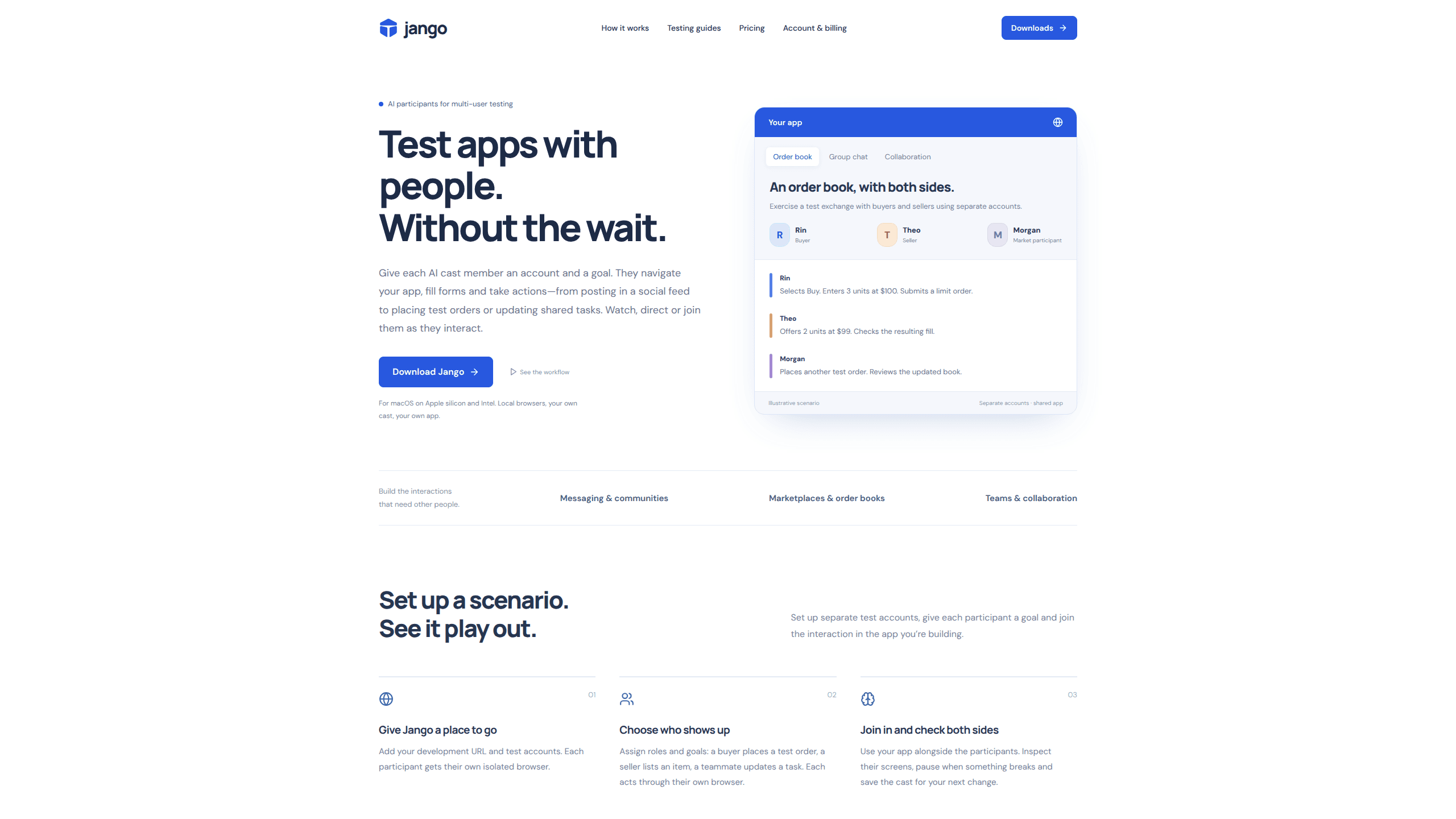
Jango is a macOS app that runs AI participants, each in its own browser, so you can test multi-user flows in a web app. You assign each one a role and a goal, then watch or join the run.
About Jango
What Is Jango
Jango is built for multi-user app testing, the part of QA that only breaks when two people use a feature at the same time. Chat threads, shared task boards, marketplace order books and team invitations need separate accounts doing different things at once. Jango gives every AI participant its own browser session and its own test account, so those interactions actually happen while you're still building.
The app runs on your Mac. Node.js and Chromium ship inside the installer, and the browsers run locally while your projects, run evidence and checkpoints stay in your Jango account. You connect an AI key from OpenAI, Anthropic or Vercel AI Gateway, or buy prepaid managed credits if you'd rather not manage keys yourself.
It is a testing aid, not a stand-in for real users. Jango's own documentation is direct about that: the AI test agents exercise flows and explore scenarios, and they don't replace research with real people. Participant actions also depend on the controls Jango can observe, so apps drawn entirely on a canvas, popup sign-in flows and CAPTCHA screens may need a different integration.
Getting Started
- Install Jango 1.1.1 from usejango.com, drag it to Applications and sign in, then confirm your email.
- Create a project with your development URL and add separate test accounts for the roles you need.
- Connect an AI provider key, then give each cast member a role and a goal.
- Start a session, watch the live views, and send directions or pause when something breaks.
- Save the cast so the next run reuses the same identities and app memory.
Product Information
A quick look at Jango's pricing, supported platforms, and performance.
Best for
The users, tasks, and scenarios where this tool fits best.
Users
- Solo developers building a web app with accounts, messaging or shared state
- QA engineers on small teams
- Founders preparing a demo
Tasks
- Checking that a message, notification or invite reaches the second account
- Exercising a marketplace or order book
- Testing shared task boards and team permissions
- Re-running a flow after a backend change
Scenarios
- Reproducing a bug that only appears with two accounts signed in
- Rehearsing a multiplayer demo the night before
- Onboarding a new developer to an unfamiliar flow
Key features
AI participants with their own browsers
Each cast member gets an isolated browser and its own account, so navigation, form fills, uploads and clicks happen against your app's real state. Several browser sessions run side by side while you work. You aren't reading a transcript of imagined behavior, you're watching a browser do the work.
Roles, goals and mid-run direction
You decide who shows up and what each one is trying to do. A goal might be "place a test order" or "update the shared task". Once a session is live, a direction to a named participant changes the course of the run without a restart.
Watch, pause and join
Live views show every participant's screen while the session runs. Pause someone when a flow breaks, open your own account in the same app, and check both sides of the interaction before you decide whether the bug is real.
Cast memory that survives the run
Jango keeps known identities with roles, relationships and encrypted login state, observed app controls with their execution history, and run evidence with observable checks. Next week's run starts from what this week's run learned.
Terminal, MCP and workspace API
Launch a cast from the CLI, hand it to a coding assistant over MCP, or call the workspace API. Casts stay portable between the dashboard and the terminal, so a scripted check and a manual session share the same setup.
Bring your own key or use managed credit
Every plan runs on your Mac with your own AI key at no extra cost, and OpenAI, Anthropic and Vercel AI Gateway are supported. If you'd rather not hold a key, prepaid managed credits run the same sessions at cost plus a margin that drops from 20% on Free to 10% on Pro.
Pros and cons
Pros
- Runs the whole session on your Mac with Node.js and Chromium bundled, so there's no separate Playwright install.
- Separate accounts per participant exercise the shared state that single-user tests miss.
- Saved casts and app memory cut the setup cost of every repeat run.
- The free plan is usable for small casts: three participants, one project and your own key.
- CLI, MCP and API access fit an existing developer workflow.
Cons
- macOS 14 or later on Apple silicon or Intel only, and the Windows build is announced but not shipped.
- Participants can only act on controls Jango can observe, which rules out canvas-only apps and some popup sign-in flows.
- Managed AI credits are prepaid and billed on top of the subscription, so heavy runs cost more than the $9 Pro price suggests.
- A cast proves a flow works, not that people understand it, so user research still has to happen elsewhere.
Frequently asked questions
It tests multi-user features in a web app by running several AI participants at once, each signed into a separate test account. Messaging, marketplaces, shared tasks and invitations are the main cases.
Related content
Explore related tools, skills, and articles for Jango.
Jango Alternatives

Base Code
Base44 (Wix) · Coding · ProductivityBase Code is a shared cloud development environment from Base44. Teammates describe changes to an existing GitHub codebase in chat, preview them live and send them back as pull requests.

Google EmbeddingGemma 2
Google DeepMind · Writing · Image · CodingGoogle EmbeddingGemma 2 is a 740M-parameter open model that turns text, code, images, audio, and video frames into vectors in one 768-dimension space, running on phones and laptops.

GitGlow
GitGlow · Coding · ProductivityGitGlow is a local-first desktop Git client that lets independent developers review their own code and their AI agents' changes in one place before shipping.