

Jellypod
Jellypod · Voice & Language
Jellypod is an AI content platform that turns a topic, PDF or link into an editable AI podcast, video or short, then hosts it and publishes it to Spotify, Apple Podcasts and YouTube.
About Jellypod
What Is Jellypod
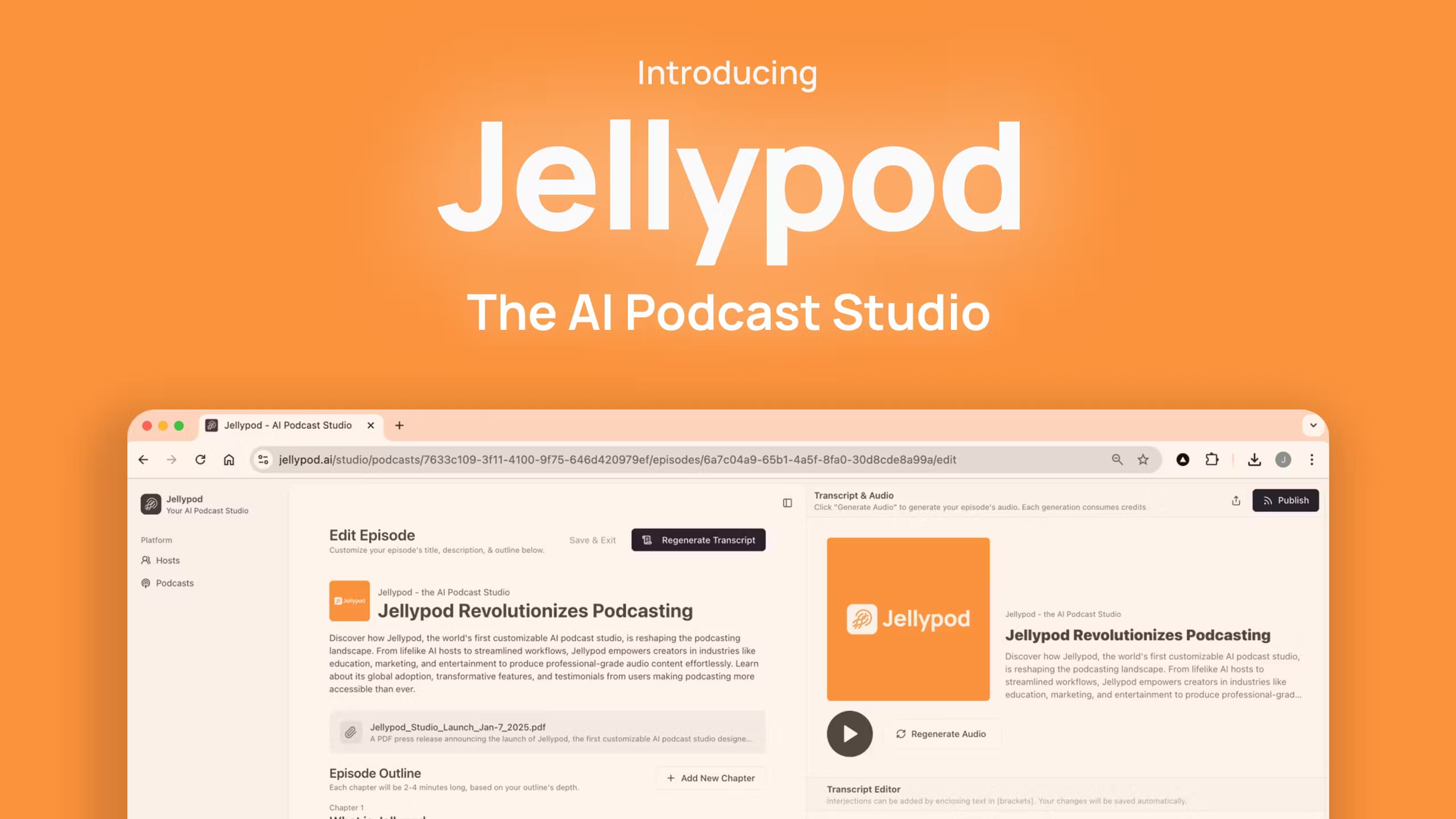
Jellypod is an AI podcast generator and video studio rolled into one. It handles podcasts, short videos and voiceovers from a single workspace. You hand it a topic, a document, a slide deck, a link or a rough set of notes, and it writes a script, casts one to four AI hosts, voices the conversation and can illustrate the result. The AI video generator and the audio side share the same script, so one project can ship as a podcast and as a captioned short. The studio runs in the browser, so you don't need a microphone, a camera or editing software to ship an episode.
Most people use it to skip the heavy lifting of a podcast workflow. A lecture, a newsletter or a product brief becomes a finished conversation in a single sitting, which is why text to podcast is the most common way people start. Every public show also gets a website and an RSS feed, and you submit that feed once so new episodes land on Spotify, Apple Podcasts and YouTube without a second hosting bill. That pairing of podcast hosting and distribution in one place is the part that saves the most time and money.
The limits are worth knowing. Episodes run up to 60 minutes, and longer audio or video sits behind the higher plans. Usage is measured in credits, with narration billed by the minute, so a busy month of long episodes can burn through an allocation. The AI also writes the first draft of the script, which means you still have to review names, dates and anything it states as fact.
Getting Started
- Create an account at jellypod.com and start the 7-day free trial, which includes 5,000 credits and podcast hosting.
- Add a source: paste text, drop a link, or upload a file such as a PDF, Word document or slide deck.
- Cast one to four AI hosts, pick from more than 3,300 voices or use AI voice cloning on your own, then edit the script line by line before you generate audio.
- Generate the episode, then listen in the studio, download the file, or publish to Spotify, Apple Podcasts and YouTube in one click.
Product Information
A quick look at Jellypod's pricing, supported platforms, and performance.
Best for
The users, tasks, and scenarios where this tool fits best.
Users
- Solo creators who publish a show each week
- Small marketing and L&D teams
- Educators and trainers
Tasks
- Turning documents into audio
- Cloning a host voice
- Scheduling a recurring show
Scenarios
- Running a podcast without a studio
- Turning a newsletter into audio
- Making social video from one idea
Key features
Editable script before audio
Jellypod writes the discussion, and you edit any line before it generates the voice. Change a name, fix a claim or reshape the pacing, and only the segment you touched regenerates. That control is the main thing that separates it from tools that hand you a finished audio file with no script.
Where the AI podcast platform fits
Jellypod works as a full AI podcast platform, not just a generator. Scripts, voices, web space and distribution all live in one account, so a show is ready to go public the moment the script passes review. The AI video generator inside the same studio then turns that script into a video or a short.
Voice cloning for a recognizable host
On paid plans you clone your own voice as an AI voice cloning feature, or that of a co-host you have permission to use, so episodes carry a familiar tone rather than a generic narrator. Starter includes two clones, while Business lifts the number to twenty.
Video, shorts and art-directed styles
Beyond audio, Jellypod makes wide-format videos and vertical shorts in distinct visual styles, from whiteboard and paper cutout to claymation and pixel art. Shorts carry captions and music for social feeds, and the same episode can be published as audio and video from one project.
Hosting, RSS and distribution
Every public show gets a hosted website and an RSS feed that you submit once to Spotify, Apple Podcasts and YouTube. New episodes appear automatically after that first submission, and an analytics dashboard pulls plays from each app into one view by country, app and episode.
Automations and podcast automation
You write a prompt once and choose a schedule or an email trigger. Each run searches the web, writes the script and generates the episode, video or short, then either saves a draft or publishes it. Runs that fail send you a reason and pause the schedule rather than spend credits silently.
Pros and cons
Pros
- Edit the script before you spend credits on audio, so you can fix names and claims first.
- One account covers the script, voices, delivery and site space for Spotify, Apple Podcasts and YouTube, which saves a separate podcast hosting subscription.
- Output in 121 languages and accents, with more than 3,300 voices and voice cloning on paid plans.
- Automations can research, script and publish a recurring show on a set schedule or by email.
Cons
- No free plan. You can only try it through a 7-day paid trial that needs a payment method.
- Credits are consumed by narration and visuals, so long episodes and heavy video work can exhaust a monthly allocation.
- Episodes cap at 60 minutes on most plans, and only the Enterprise plan lifts the limit.
- The AI drafts the script, so factual mistakes and mispronunciations still need a human pass before publishing.
Frequently asked questions
Jellypod turns a topic, document or link into a finished podcast, video or short. It writes and voices the script, hosts the result, and distributes it to Spotify, Apple Podcasts and YouTube, so you can publish a show without a microphone or editing software.
Related content
Explore related tools, skills, and articles for Jellypod.
Jellypod Alternatives

Foley
Hanamori Labs, LLC · Voice & Language · Productivity · AI AssistantFoley is a voice to-do list that turns a spoken sentence into a filed task, complete with project, date and time, then helps you plan the day around what is already there.

HireKey
HireKey · Voice & Language · Productivity · LeaningHireKey is an AI job search copilot built by a former tech recruiter. It checks role fit, tailors resumes, runs interview practice and tracks every application.

Fluence
Yay Software (Yannick Huchard) · Writing · Voice & Language · ProductivityFluence is an Android app that reads PDFs, EPUBs, Word files and web articles aloud, follows each sentence as it speaks, and answers questions about the text on the phone itself.