

JobScout360 Jobs Bot | By Webs-Automation
Webs-Automation · Other
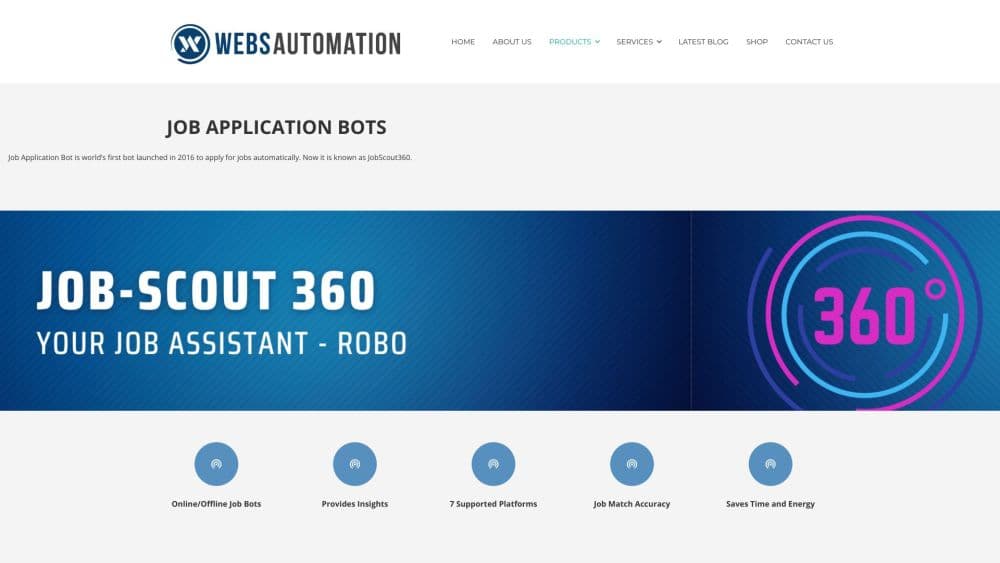
JobScout360 Jobs Bot is a browser based job search automation tool from Webs-Automation that fills out and submits applications on LinkedIn, Indeed, Dice and other boards using answers you save once.
About JobScout360 Jobs Bot | By Webs-Automation
What Is JobScout360 Jobs Bot
JobScout360 is the web portal behind Webs-Automation's long running job application bot. The company says its desktop bot shipped in 2016 and was patented, and the portal came later as a browser based front end for the same idea: you describe the job you want, and software sends applications on your behalf.
The product targets one specific pain. Applying to 30 openings a day means repeating the same form, the same screening questions and the same resume upload dozens of times. JobScout360 is sold as auto job apply software rather than a one-off download. It stores your profile, job titles, locations and prepared answers, then works through matching listings on supported job boards. A dashboard collects every application in one list, so you can check what went out without opening five browser tabs.
The limits matter as much as the automation. Coverage stops at the boards Webs-Automation has built bots for, the portal runs in Chrome, and the service depends on each site's page layout staying stable. Job boards also change their terms and bot detection regularly, which is why the vendor sells access as a subscription rather than a one time license.
Getting Started
- Buy a plan on the Webs-Automation shop and pick the platforms you need. Access arrives by email after payment clears.
- Sign in to the JobScout360 portal and fill in your profile, target job titles, locations and work preferences.
- Write your standard answers for common employer questions, including salary expectations and notice period.
- Choose the platform bots to run, set a schedule, and start the job search automation in Chrome.
- Review the application list in the dashboard and follow up on the roles that matter most.
Product Information
A quick look at JobScout360 Jobs Bot | By Webs-Automation's pricing, supported platforms, and performance.
Best for
The users, tasks, and scenarios where this tool fits best.
Users
- Active job seekers sending dozens of applications a week
- Career switchers applying across several industries
- Recruitment agencies handling candidates in bulk
Tasks
- Applying to the same job title in multiple cities
- Keeping a record of every application
- Answering standard screening questions consistently
Scenarios
- A job hunt that runs while you are at work
- Weekly application quotas
- Testing a new resume or target role
Key features
Multi Platform Application Bots
JobScout360 covers LinkedIn, Indeed, Dice, Glassdoor, Monster, ZipRecruiter, JobServe and Arbetsformedlingen, with plans sold by platform count. One subscription can drive several bots in parallel, which is the main reason people pick it over a single site's easy apply button. The catch is that each extra platform raises the price.
Saved Answers for Employer Questionnaires
Most applications include screening questions about authorization, salary and start dates. The portal lets you prepare those answers in advance so the AI job bot can fill them without stopping. Quality depends on how well you write them. Vague answers produce vague submissions, and you still need to review anything unusual.
Centralized Application Tracking
Every submission lands in one dashboard list, with the job, company and platform attached. That beats a spreadsheet you forget to update. It also gives you a quick way to spot boards that send few replies and drop them from the next run.
Scheduled and Background Running
You can queue a run for a specific day, or buy the offline add-on and let the vendor's team run the jobs bot against your profile on their servers. The second option is the practical one for anyone who cannot leave a computer on. It costs extra and moves your data to someone else's machine.
Chrome Based Portal
The whole workflow lives in the browser, so there is nothing to install beyond the portal login. Chrome is the supported environment, and the bot drives the job sites the way a person would. That keeps setup simple, but it also means a browser update or a site redesign can break a run.
Agency and Bulk Licensing
The corporate tier covers 5 platforms and 10 users for $750 a year. Agencies that apply for many candidates can ask for custom terms, white label options and higher seat counts. Smaller job seekers rarely need this, but recruiters comparing tools will care.
Pros and cons
Pros
- Covers eight job boards, including the four that most US and UK applicants use daily.
- Saved answers cut the slowest part of applying, which is retyping the same screening questions.
- The dashboard keeps a clean record of automated job applications.
- Offline running removes the need to keep a laptop open during a job search.
- Yearly corporate pricing works out cheaper per seat than the monthly basic plan.
Cons
- Plans start at $20 a month for a single platform, and the full $750 corporate tier is a real cost for one job seeker.
- Applications only run on supported boards, so niche or regional sites are out of reach unless Webs-Automation builds a bot for them.
- Poorly written saved answers can produce weak submissions that hurt your chances.
- Automated applying can conflict with a job board's terms, and account restrictions are a risk you carry.
Frequently asked questions
It searches supported job boards for roles that match your titles and locations, then fills out and submits applications using your saved profile and answers. You review the results in a dashboard.
Related content
Explore related tools, skills, and articles for JobScout360 Jobs Bot | By Webs-Automation.
JobScout360 Jobs Bot | By Webs-Automation Alternatives

Odyssey 3
Odyssey · OtherOdyssey-3 is Odyssey's foundation world model. It simulates physics in real time, turns a prompt into an interactive environment, and adapts to robots, cars and games.

JarvisCore
Prescott Data · Coding · Productivity · OtherJarvisCore is an open source Python runtime where AI agents work as equal peers on an agent mesh, claim tasks from a shared ledger, and reach external services through a zero-trust broker.
Clef
Cloudflare · Business · OtherClef is Cloudflare's open-source decision model for Workers AI. It returns calibrated probabilities for typed questions, not generated text, so agents can classify, route, and act fast.