

Takeoff
Takeoff AI, Inc. · Coding · Leaning
Takeoff is an online AI learning platform with courses and a community that help developers and designers become confident, everyday AI users.
About Takeoff
What Is Takeoff
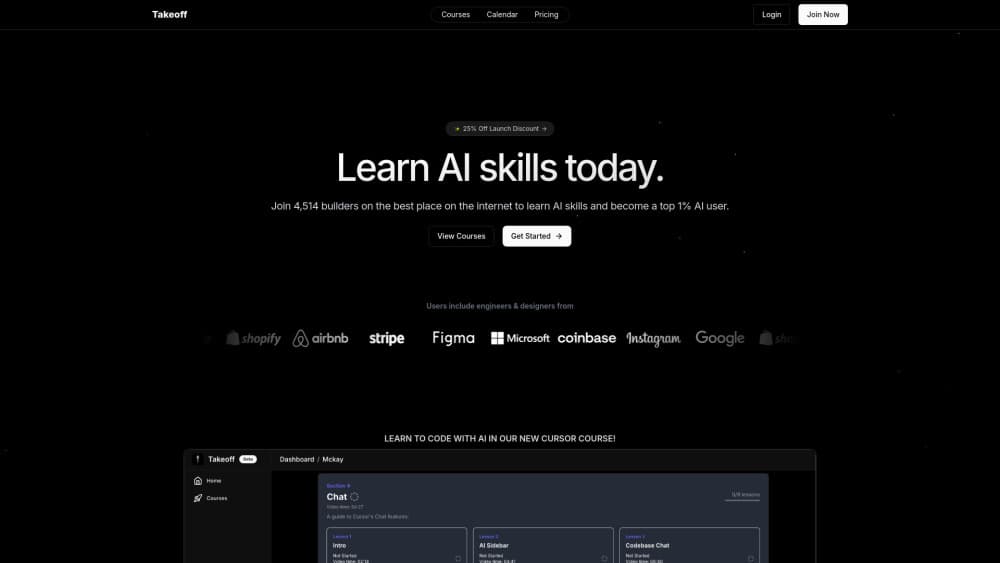
Takeoff is a web-based AI learning platform built around two things: structured courses and a community of people who use AI at work every day. It leans toward practitioners rather than beginners chasing hype. The courses walk developers and designers through practical AI workflows, and the community gives them a place to compare notes and keep up as the tools change.
The platform targets a real gap. Plenty of people can open a chatbot and type a prompt, but far fewer know how to fit AI into a design review, a codebase, or a client deliverable. Takeoff treats those workflows as the core skill to teach, not an afterthought.
One caveat you should know up front. Takeoff has rebranded to MagicLearn, and the company now markets itself under that newer name while still operating as Takeoff AI, Inc. If you land on the site and see MagicLearn branding, you're in the right place. Pricing isn't published in a way we could confirm, so treat any numbers as something to check directly before you commit.
Getting Started
- Go to jointakeoff.com and create a free account with your email.
- Browse the courses catalog and pick a track that matches your role, whether that's front-end development, product design, or general AI fluency.
- Work through the lessons at your own pace, following along with the tools each course covers.
- Join the community to ask questions, share work, and pick up tips other members post.
- Check the changelog now and then, since the course material gets updated as the underlying AI tools shift.
Product Information
A quick look at Takeoff's pricing, supported platforms, and performance.
Best for
The users, tasks, and scenarios where this tool fits best.
Users
- Developers
- Designers
- Career switchers
Tasks
- Learning practical AI workflows
- Staying current with AI tools
- Building a portfolio piece
Scenarios
- Onboarding a team onto AI tooling
- Weekend skill-building
- Pre-project research
Key features
Courses Built for Practitioners
The catalog is organized around role-based tracks rather than one-size-fits-all lessons. A developer and a designer start from different places and get different material. The result is a set of AI courses for developers and AI courses for designers that rarely overlap. Each course aims at a concrete outcome, so you finish with a skill you can apply, not just a set of concepts.
A Community of Working Professionals
Every course sits alongside a community where members trade workflows, prompt patterns, and honest takes on what works. That matters because AI tooling shifts fast, and a forum of people actively using it often moves quicker than any static curriculum.
Self-Paced Learning
You set the pace. There's no cohort start date or fixed weekly schedule, which makes the platform workable if you're balancing a job or coursework. You can binge a track in a weekend, or stretch it over several months when your calendar gets crowded with other obligations.
Role-Specific Tracks
Front-end, product, and general AI fluency paths mean you're not forced through material that doesn't apply to you. Designers don't sit through deep back-end lessons, and developers don't wade through brand-strategy modules that have little to do with the code they ship every week. That focus is the whole point.
Regular Content Updates
AI tools change quickly. Courses that age badly are worse than useless. Takeoff refreshes its material as the tools shift, and the public changelog gives you a record of what's been updated, which is more than most self-paced platforms bother to do.
Web-Based With No Install
Everything runs in the browser. There's no desktop app to install and no mobile download, which keeps friction low. It also means you'll want a comfortable keyboard for the hands-on work. Want to learn AI online without installing anything? This is about as low-friction as it gets.
Pros and cons
Pros
- Role-based tracks keep lessons relevant to what you actually do at work.
- The community adds context that a static course can't, especially as tools change.
- Self-paced structure fits around a full-time job.
- Content gets refreshed, so you're not learning outdated workflows.
- No install required since it runs entirely in the browser.
Cons
- Pricing isn't clearly published, so you have to reach out before you know the cost.
- No mobile app means you can't chip away at lessons on a phone during a commute.
- The recent rebrand to MagicLearn can make it confusing to tell if you're on the right product.
- No public API, so you can't wire the platform into other tools or build on top of it.
Frequently asked questions
Takeoff is an online platform for learning AI skills through structured courses and a community. It's aimed at developers and designers who want to use AI tools effectively in their actual work, not just understand them in theory.
Related content
Explore related tools, skills, and articles for Takeoff.
Takeoff Alternatives

Base Code
Base44 (Wix) · Coding · ProductivityBase Code is a shared cloud development environment from Base44. Teammates describe changes to an existing GitHub codebase in chat, preview them live and send them back as pull requests.

Google EmbeddingGemma 2
Google DeepMind · Writing · Image · CodingGoogle EmbeddingGemma 2 is a 740M-parameter open model that turns text, code, images, audio, and video frames into vectors in one 768-dimension space, running on phones and laptops.

GitGlow
GitGlow · Coding · ProductivityGitGlow is a local-first desktop Git client that lets independent developers review their own code and their AI agents' changes in one place before shipping.