

Live AI Translator
JotMe · Writing · Productivity
JotMe for Google Meet puts live AI translated captions, speaker-labeled transcripts, and AI meeting notes on top of any Meet call through a Chrome extension or desktop app, with no bot joining.
About Live AI Translator
What Is JotMe for Google Meet
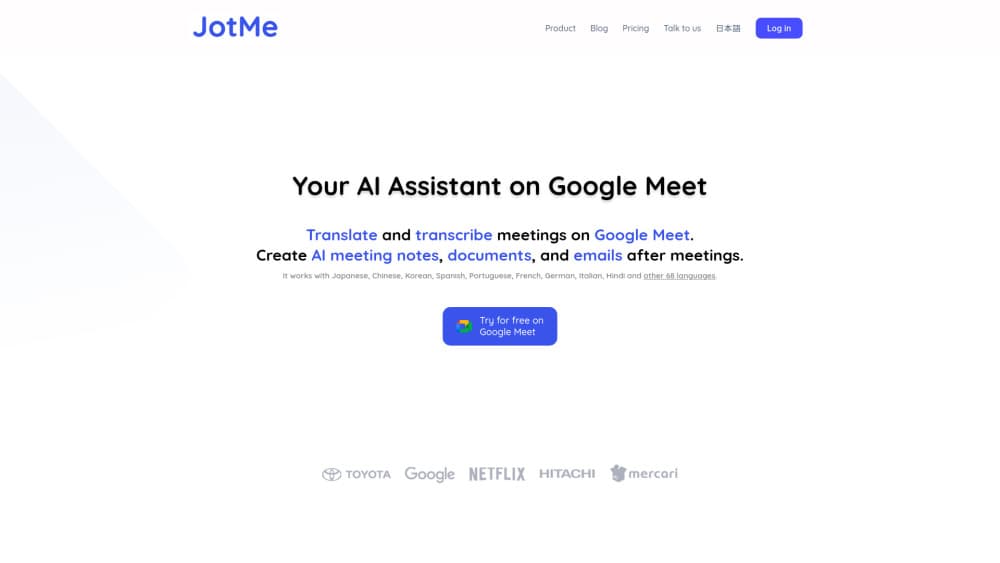
JotMe for Google Meet is a translation layer that sits on top of a normal Meet call. The Chrome extension drops a draggable overlay into the meeting window and shows Google Meet translated captions while people speak. The desktop app goes further and adds voice-to-voice output plus a wider target language list. Nobody in the call needs to install anything, and the host doesn't flip a setting to turn it on. For a team that wants Google Meet live translation without upgrading its Workspace plan, that gap alone covers the install.
The problem it targets is specific. Meet's own translated captions sit behind paid Workspace tiers, and even when you get them, the words vanish when the call ends. JotMe keeps the record. Every session lands in a dashboard as a searchable transcript, a bilingual view that holds the original and the translation side by side, and a set of AI meeting notes with key points and action items in the language each person picked.
The limits matter before you commit. Live translation runs on minutes, and a free account gets 20 of them each month. The Chrome extension carries the light setup, while voice-to-voice and the 200+ language list live in the desktop app. Audio is captured locally, so accuracy tracks your microphone and room more than anything else.
Getting Started
- Install the JotMe Chrome extension or the desktop app for Mac or Windows, then sign in with your work email.
- Join or host a Google Meet as you always do. Start the JotMe overlay before the first person speaks.
- Pick the spoken language and the language you want to read, then hit play. Captions appear inside the meeting window.
- Share the stream if others need it, using a link, a QR code, or on-camera subtitles.
- Open the dashboard after the call for the transcript, the bilingual version, and the notes.
Product Information
A quick look at Live AI Translator's pricing, supported platforms, and performance.
Best for
The users, tasks, and scenarios where this tool fits best.
Users
- International sales and support teams
- Non-native speakers at English-first companies
- Event and webinar hosts
Tasks
- Running a two-language client call
- Turning a recorded Meet into a translated transcript
- Writing follow-ups people actually read
Scenarios
- Weekly cross-border standups
- Multilingual conference talks and panel Q&A
- Candidate interviews across time zones
Key features
Google Meet translated captions in an overlay
The extension draws a movable caption panel over the Meet window and updates it as people talk. You can resize it, drag it away from faces or slides, and keep the original line above the translation. Setup takes one install, and the meeting host doesn't need to enable anything.
Live AI translator for 200+ languages
The desktop app widens the language list well past what the extension handles and adds voice-to-voice output, so a participant hears the translation instead of reading it. JotMe notes that spoken language support depends on the recognition mode you pick, and fast mode currently exposes 13 target languages. Check your pair before relying on it for a high-stakes call.
Speaker-labeled Google Meet transcription
Every session becomes a transcript with speaker labels, built in real time or from an uploaded audio or video file. Two languages can sit in one bilingual transcript, which helps when you need to quote someone accurately in a follow-up. Transcripts stay in the dashboard and are searchable by phrase.
AI meeting notes with action items
JotMe writes structured notes with key points and action items, and it can produce them in each attendee's language. Notes pull from the same transcript, so you can check the source line when a summary looks off. Free accounts use AI credits for this, and the paid plans add more.
Sharing live translation beyond the call
You can hand the stream to teammates, clients, or an audience through a link, a QR code, or on-camera subtitles. That turns a private call into something a room or a remote viewer can follow. Only the Premium plan and above include sharing minutes, so budget accordingly.
A searchable library of past meetings
Recordings, transcripts, and notes collect in one dashboard. Free accounts keep the last 5 meetings, Pro keeps 20, and Premium keeps everything. Search a phrase from three months back and land on the exact minute, which is the part native Meet captions never solved.
Pros and cons
Pros
- No bot joins the call, so external clients don't see an unfamiliar participant in the attendee list.
- Works on any Google Workspace plan, including free personal accounts, because the translation runs on your machine.
- Bilingual transcripts keep the original wording next to the translation, which makes quote checking fast.
- One install covers Meet, Zoom, Teams, and Webex, so a mixed calendar doesn't need four tools.
Cons
- The free plan gives 20 translation minutes a month, which runs out in a single long call.
- Voice-to-voice and the full 200+ language list require the desktop app, so browser-only users get a narrower experience.
- Sharing translation minutes is locked to Premium and up, which pushes small teams toward the $30 tier.
Frequently asked questions
Yes. The Chrome extension runs on any Google Workspace plan, including personal accounts, because it captures audio locally instead of relying on Meet's built-in caption settings. Native Meet translated captions require a paid Workspace tier, so this is the main workaround.
Related content
Explore related tools, skills, and articles for Live AI Translator.
Live AI Translator Alternatives

Google EmbeddingGemma 2
Google DeepMind · Writing · Image · CodingGoogle EmbeddingGemma 2 is a 740M-parameter open model that turns text, code, images, audio, and video frames into vectors in one 768-dimension space, running on phones and laptops.

MePersona
MePersona, Inc. · Writing · Productivity · MarketingMePersona is an AI unified inbox for creators. It learns your voice, drafts replies to fan messages from 12 platforms, and sends only what you approve.

Fluence
Yay Software (Yannick Huchard) · Writing · Voice & Language · ProductivityFluence is an Android app that reads PDFs, EPUBs, Word files and web articles aloud, follows each sentence as it speaks, and answers questions about the text on the phone itself.