
jsonAI
jsonAI · Other
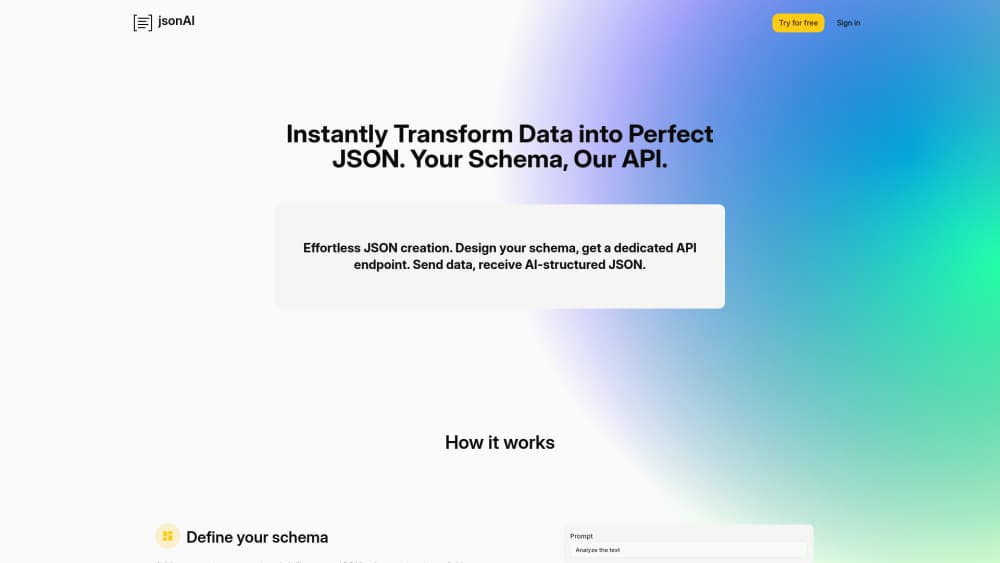
jsonAI is a cloud service that saves a JSON schema as an API endpoint, then uses AI to turn raw text or messy data into structured JSON that fits the schema.
About jsonAI
What Is jsonAI
jsonAI is a hosted tool for people who keep getting data in the wrong shape. You describe the JSON you want once, as a schema, and the service keeps that schema behind a private API endpoint. Every request you send to the endpoint carries raw input: an email body, a scraped product page, a chat transcript, a line of copied text. The AI reads the input, fills in the fields your schema defines, and returns structured JSON.
The appeal is that you skip writing a parser. There's no regex to maintain and no prompt to paste into an API call every time a new data source shows up. A schema you build once does the work for every later request, which matters when the input format changes weekly and the output format doesn't.
The catch is that this is an AI step, not a deterministic one. Fields can come back empty or slightly off when the source text is thin, and you still pay for tokens on every call. It suits pipelines where a human or a JSON validator checks the result. It also suits people who already know what a JSON schema generator should produce, because the schema you write decides the quality of everything downstream.
One practical note before you sign up. The jsonai.cloud domain now redirects to a companion online JSON viewer, so confirm the hosted endpoints are still live for your account before you put them in a production path.
Getting Started
- Create an account on the site. The free plan starts without a credit card.
- Open the schema editor and define your fields: name, type, description, and which ones can be empty. Descriptions matter most, since the model reads them to decide what goes where.
- Test the schema against sample input in the browser, then save it. Saving produces the API endpoint you'll call.
- Send requests from your code or a no-code tool, then check the returned JSON against your own rules before it lands in a database.
Product Information
A quick look at jsonAI's pricing, supported platforms, and performance.
Best for
The users, tasks, and scenarios where this tool fits best.
Users
- Backend and data engineers who parse semi-structured text from email, tickets, or scraped pages and want one schema to rule all of it.
- Automation builders working in n8n, Zapier, or Make who need a reliable JSON object at the end of a workflow step.
- Product and ops teams that read customer feedback at volume and want tags, sentiment, and issue types in fixed fields.
- Beginners with a little JSON knowledge, because the editor walks you through titles and types instead of asking for code.
Tasks
- Turning support emails into records with order number, complaint type, and urgency filled in.
- Converting scraped job posts, listings, or menus into a table your spreadsheet or database can swallow.
- Normalizing inbound webhooks from several vendors into one internal format before storage.
- Generating test fixtures
Scenarios
- A nightly import job where five suppliers send five different text layouts and downstream code expects one layout.
- Prototyping a data extraction idea before committing engineering time to a hand-written parser.
- Cleaning up a spreadsheet export where free-text notes need splitting into named columns.
Key features
Schema to Endpoint in One Save
You define your fields in a form-based editor, giving each one a title, a type, and a description, then save. jsonAI turns that saved schema into a dedicated JSON API endpoint with its own URL. Calling the same endpoint later reuses the schema, so the output shape stays stable across requests and across team members.
AI Data Structuring on Every Request
Each call sends your raw input plus the stored schema to an AI model, which returns structured JSON with your field names. You don't assemble prompts by hand, and you don't ship a chain of regex rules. That's the core of the product: the hard part of parsing shifts from code to a written description of the fields.
Nested Objects and Arrays
Schemas can hold nested objects, lists of items, and repeated groups, not just flat key and value pairs. That makes it possible to pull a list of line items out of an invoice or a set of speakers out of a conference page. Deep nesting does get harder for the model to fill reliably, so keep the tree shallow where you can.
Live Testing Before You Ship
The editor lets you paste sample input and see what the model returns, without touching your application code. You find out fast whether a field description is too vague, and you fix the wording instead of adding validation hacks later.
Flexible Input, Fixed Output
Requests accept plain text or JSON as the source. You can hand it a paragraph of an email, a block of OCR output, or a JSON blob from another service. Input formats vary; the response follows your schema, which is what keeps a messy pipeline predictable at the far end.
No Stored Payloads
According to jsonAI, submitted data isn't saved on its servers and passes straight through to the AI service, with HTTPS on the wire. That removes one review question for teams handling customer text, but it doesn't replace your own check on whether the upstream model provider meets your compliance needs.
Pros and cons
Pros
- The endpoint idea removes a whole class of glue code, since one schema serves every caller.
- Setup takes minutes for a simple flat schema, with no SDK to install.
- Field descriptions act as documentation and as instructions at the same time.
- Nested objects and arrays cover most real parsing jobs, from invoices to event listings.
- Free plan with token limits lets you test a real workflow before paying.
Cons
- Output is probabilistic, so a required field can come back missing or wrong on thin input. Budget for validation.
- Token limits cap how much text one request or one month can process, and heavy use pushes you onto a paid tier.
- The service is a thin wrapper over a model you don't choose or see, so you can't swap in a cheaper or better model yourself.
- The jsonai.cloud domain currently redirects to the operator's JSON viewer page, which makes availability checks a real step before adoption.
Frequently asked questions
It converts messy input into structured JSON using a schema you save once. You send text or raw data to your endpoint, and the AI returns an object with the fields you defined.
Related content
Explore related tools, skills, and articles for jsonAI.
jsonAI Alternatives

Odyssey 3
Odyssey · OtherOdyssey-3 is Odyssey's foundation world model. It simulates physics in real time, turns a prompt into an interactive environment, and adapts to robots, cars and games.

JarvisCore
Prescott Data · Coding · Productivity · OtherJarvisCore is an open source Python runtime where AI agents work as equal peers on an agent mesh, claim tasks from a shared ledger, and reach external services through a zero-trust broker.
Clef
Cloudflare · Business · OtherClef is Cloudflare's open-source decision model for Workers AI. It returns calibrated probabilities for typed questions, not generated text, so agents can classify, route, and act fast.