

Julep AI
Julep AI · Coding · Other
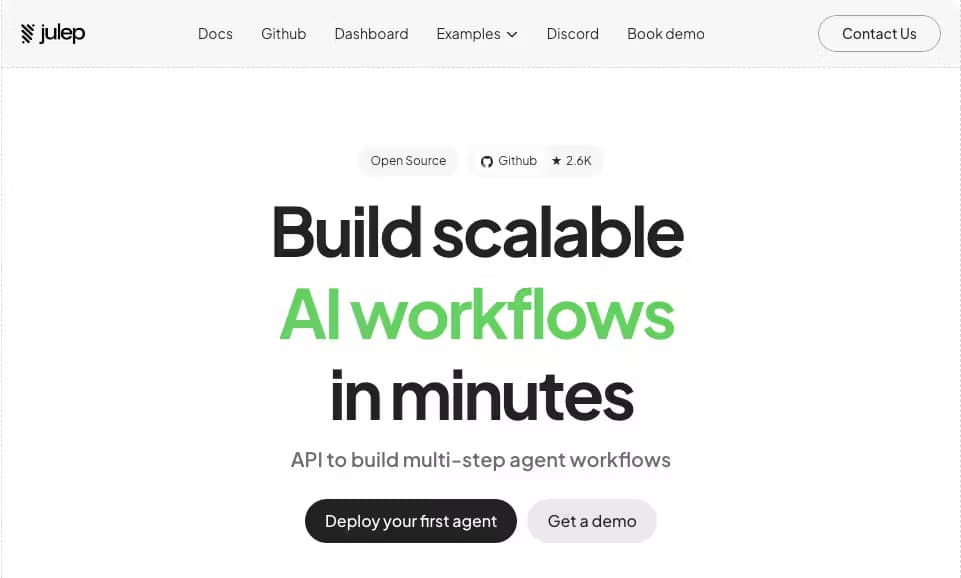
Julep AI is an open-source platform for building AI agents that keep long-term memory and run multi-step tasks for developers and small product teams.
About Julep AI
What Is Julep AI
Julep AI is a platform for creating and deploying AI agents that do more than answer a single question, because the agents you build on it hold onto context across conversations, run workflows with loops and branches, and call outside tools and APIs as they go. The project lives in the open on GitHub. You can read every line before you trust it with a task.
The problem it targets is specific. Most AI apps are linear chains of prompts and API calls with almost no branching, and they tend to break the moment a workflow needs a real decision. The moment you need an agent to decide which step comes next, run two things at once, or keep working for hours without a human watching every move, that simple chain falls apart. Julep adds the missing machinery. Durable execution. Retries. A place to store what the agent has already learned about a user.
The main limit is who it's actually for. Julep expects you to work in Python, think in terms of tasks and sessions, and understand how an API fits together, which is a real barrier if your team doesn't write code every day. Want a no-code agent builder you can point and click through? This isn't it. From what I gather, the simpler hosted tools are a better starting point for that crowd.
Getting Started
- Create a free account on the Julep platform or clone the open-source repository to run it yourself.
- Install the Python SDK and save your API key, then confirm the connection with a quick test call.
- Define an agent with a name, model, and instructions so it knows what role to play.
- Write a task that lists the steps the agent should follow, including any tools or APIs it can call.
- Open a session and send the first message, then watch the execution log to see each step resolve.
Product Information
A quick look at Julep AI's pricing, supported platforms, and performance.
Best for
The users, tasks, and scenarios where this tool fits best.
Users
- Developers building AI agents
- Small product teams
- Engineers who need self-hosting
Tasks
- Long-running workflows
- Memory-heavy assistants
- Tool-calling pipelines
Scenarios
- Customer support that remembers
- Research agents that loop
- Internal automation
Key features
Long-Term Memory
Julep agents store what they learn about a user and pull it back into later conversations. The platform keeps this in a dedicated memory store rather than stuffing everything into the prompt. That matters once a conversation runs long. For a support bot, it remembers the last issue without being told twice.
Multi-Step Tasks
You describe a workflow as a series of steps, and Julep handles the decision-making, loops, and parallel branches inside it. Tasks can be as short as two steps or as sprawling as a data pipeline. This is the part that separates it from a plain prompt chain. Most tools stop at one prompt. This one doesn't.
Stateful Sessions
A session holds the conversation history and context for one agent-user pair, and it can be paused and resumed whenever you need, so a long gap between messages doesn't throw away everything the agent already knows. If a user comes back a week later, the agent picks up where it left off instead of starting cold.
Links to External Tools
Julep ships with a set of tools and lets you wire in external APIs, so an agent can look something up, act on it, and keep going in the same task without you hand-building the plumbing for each connection. That saves real work. Otherwise you'd write a new handler for every service you touch.
Durable Execution
Failed steps retry on their own, and long-running tasks survive a crash without losing their place. Julep leans on a workflow engine under the hood to make this reliable. Reliability is everything here. For agents that run for hours, it separates a demo from something you'd trust in production. Without it, every long task becomes a babysitting job.
RAG Support
The platform includes a document store for RAG, the technique that lets an agent answer from your own material instead of guessing. You load your own documents, and the agent pulls relevant passages when it answers, so teams building knowledge assistants get this without bolting on a separate vector database.
Self-Hosting Option
The entire platform is open source, so you can run it on your own servers instead of trusting a vendor with your data. That appeals to teams with strict data rules or a preference for avoiding lock-in, since nothing about your agents leaves your network. The tradeoff? You own the setup. The maintenance can add up fast for a small team without dedicated ops help.
Pros and cons
Pros
- Open-source core means you can audit the code before you run it, and self-host it if you want to.
- Long-term memory and stateful sessions are built in, not added later.
- Handles multi-step tasks with loops and parallel branches out of the box, so complex workflows don't need outside glue.
- Automatic retries keep long-running agents from dying on a single failure.
Cons
- No free plan, so you can't test the hosted version without paying.
- It assumes Python and API knowledge, which shuts out non-technical users.
- Self-hosting shifts maintenance and updates onto your own team.
Frequently asked questions
It's used to build AI agents that remember past interactions, run multi-step workflows, and call external tools. Teams reach for it when a simple prompt chain can't handle the task. Think support bots, research agents, and backend automation.
Related content
Explore related tools, skills, and articles for Julep AI.
Julep AI Alternatives

Base Code
Base44 (Wix) · Coding · ProductivityBase Code is a shared cloud development environment from Base44. Teammates describe changes to an existing GitHub codebase in chat, preview them live and send them back as pull requests.

Google EmbeddingGemma 2
Google DeepMind · Writing · Image · CodingGoogle EmbeddingGemma 2 is a 740M-parameter open model that turns text, code, images, audio, and video frames into vectors in one 768-dimension space, running on phones and laptops.

GitGlow
GitGlow · Coding · ProductivityGitGlow is a local-first desktop Git client that lets independent developers review their own code and their AI agents' changes in one place before shipping.