

Justsummarized
Mustafa Nabil · Writing · Other
JustSummarize is an iOS AI summarizer by Mustafa Nabil. Paste a URL, upload a PDF or snap a photo, and it returns key points in about 10 seconds, free for a few runs a day.
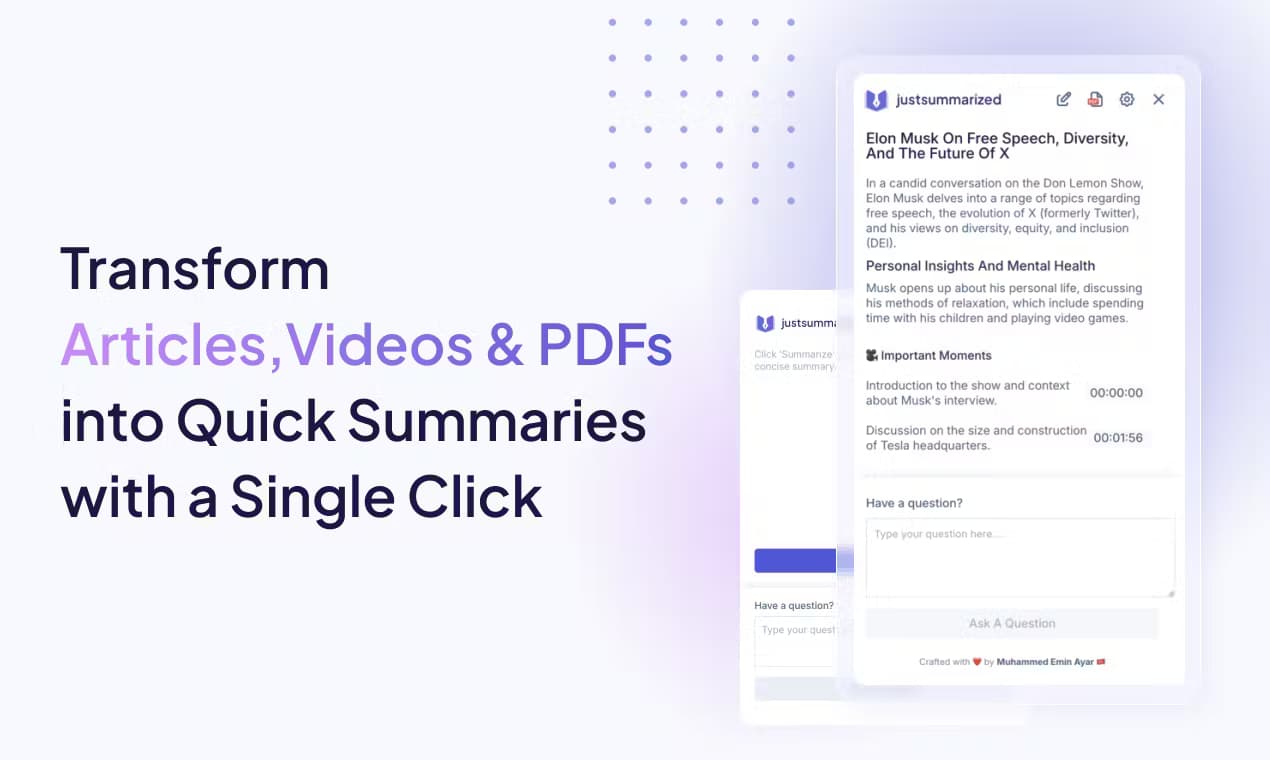
About Justsummarized
What Is JustSummarize
JustSummarize is an iOS AI summary app that turns long reads into short ones. Think of it as a text summarizer you carry in your pocket: instead of opening a browser tool and copying text across, you hand the app a source and it does the trimming. It takes a URL, a PDF, an image or plain text, and hands back the parts worth keeping. The pitch is speed: roughly 10 seconds from source to summary, which is the whole reason an app beats a browser tab for this job.
The app is built for people who read for work. Consultants, students and analysts all hit the same wall, which is more material than hours in the day. JustSummarize pulls the argument out of a report and drops the setup, so you decide what deserves a full read. As a PDF summarizer and URL summarizer in one, it covers the two formats most of that reading arrives in. You can also pick the shape of the output, either a bullet list for scanning or a paragraph for a smoother read.
The limits are worth naming up front. JustSummarize runs on iOS only, so there's no Android, Windows or web version. The free tier caps you at a few summaries a day, and unlimited runs sit behind a Pro purchase. There's also no public API, which rules it out for anyone who wants to fold summarization into their own pipeline.
Getting Started
- Install JustSummarize from the App Store on an iPhone or iPad running iOS 15.1 or later
- Open the app and choose your input: paste a URL, upload a PDF, snap a photo or paste raw text
- Pick the output style, either a bullet list or a paragraph, and let the app generate the summary
- Save the result to history, add a smart tag, and revisit or search past summaries anytime
Product Information
A quick look at Justsummarized's pricing, supported platforms, and performance.
Best for
The users, tasks, and scenarios where this tool fits best.
Users
- Busy professionals
- Students and researchers
- Consultants
- Anyone with information overload
Tasks
- Summarizing web articles
- Condensing PDFs
- Turning photos of text into summaries
- Organizing past reads
- Reading without a connection
Scenarios
- A long commute with no signal
- A stack of research papers before a deadline
- A meeting handout photographed on a phone
- An overflowing reading list
- Catching up on a foreign-language article
Key features
Ten-Second Summaries
The summarizer app lives or dies on speed, and the core loop here is fast by design. You give JustSummarize a source, and it returns a summary in about 10 seconds, which is the difference between a tool you use and one you forget. That speed is what makes it fit small gaps in a day, like a few spare minutes between meetings, rather than a dedicated reading block.
Four Input Types
The app accepts more than pasted text. You can drop in a URL, upload a PDF, snap a photo of any text, or paste raw text. That range covers the common cases: an article you saved, a report you were sent, a page in front of you, or a block of notes. You skip the copy-paste shuffle that browser summarizers force on you.
Bullets or Paragraph Output
Summaries come in two shapes, and you choose which one fits. Bullet points suit scanning and pulling out specifics, while a paragraph reads closer to a written recap. Having both means the same summary can serve a quick skim or something you keep on file.
20+ Languages
JustSummarize handles summaries in more than 20 languages, including English, Arabic, French, German, Spanish, Japanese, Korean and Chinese. For a reader who deals with material in a second language, that turns a summarizer into a light translation aid, since the summary comes back in a language you can process.
Smart Tags and Searchable History
Every summary can be saved and tagged, and past summaries stay searchable. Tags turn a growing pile of summaries into something you can actually navigate, so a report from last month is a search away instead of lost in a list. This is the feature that makes the app useful past a single read.
Offline Mode
Offline mode lets you summarize content you already have on the device without a connection. That matters on flights, on the subway, or anywhere the signal drops. It's a Pro feature, and it turns the app into something you can rely on when a network isn't available.
iOS Share Sheet Integration
JustSummarize plugs into the iOS Share Sheet, so you can summarize from Safari, Mail or any app that hands off a link. You don't have to switch apps to start, which keeps the summary close to where you found the thing worth summarizing.
Pros and cons
Pros
- Summaries land in about 10 seconds, so the app fits small gaps in a day rather than a dedicated block
- Four input types (URL, PDF, photo, text) cover most things you'd want to condense
- Bullet or paragraph output lets the same summary serve a quick skim or a saved recap
- Support for 20+ languages makes it usable for non-English material and second-language readers
- Offline mode keeps it working when there's no connection, and history with smart tags keeps past summaries findable
- A free tier covers a few summaries a day with no credit card
Cons
- It's iOS only, so Android, Windows and web users can't use it at all
- The free tier is capped at a few summaries per day, which runs out fast for heavy reading
- There's no public API, so you can't wire summarization into your own tools or workflow
- The rating base is thin, so there's little independent signal on how it performs over time
Frequently asked questions
JustSummarize is an iOS app that uses AI to turn long content into short summaries. You paste a URL, upload a PDF, snap a photo of text or paste raw text, and it returns the key points in about 10 seconds. It's built for professionals, students and anyone who reads more than they have time for.
Related content
Explore related tools, skills, and articles for Justsummarized.
Justsummarized Alternatives

Google EmbeddingGemma 2
Google DeepMind · Writing · Image · CodingGoogle EmbeddingGemma 2 is a 740M-parameter open model that turns text, code, images, audio, and video frames into vectors in one 768-dimension space, running on phones and laptops.

MePersona
MePersona, Inc. · Writing · Productivity · MarketingMePersona is an AI unified inbox for creators. It learns your voice, drafts replies to fan messages from 12 platforms, and sends only what you approve.

Fluence
Yay Software (Yannick Huchard) · Writing · Voice & Language · ProductivityFluence is an Android app that reads PDFs, EPUBs, Word files and web articles aloud, follows each sentence as it speaks, and answers questions about the text on the phone itself.