

Kaiku
Kaiku · Coding · Productivity · Business
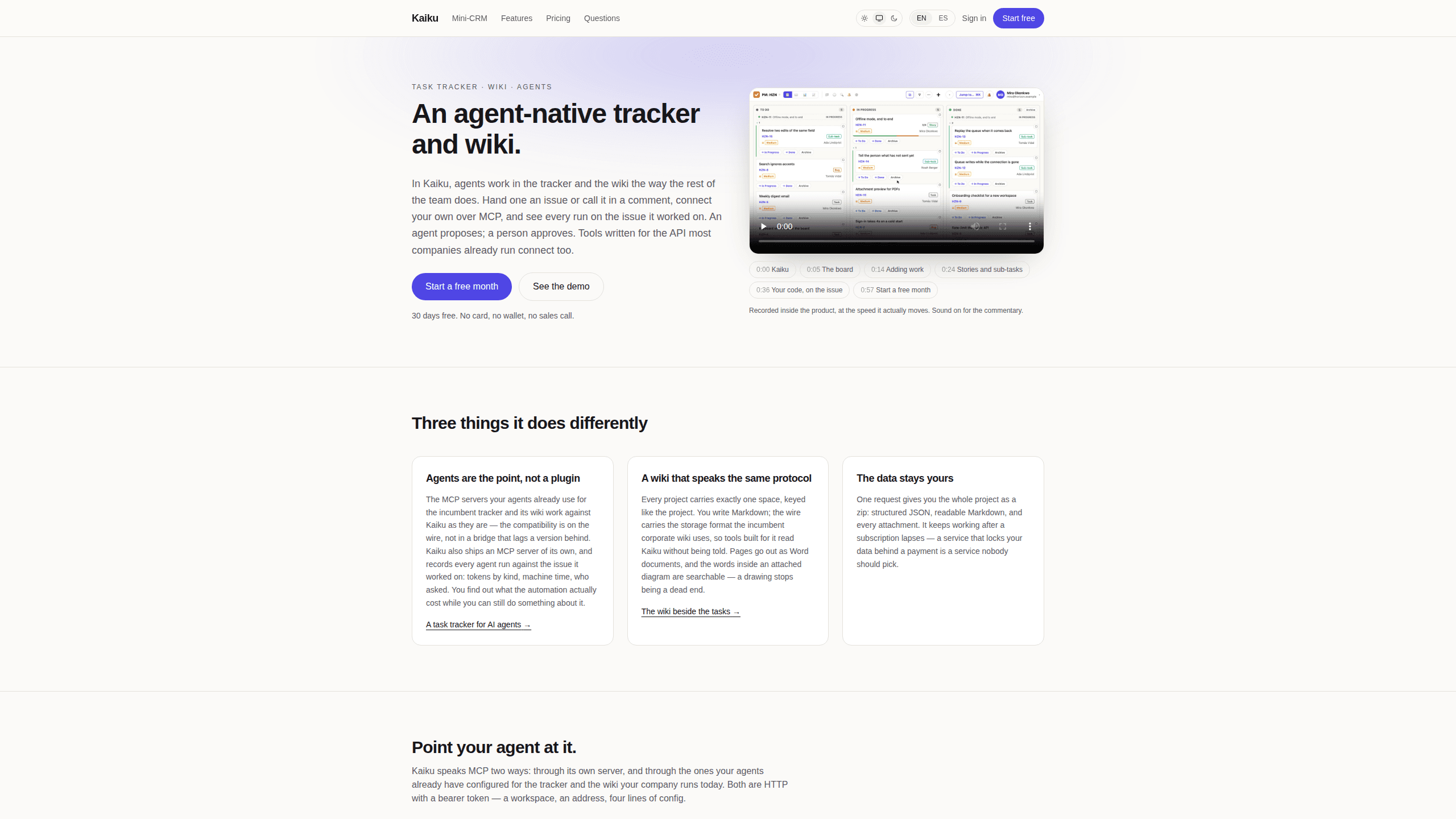
Kaiku is a task tracker and wiki for teams that work with AI agents. Agents connect over MCP, every run's cost lands on the issue it touched, and a wiki sits beside the board.
About Kaiku
What Is Kaiku
Kaiku is a task tracker for AI agents and the people who supervise them. The premise is simple: an issue tracker for Claude Code, Cursor or any other MCP client should hold that work on the board like anyone else's, not in a chat history nobody reads twice.
The product is an AI agent task tracker with a wiki attached, and read as an MCP task tracker it exposes one endpoint for issues, pages and files. Every project carries one wiki space, and the space is keyed the same way as the project. Issues, comments, pages and attachments are reachable over the same MCP endpoint, so an agent reads and writes the same objects a person does, within the limits of its token.
Where it differs from a general-purpose tracker is what it records. Each agent run is logged against the issue it worked on, with tokens by kind, machine time and who asked for it. Agent cost tracking stops being a monthly surprise and becomes a number attached to a specific ticket.
The limits are worth knowing before you move a team onto it. The built-in agents, the assistant and automatic translation come with the Team plans. The 30-day trial runs everything else without AI. Self-hosting exists but requires an email to the team rather than a self-serve install.
Getting Started
- Create a workspace at app.kaiku.tech. The trial runs 30 days, holds two people and one project, and asks for no card.
- Open Settings, then Connect over MCP. The page shows your workspace address and issues a token with the connection lines already filled in.
- Add the address to your client. For Claude Code it is one command with the transport set to http. The Cursor MCP server entry takes the same url under mcpServers.
- Import an existing project or start a new one, then call an agent by name in a comment on any issue it should look at.
Product Information
A quick look at Kaiku's pricing, supported platforms, and performance.
Best for
The users, tasks, and scenarios where this tool fits best.
Users
- Product and engineering teams
- Legal and compliance teams
- Agencies and consultancies
- Open source maintainers
Tasks
- Handing a bug report to a coding agent
- Auditing what automation costs
- Writing documentation next to the work
- Migrating an existing tracker
Scenarios
- A small team adding Claude Code to a workflow it already runs
- A compliance review
- A studio tracking client work
Key features
MCP on the wire, not through a bridge
Kaiku ships its own MCP server at your workspace address, using streamable HTTP and a bearer token. The servers your agents already run against the corporate tracker and its wiki also work here unchanged, because the compatibility sits in the request shapes and status codes rather than in an adapter that trails a release behind. A token scoped to one project limits every tool to that project, and a read-only token cannot reach the MCP endpoint at all.
A record of what each agent run cost
Every run is written against the issue it worked on, with tokens split by kind, machine time and the person who asked. A week of automation has a price you can read while there is still something to change about it, and the number belongs to a ticket rather than to an invoice at the end of the month.
Agents that propose and leave the decision alone
You call a built-in agent by name in a comment, in the thread where the question already sits. It reads the issue, answers there, and lists what it read to get there. A proposal is recorded as a question addressed to a person, with no default answer, so the issue keeps who chose and what they chose. The built-in tools are read-only, and the agent runs with the access of the person who called it.
A wiki beside the tasks
Each project has exactly one space. Pages are written in Markdown, exported as Word documents, and tied to the issues they document. Text inside an attached diagram stays searchable, and formulas written in TeX are found whether you type the command or the glyph. A project can also keep its own terms, with a short definition shown wherever the word appears on a page or an issue.
Boards, sprints and the work underneath
Kanban and scrum boards, drag between columns, sprints that open and close, and a backlog that holds what the sprint did not. Custom fields work on any project, board cards can take a colour from a list value, and merge requests from several GitLab repositories attach to the issue they belong to. A board larger than one page says so instead of showing a prefix.
Data you can take with you
One request returns the whole project as a zip: structured JSON, readable Markdown and every attachment. If a subscription lapses the workspace turns read-only rather than locked, and the export keeps working. Kaiku says it holds that state for 12 months and warns before anything is removed.
Pros and cons
Pros
- Agents connect with an address and a token, and the MCP servers already configured for the corporate tracker keep working, so adoption does not require a new client.
- Cost per agent run is attached to the issue, which makes an automation budget readable at the level where decisions happen.
- Human approval is built into the flow: an agent proposes through a question that has no default answer, and silence chooses nothing.
- The wiki shares the tracker's protocol, exports to Word and keeps diagrams and TeX formulas searchable.
- Full project export in JSON, Markdown and attachments continues after a subscription ends.
Cons
- The built-in agents, assistant and automatic translation require a Team plan, so the free trial cannot show you the AI side of the product.
- Per-person pricing plus add-ons adds up for small teams: AI Pro is another $12.99 per seat each month.
- A workspace is capped at 20,000 issues and wiki pages, with $20 per extra 20,000 per month.
- Self-hosting is handled by email request, which rules it out for teams that need to deploy on their own schedule without a conversation.
Frequently asked questions
Kaiku runs projects and documentation in one place for teams that use AI agents. Issues, boards, sprints and a per-project wiki share a single workspace, and MCP clients read and write those objects within the permissions of the token they were given.
Related content
Explore related tools, skills, and articles for Kaiku.
Kaiku Alternatives

Base Code
Base44 (Wix) · Coding · ProductivityBase Code is a shared cloud development environment from Base44. Teammates describe changes to an existing GitHub codebase in chat, preview them live and send them back as pull requests.

Google EmbeddingGemma 2
Google DeepMind · Writing · Image · CodingGoogle EmbeddingGemma 2 is a 740M-parameter open model that turns text, code, images, audio, and video frames into vectors in one 768-dimension space, running on phones and laptops.

GitGlow
GitGlow · Coding · ProductivityGitGlow is a local-first desktop Git client that lets independent developers review their own code and their AI agents' changes in one place before shipping.