

Kaipai
Meitu Technology Co., Ltd. · Writing · Video
Kaipai is Meitu's AI talking video editor that writes, shoots, and cuts on-brand talking-head clips for social media. Creators get auto subtitles, templates, and AI covers in one app.
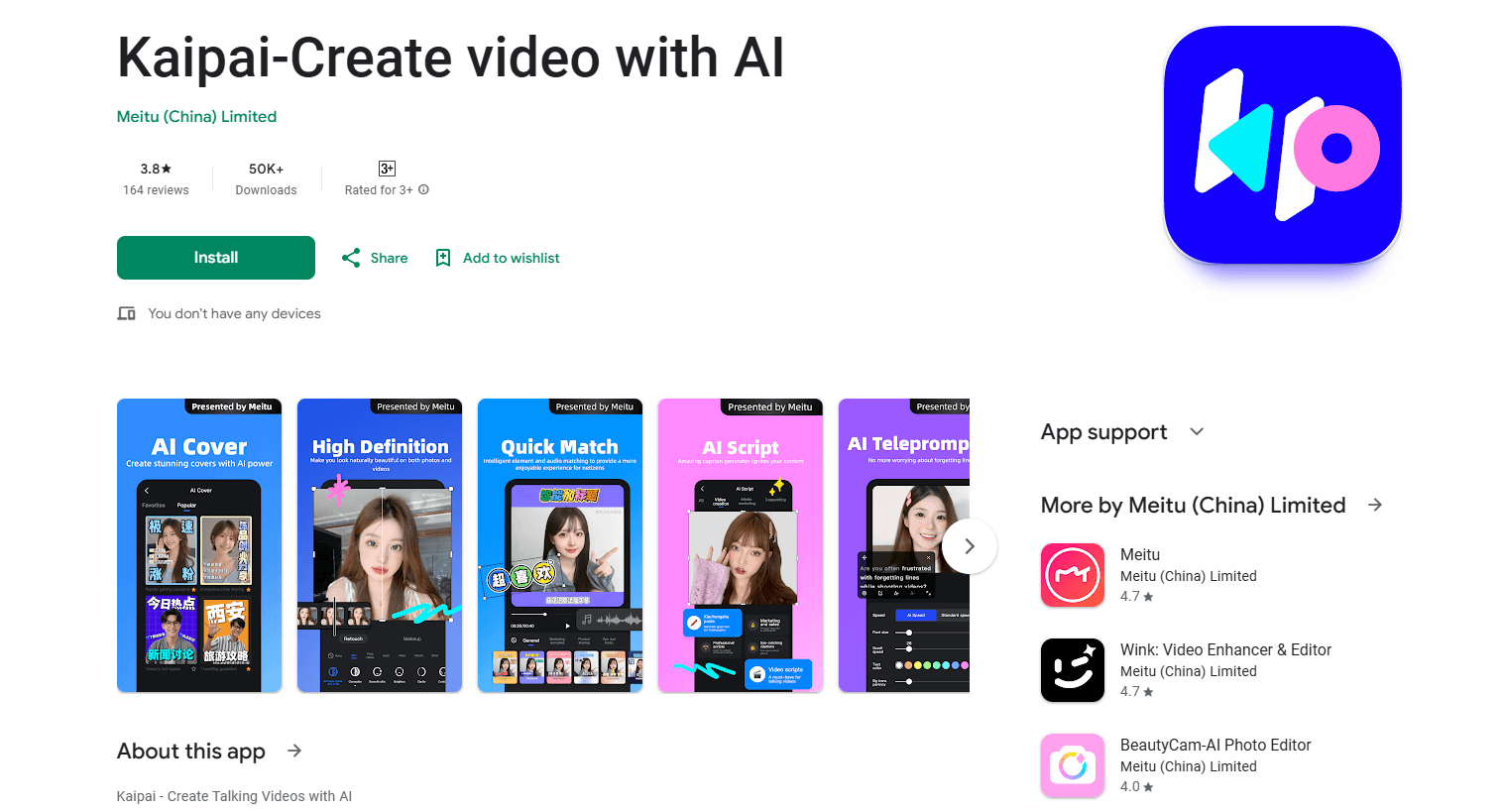
About Kaipai
What Is Kaipai
Kaipai is an AI talking video editor from Meitu Technology, the company behind BeautyCam and MeituPic. Meitu launched it in 2023 to help self-media creators turn a rough spoken clip into a polished, platform-ready talking video. The pitch is simple: you talk, the app handles the boring parts.
The core problem it solves is editing time. Cutting filler words, syncing subtitles, and picking the right stickers usually eats an afternoon. Kaipai automates those jobs, so a creator who has never opened an editing timeline can publish something watchable in about a minute. Meitu reports 152,000+ App Store ratings at 4.9 stars, which suggests the workflow lands with its target audience.
The biggest limitation is scope. Kaipai is built around talking-head and short-form marketing clips, not cinematic editing or long-form projects. It's also a consumer mobile app with no desktop version and no public API, so teams that need scripted automation or a browser workflow won't find one here.
Getting Started
- Install Kaipai from the App Store and sign in with a phone number or a Meitu account.
- Pick a template or start a blank project, then record straight into the teleprompter or import existing footage.
- Let the app generate subtitles, then tap the text to edit wording, strip filler words, or auto-translate into a second language.
- Apply stickers, music, and animated subtitle styles from the template library, or run Smart Cut to let AI assemble the first pass.
- Generate an AI cover, preview the result, and export at up to 4K for whichever platform you post to.
Product Information
A quick look at Kaipai's pricing, supported platforms, and performance.
Best for
The users, tasks, and scenarios where this tool fits best.
Users
- Self-media creators
- Small business owners
- Beginner editors
Tasks
- Removing filler words
- Adding bilingual subtitles
- Making social covers
Scenarios
- Daily talking-head posting
- Product demos for small shops
- Repurposing a single recording
Key features
Smart Subtitle and Text-Based Editing
Smart Subtitle works as an auto subtitle generator: it produces captions for free, supports more than 10 dialects, and removes filler words with one tap. Editing happens on the transcript rather than the timeline, so trimming a video means deleting a line of text. It also produces bilingual subtitles in a single pass.
Template Library for On-Trend Videos
Kaipai ships 60+ editing templates spanning multiple styles and industries. Each one bundles matching stickers, animated text, music, and sound effects, so creators can drop in footage and get a finished-looking result without designing anything from scratch.
Smart Cut
Smart Cut imports video clips and lets the AI handle the first assembly. Meitu positions it for promos, product showcases, and vlogs, which covers the bulk of short-form marketing content. It targets creators who want a rough cut without touching a manual editing pass. For a general short video editing app, this is the part that saves the most time on a routine upload.
Dynamic Subtitles
More than 100 animated subtitle templates let you apply pro-level motion effects with a single tap. Moving captions hold attention on muted autoplay feeds, which is where a lot of short video gets watched.
AI Cover
AI Cover identifies key frames and pairs them with platform-appropriate styling to produce thumbnails meant to lift click-through. It replaces a manual design step that many solo creators skip or struggle with.
AI Presenter and HD Camera
The AI presenter creates talking videos without the creator appearing on camera, which suits product explainers and faceless channels. The camera side supports 4K resolution, adjustable filters, and beauty and makeup tools for a cleaner on-screen look.
Pros and cons
Pros
- Text-based editing makes cutting faster than dragging clips on a timeline.
- Free subtitle generation with filler-word removal covers the most tedious part of talking-head editing.
- 60+ templates and 100+ animated subtitle styles give solo creators a repeatable, on-trend look.
- AI Cover and AI presenter fill two gaps (thumbnails and on-camera presence) that solo creators often lack.
- Supports 4K export and works across iPhone, iPad, and Android.
Cons
- It's a mobile app only, with no desktop or browser editor, so long-form or precise work is harder.
- There's no public API, so you can't programmatically generate videos or wire it into a publishing pipeline.
- Strongest on talking-head and marketing clips; it isn't a general-purpose video editor for films or complex multi-cam projects.
- Pricing runs through in-app purchases, so costs add up as you unlock templates and premium features.
Frequently asked questions
Kaipai is used to make talking-head and short-form marketing videos quickly. It handles subtitles, filler-word removal, templates, and covers so creators can publish without deep editing skills.
Related content
Explore related tools, skills, and articles for Kaipai.
Kaipai Alternatives

Google EmbeddingGemma 2
Google DeepMind · Writing · Image · CodingGoogle EmbeddingGemma 2 is a 740M-parameter open model that turns text, code, images, audio, and video frames into vectors in one 768-dimension space, running on phones and laptops.

MePersona
MePersona, Inc. · Writing · Productivity · MarketingMePersona is an AI unified inbox for creators. It learns your voice, drafts replies to fan messages from 12 platforms, and sends only what you approve.

Fluence
Yay Software (Yannick Huchard) · Writing · Voice & Language · ProductivityFluence is an Android app that reads PDFs, EPUBs, Word files and web articles aloud, follows each sentence as it speaks, and answers questions about the text on the phone itself.