

KaneAI
TestMu AI (formerly LambdaTest) · Coding · Other
KaneAI is TestMu AI's end-to-end testing agent. You describe a test in plain English and it writes, runs and repairs the automated steps on web and mobile apps. No scripting required.
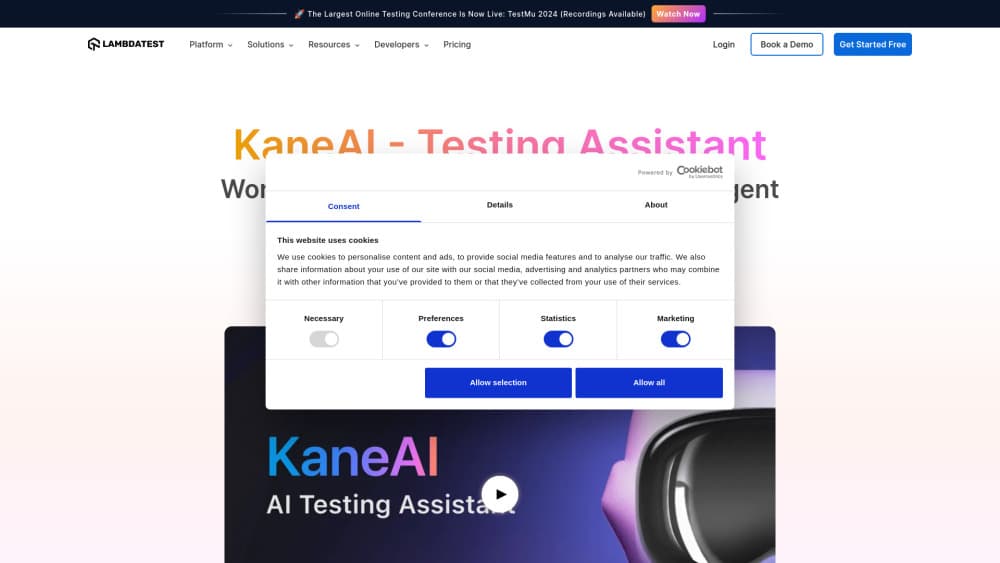
About KaneAI
What Is KaneAI
KaneAI is the AI testing product inside TestMu AI, the quality engineering platform formerly known as LambdaTest. You type steps the way you'd explain them to a coworker ("open the pricing page, then filter by annual billing"), and the agent converts them into executable automation. Runs go to the cloud grid, and every case is saved in Test Manager with versions you can replay later. That puts AI test automation at the authoring layer, where the hours usually go.
The problem it targets is maintenance. Anyone who has kept a Selenium suite alive knows the real cost sits in broken selectors and 400-line page objects, not in writing the first test. KaneAI's answer is to keep the source of truth in human language and let the agent re-resolve elements at runtime. When a button moves, the step usually keeps working without an edit.
Limits matter here. KaneAI lives inside a paid TestMu AI account, so there's no standalone free tier. Loops and conditionals exist but run through slash commands rather than free text, and vague instructions produce vague tests. Company materials describe it as the first end-to-end AI test agent, a claim worth treating as marketing.
Getting Started
- Create a TestMu AI account and open KaneAI from Test Manager.
- Choose what you're testing: desktop web, mobile web, or a native Android or iOS build.
- Type your first step in plain English, then keep adding steps. KaneAI queues them, so you don't wait for one to finish before writing the next.
- Add assertions to the steps that decide pass or fail, such as "verify the order total shows $49.00".
- Save the case, run it on the cloud grid, and export to Playwright Python if your team wants the code.
Product Information
A quick look at KaneAI's pricing, supported platforms, and performance.
Best for
The users, tasks, and scenarios where this tool fits best.
Users
- Manual QA engineers moving into automation
- Small QA teams without a dedicated automation engineer
- Product managers and business analysts
Tasks
- Turning a Jira ticket, PRD, PDF, screenshot or spreadsheet into structured test cases before anyone opens an IDE.
- Regression runs before a release, on desktop browsers and real mobile devices in the same workflow.
- Checking a pull request without leaving GitHub, by commenting a validation request on the diff.
- Visual and accessibility audits in the same run as the functional flow, so layout drift and WCAG issues surface together.
Scenarios
- A redesign ships Friday and half your selectors die
- Cross-browser testing across Chrome, Safari, Firefox and Edge when a CSS bug only shows up on one engine.
- Handing a regression suite to a teammate who doesn't code, and having them extend it on Monday.
Key features
Natural Language Test Authoring
This is the core of the product. You write steps as imperatives ("click the Add to Cart button, then verify the cart icon shows 1"), and KaneAI maps each one to browser actions. This is no-code test automation in the literal sense: no page objects, no selector strings in your source file. Natural language test automation here just means English. The tradeoff is precision: sentences with two unrelated actions in them tend to misfire.
Test Cases From Documents
Drop in a Jira ticket, a PRD, a PDF, a screenshot or a spreadsheet, and KaneAI returns structured test cases instead of a blank editor. For teams whose requirements already live in those formats, this removes the slow translation step between spec and script. Generated cases still need a review pass, since the agent can't know which edge cases your team treats as out of scope.
Self-Healing Locators
When the UI changes, KaneAI re-resolves the element at runtime rather than failing on a stale selector. Self-healing tests cut the classic Monday morning triage session where a renamed class breaks forty cases at once. It isn't magic: if a button is removed or moved behind a new flow, the step still fails, and that failure is the correct result.
One Run Across UI, API and Database
A single case can drive the interface, hit endpoints, check the network tab and query the database. You get one coverage story instead of four tools stitched together with separate reports. This is where the end-to-end testing agent framing earns its name, and it's the feature that most changes how a suite gets structured.
Visual and Accessibility Checks
KaneAI diffs every screen for visual regressions and runs a WCAG audit inside the same execution. Layout shifts and contrast problems show up next to functional failures, tagged by severity. Teams that used to book accessibility testing as a separate phase can fold it into the normal run.
Kane CLI and Pull Request Validation
Kane CLI runs KaneAI from a terminal: install it with npm, describe a flow, and get a pass or fail with typed exit codes for CI. There's also a beta that reads a GitHub pull request diff, generates tests, executes them and replies in the thread. Coding agents can drive the CLI, which makes test creation part of the build rather than a separate ticket.
Pros and cons
Pros
- Authoring cost drops sharply for simple flows. A login and checkout case that took an afternoon in code takes minutes here.
- Self-healing keeps regression suites alive through UI refreshes, which is where most maintenance hours go.
- UI, API, database and accessibility checks share one run and one report, so triage doesn't start with four browser tabs.
- Exports to Playwright Python, so the output isn't locked inside the platform.
- Kane CLI and the GitHub integration put test runs where developers already work.
Cons
- Per-agent pricing starts at $17/mo billed annually, and credits cap how much authoring you get. Heavy suites push you toward the $179 tier fast.
- No free plan. Trying it means booking a demo or starting a paid subscription.
- Complex logic needs slash commands for loops and conditionals, so power users still hit a syntax layer.
- Natural language steps fail quietly when they're ambiguous, and beginners often blame the tool before rewriting the instruction.
Frequently asked questions
It converts plain-English test steps into automated browser and mobile app actions, runs them on TestMu AI's cloud grid, and stores each case in Test Manager. Think of it as an authoring layer that also executes and repairs.
Related content
Explore related tools, skills, and articles for KaneAI.
KaneAI Alternatives

Base Code
Base44 (Wix) · Coding · ProductivityBase Code is a shared cloud development environment from Base44. Teammates describe changes to an existing GitHub codebase in chat, preview them live and send them back as pull requests.

Google EmbeddingGemma 2
Google DeepMind · Writing · Image · CodingGoogle EmbeddingGemma 2 is a 740M-parameter open model that turns text, code, images, audio, and video frames into vectors in one 768-dimension space, running on phones and laptops.

GitGlow
GitGlow · Coding · ProductivityGitGlow is a local-first desktop Git client that lets independent developers review their own code and their AI agents' changes in one place before shipping.