

Katalog
Katalog · Voice & Language
Katalog is an audio-first read-it-later app that saves web articles and turns them into AI-narrated audio, so you can listen to your reading list hands-free instead of staring at a screen.
About Katalog
What Is Katalog
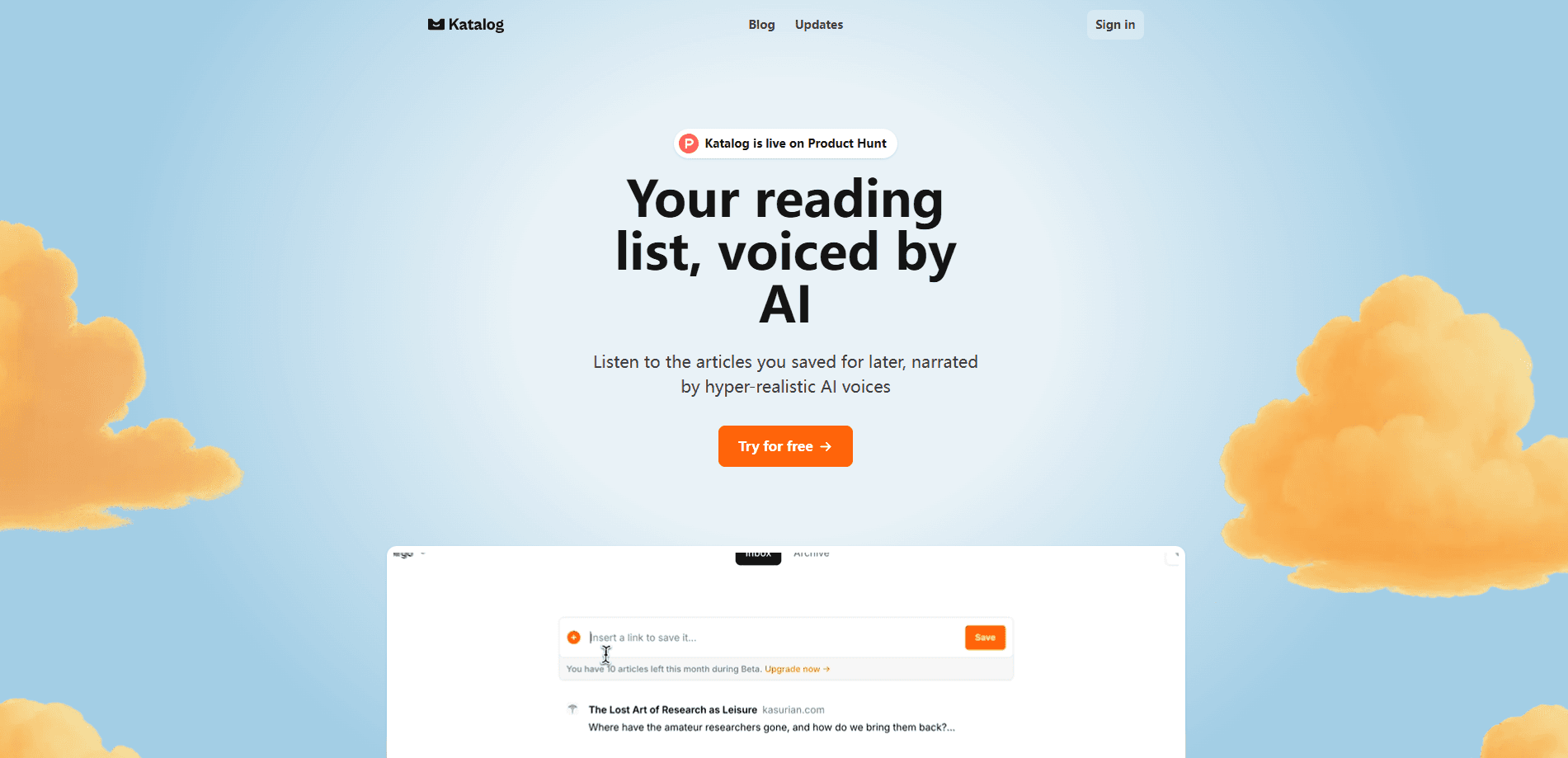
Katalog is a read-it-later app built around listening rather than reading. You paste the link to an article you want to keep, and Katalog strips the page down to its actual content, cleans it up, and generates a natural-sounding narration you can play back. It keeps a copy even if the original page later disappears.
The problem it solves is the gap between the articles you're interested in and the time you have to read them. Most saved reading lists go untouched. Katalog makes those articles usable during commutes, chores, or workouts, when your eyes are busy but your ears aren't.
The main catch is the limit system. Both paid plans cap how many articles you can save and how many narrations you can generate each month, and there's no free tier. You get two free audio generations once you sign up, which is enough to test the experience but not to run a real library.
Getting Started
- Create an account at usekatalog.com and pick the Basic or Pro plan. New accounts include two free audio generations.
- Save an article by pasting its link, or install the Chrome extension and save from any page as you browse.
- Open the saved article and hit play to hear the AI narration, or read the cleaned transcript instead.
- While listening, use your voice to ask questions about the article, jot notes, or highlight key moments.
When you save articles for later, they queue up as clips you can play back instead of a list you have to read.
- Search across your whole library later with semantic search to find the article, author, or idea you remember.
Product Information
A quick look at Katalog's pricing, supported platforms, and performance.
Best for
The users, tasks, and scenarios where this tool fits best.
Users
- Busy commuters
- Students and researchers
- Lifelong readers with a backlog
Tasks
- Listening to long articles
- Taking notes while listening
- Re-finding saved material
Scenarios
- Turning your reading list into a podcast-style queue
- Capturing articles before they go offline
- Reviewing research before writing
Key features
Article saving that survives link rot
Paste a URL and Katalog keeps only the article content, dropping ads, sidebars, and navigation. It stores its own copy, so even if the original page is taken down or gated later, the version in your library still opens and still plays.
Hyper-realistic AI narration
Every saved article can be turned into audio with a natural-sounding voice, acting like an AI text to speech reader for your whole library. Article audio playback is the core of the product rather than a side option. Katalog pre-processes each piece before narrating it, which is why even image-heavy posts come out as clean audio rather than raw text, since images get a short spoken description.
Conversational Reading while you listen
This is Katalog's signature twist. Instead of passively hearing the article, you can use your voice to ask questions, take notes, or flag highlights as the narration plays. It keeps your hands off the screen, but the lighter Basic plan limits how much of this you get.
Semantic AI search over your library
Search isn't limited to exact words. Katalog indexes articles, notes, authors, and publications, so a fuzzy description of an idea you remember can still pull up the right piece. It's the part that makes a large saved collection worth keeping.
Chrome extension for saving from any page
A browser extension lets you send articles to Katalog from any site as you browse, without copying links by hand. It's Chrome only for now, so Safari and Firefox users are stuck with the manual paste flow.
Web-first with an iOS app in testing
Katalog runs in the browser today, and an iOS app is in public TestFlight with a release planned. That means the core experience is available now on the web, while mobile listening is close but not fully shipped.
Pros and cons
Pros
- Audio-first design that treats listening as the default, not an afterthought bolted onto a reader.
- Cleans and stores each article, so your library stays usable even if the source page goes away.
- Conversational Reading adds voice notes and questions on top of narration, which is rare in read-it-later apps.
- Semantic search finds saved content by meaning, which helps once a collection grows past a few dozen items.
Cons
- No free plan, so anyone wanting to build a real library has to pay, and the two free generations only cover a quick test.
- Monthly caps on both saved articles and narrations mean heavy readers can hit their limit and stop adding new material until the reset on the 1st.
- The browser extension works only in Chrome, so it isn't an option for everyone.
Frequently asked questions
No. Katalog has no free tier. You get two complimentary audio generations when you create an account, then you need a Basic or Pro subscription to keep saving and narrating articles.
Related content
Explore related tools, skills, and articles for Katalog.
Katalog Alternatives

Foley
Hanamori Labs, LLC · Voice & Language · Productivity · AI AssistantFoley is a voice to-do list that turns a spoken sentence into a filed task, complete with project, date and time, then helps you plan the day around what is already there.

HireKey
HireKey · Voice & Language · Productivity · LeaningHireKey is an AI job search copilot built by a former tech recruiter. It checks role fit, tailors resumes, runs interview practice and tracks every application.

Fluence
Yay Software (Yannick Huchard) · Writing · Voice & Language · ProductivityFluence is an Android app that reads PDFs, EPUBs, Word files and web articles aloud, follows each sentence as it speaks, and answers questions about the text on the phone itself.