

KeyAI - ChatOnline
KeyAI, Inc. · Marketing · Chatbot
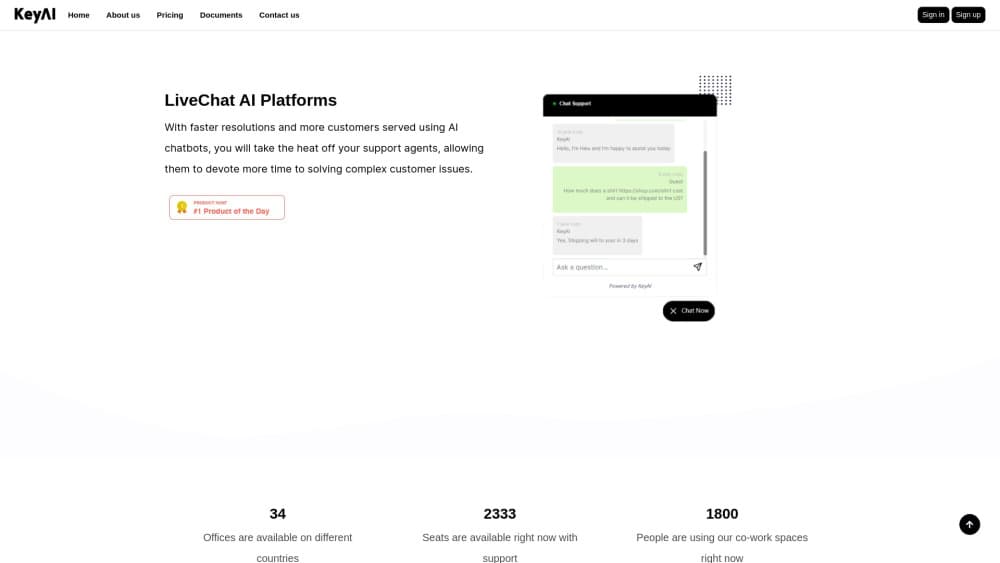
KeyAI - ChatOnline is a no-code AI chatbot platform that puts a live chat widget on your site and answers routine customer questions around the clock.
About KeyAI - ChatOnline
What Is KeyAI ChatOnline
KeyAI - ChatOnline is an AI chatbot for website owners who want fewer repetitive replies in their inbox. You build the bot in a browser dashboard, then paste a short script into your site. A chat window shows up in the bottom right corner and starts talking to visitors.
The company behind it is KeyAI, Inc., based in Cau Giay, Hanoi, Vietnam. The product is aimed at small teams rather than enterprise contact centers. There's no SDK to install and no theme to rebuild. One account ID powers the widget everywhere, so the same bot can sit on a WordPress blog, a Shopify store, and a React app.
Two limits matter before you sign up. The documentation covers installation in detail and says almost nothing about conversation design or reporting, so plan on learning the dashboard by clicking around. And honest testing on your own FAQ list takes an afternoon. Do that before you promise customers a 24/7 assistant.
Getting Started
- Create an account at keyai.net. The site advertises a free trial with no credit card required.
- Open the dashboard and finish the chatbot setup. Your account ID lives under Settings, in the Script Code panel.
- Copy the embed script. It loads
https://keyai.net/api/chatbots/YOUR_ACCOUNT_IDasynchronously, so it won't block your page from rendering. - Paste the code into your site. WordPress takes a Custom HTML block, Shopify takes Custom Liquid in the footer section, Webflow takes the Footer Code field, and React or Next.js use a small effect or the Script component.
- Load a page in a private window and send a test message. The widget should appear bottom right and answer within a few seconds.
Product Information
A quick look at KeyAI - ChatOnline's pricing, supported platforms, and performance.
Best for
The users, tasks, and scenarios where this tool fits best.
Users
- Small business owners who run their own site
- Shopify and WordPress store owners
- Solo founders and lean support teams
Tasks
- Answering the same pre-sales questions every day
- Covering the hours when nobody is at the desk
- Handling order and returns questions on a store
- Sorting visitors before a demo call
Scenarios
- A one-person store during a sale weekend
- A WordPress site with no developer on call
- Testing answer quality before paying
Key features
One-Script Install
The whole install is a copy and paste. You grab a snippet from the dashboard, drop it before the closing body tag, and the widget appears. Async loading means the script doesn't hold up your page render, which keeps Core Web Vitals out of the conversation. For a marketing site with a slow third-party stack, that detail matters more than it sounds.
WordPress Integration
WordPress users add a Custom HTML block and paste the same snippet. No plugin, no theme file edit, no FTP. That keeps the setup inside the editor your content team already uses, so a marketing hire can ship it without waiting on engineering. The widget then loads on every page that uses the template.
Shopify Integration
On Shopify, the script goes into a Custom Liquid section under the footer in the theme customizer. Store owners get a Shopify chatbot without touching Liquid logic. Because it sits at theme level, it follows the shopper from product pages to checkout, which is where most pre-purchase questions actually appear.
React and Next.js Support
The docs include working code for both stacks. React uses a useEffect hook that appends the script and removes it on unmount. Next.js uses the Script component with afterInteractive strategy. That's the pattern most front-end teams expect, so wiring the bot into a single-page app doesn't turn into a research project.
Webflow and Static Site Support
Webflow projects take the script in the Footer Code field under project settings. Any static host works the same way: put the tag in your layout file and rebuild. If your site is hand-coded, this is the shortest path to a live chat widget without a build step.
Dashboard and Account Management
Settings in the dashboard hold your account ID and the script code you'll reuse across sites. The account ID is the only thing tying a page to your bot, so a staging copy of the site will talk to the same assistant unless you swap it. Keep that in mind when you test changes.
Pros and cons
Pros
- Install takes minutes and needs no build tooling.
- Documentation covers WordPress, Shopify, Webflow, React, and Next.js with real code.
- The free tier and no-card trial let you judge answer quality before paying.
- Async script loading keeps the widget from slowing your pages.
- The no-code chatbot builder means content people can own the bot, not just developers.
Cons
- The docs stop at installation. Conversation design, reporting, and handoff rules get no coverage, so you learn the dashboard by trial and error.
- Every plan on the pricing page lists the same features, so the page doesn't tell you what Pro adds over Business. You'll have to ask support before budgeting.
- There's no public API documentation. If you wanted to push chat transcripts into your own CRM, there's no documented route, which rules the tool out for data-heavy teams.
- Reviews and third-party coverage are thin. You can't lean on other people's experience, so test on a staging page before you commit traffic to it.
Frequently asked questions
It puts an AI chatbot on a website to answer visitor questions automatically. Businesses use it for pre-sales questions, shipping details, and basic order help, which cuts the number of messages a person has to type.
Related content
Explore related tools, skills, and articles for KeyAI - ChatOnline.
KeyAI - ChatOnline Alternatives

ngram 2.0
ngram · Video · Marketingngram 2.0 is an AI video generator for teams. It turns a prompt, a screen recording, or a product URL into a narrated explainer, product demo, or AI avatar video, and every scene stays editable.

shippedit.me
Krawlup · Marketing · Businessshippedit.me now redirects to Krawlup, a web platform that audits SEO, AEO and page speed every week, then hands the fixes to AI coding agents over MCP.

MePersona
MePersona, Inc. · Writing · Productivity · MarketingMePersona is an AI unified inbox for creators. It learns your voice, drafts replies to fan messages from 12 platforms, and sends only what you approve.