

Keystroke
Keystroke · Coding
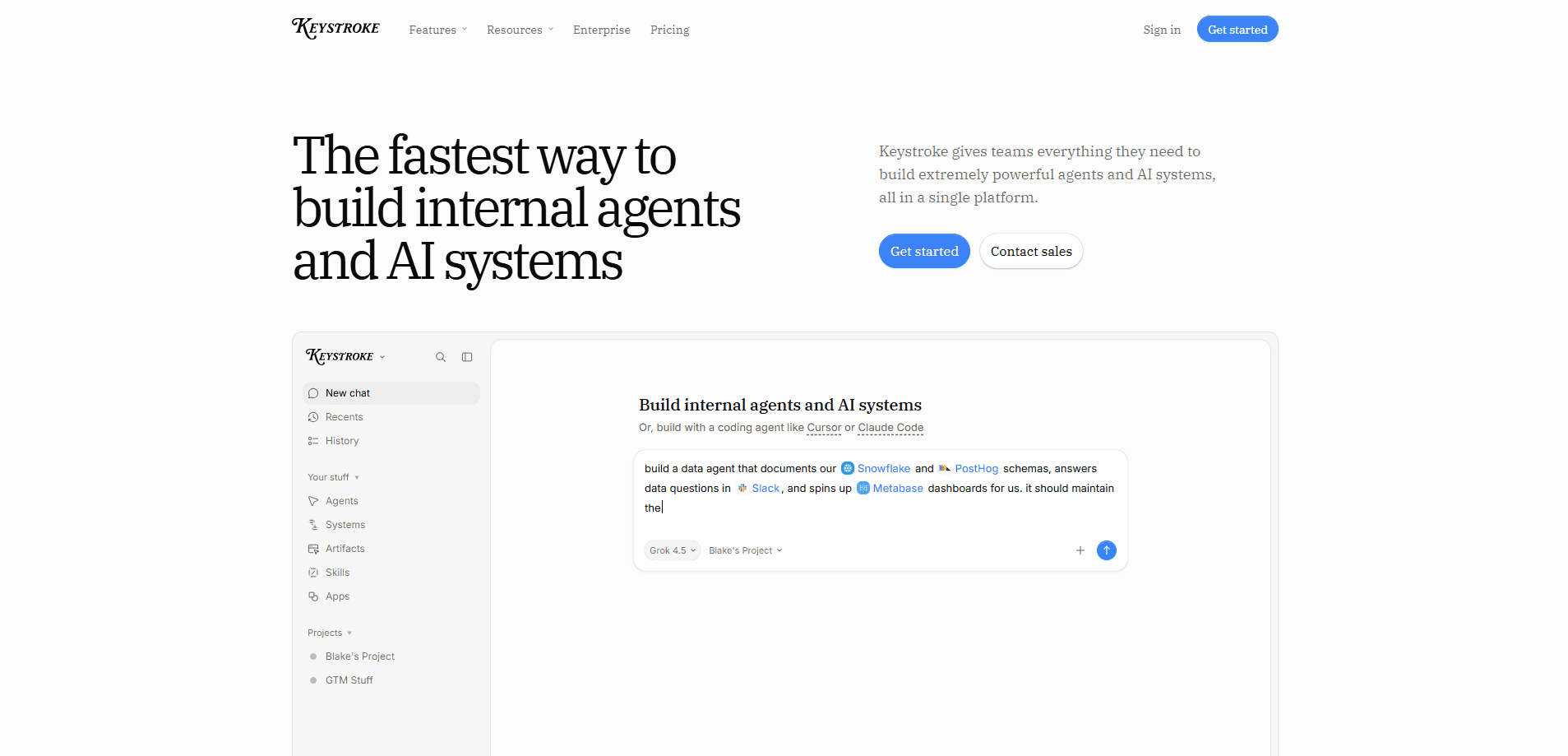
Keystroke is an all-in-one AI agent platform for building and running internal AI agents and AI systems. You describe what you want, and an agent writes it as real TypeScript, which Keystroke then deploys with integrations, credentials, run history, and a shared team workspace. Plenty of tools promise this. Few hand you code you can actually keep. The pitch is simple. If you want agent automation you can read, test, and maintain rather than a black box, this is built for it. The Hobby tier is free forever when you bring your own API keys, and pricing only starts to matter once your agents actually run.
About Keystroke
What Is Keystroke
Keystroke is a code-first platform for internal AI agents and AI workflow automation. Instead of dragging nodes around a visual builder, you get ordinary TypeScript in a real project that your team can review with git, run through tests, and keep over time. The framework underneath is a TypeScript AI framework, not a locked-down service.
The problem it solves is ownership. Most agent tools hand you output you can't inspect, so teams can't audit what an agent did or fix it when it breaks. Keystroke keeps the code visible and adds the boring-but-critical parts around it: over 1,000 built-in integrations, OAuth and API key storage, run history, and human approval steps inside workflows.
The main limitation is that it's built for teams, not solo tinkerers who want a weekend prototype. If you don't work in TypeScript or don't have a repo to deploy from, the older hosted workspace through MCP is the softer way in. It's still evolving.
Getting Started
- Install the CLI with
npm install -g @keystrokehq/cli(Node.js ^22.18.0 or >=24.0.0 is required). - Sign in by running
keystroke auth login, which opens a browser device flow on your own machine. - Scaffold a project with
keystroke init my-app --yes, which creates a config file, asrc/folder with an example agent and workflow, and anAGENTS.mdguide. - Link the folder to a platform project using
keystroke projects link --project <project-slug>, then runkeystroke deploy. - Chat with the deployed agent in the web app or in Slack, and check run history when something fails.
Product Information
A quick look at Keystroke's pricing, supported platforms, and performance.
Best for
The users, tasks, and scenarios where this tool fits best.
Users
- Product and engineering teams
- Operations and support leads
- Solo builders on a budget
Tasks
- Internal AI agents
- Durable workflow automation
- Company knowledge hubs
Scenarios
- Automating recurring back-office work such as routing inbound requests or syncing records between two SaaS tools.
- Running long processes that pause for human approval, like an expense or content review that needs a sign-off before it continues.
- Giving a support team a chatbot that answers from internal docs and escalates to a person when it can't.
Key features
Code-First Agent Building
Keystroke turns a plain-language request into real TypeScript, so agents live in a project you can inspect, version, and test. That matters. You can trace exactly what an agent does, diff changes in a pull request, and fix a bug instead of guessing why a hidden node misbehaved. Three surfaces produce the same code: the in-app platform agent, your own coding agent (Cursor, Claude Code, Codex), and the MCP server.
1,000+ Built-In Integrations
Agents and workflows plug into the tools teams already use, from Slack and Google to Linear and hundreds more, with OAuth and API keys managed in one place. You can also reach any HTTP API, including private internal ones, or wire up an MCP server. For most teams this is the difference between a demo and something that actually touches production systems.
Durable Workflows
Workflows support replay, waits, hooks, and triggers, so a run can pause for hours or days and resume exactly where it stopped. That makes it workable to model real processes, like onboarding that waits on a signature, rather than only short one-shot tasks. No lost state. No restart from scratch.
Managed Team Workspace
The web app is a shared place to deploy agents and workflows, chat with them, inspect run history, and manage credentials. Logs and run history are included on every plan, so a teammate can debug a failed run without asking the person who built it. Big difference for a busy team.
Human-in-the-Loop Approvals
Workflows can require a person to approve a step before the automation continues. Teams use this for anything with real consequences, such as refunds or publishing, where you want a human checkpoint rather than full autonomy.
Usage Controls and Guardrails
Keystroke only charges when agents and workflows are actually running, and you can set usage limits, alerts, and spend caps. The Organization plan adds role-based access controls and agent guardrails, which is what most companies need before letting non-technical staff build on the platform.
Bring Your Own Model Keys
Every plan can use any AI gateway model, with a 1.1x markup on the provider's listed price, or you can bring your own keys or proxy. Teams with existing model contracts and volume discounts can point Keystroke at those and skip the markup. Worth checking before you commit.
Pros and cons
Pros
- Agents and workflows are real TypeScript, so your team can review, test, and maintain them like any other code.
- Over 1,000 integrations plus any HTTP API or MCP server means agents can touch the tools you already run.
- Usage-based billing charges only while agents run, and limits and alerts help you avoid surprise bills.
- Free Hobby plan with bring-your-own-keys lets you evaluate the platform at no cost.
Cons
- It's code-first, so non-developers will need help with setup; this isn't a no-code drag-and-drop builder.
- The newer hosted MCP workspace and the local CLI flow differ, which can confuse teams about which path to start on.
- Node.js version requirements are strict (23 isn't supported), so older environments need an upgrade first.
Frequently asked questions
Keystroke is used to build internal AI agents and automate workflows that connect to your team's existing tools. You write or generate TypeScript, deploy it to a managed workspace, and run agents in the web app or Slack.
Related content
Explore related tools, skills, and articles for Keystroke.
Keystroke Alternatives
Forefront
Forefront · CodingForefront is a web platform for building with open-source AI. It lets you fine-tune leading open-source language models on your own data, evaluate how they perform, and run them through an API or export them to host yourself. Developers who want the convenience of a closed-source platform but insist on owning their models and data are the target audience here.

Startkit
StartKit.AI · CodingStartkit is a boilerplate for building AI SaaS and AI wrapper products. Think of it as an AI startup boilerplate with the boring parts already wired up: authentication, Stripe and Lemon Squeezy payments, usage limits, transactional email, and an AI API starter that talks to OpenAI, Anthropic, Groq, or Llama. You clone the repo, set your price, and start on the part of your product that people actually pay for. It's Next.js under React and Tailwind, so most of the boilerplate code already feels familiar.
Testim
Tricentis · CodingTestim is an AI-powered test automation platform for building and running end-to-end tests across web, mobile, and Salesforce applications. It leans on machine learning to keep tests stable when an interface changes, so teams spend less time fixing broken selectors. Not bad for an automated testing tool you can start using today. You create tests by recording actions in a browser, then optionally add JavaScript when you need more control. It's a solid pick for busy QA teams.