

Keywords AI
Respan (formerly Keywords AI) · Coding · Other
Keywords AI, now branded Respan, is an LLM observability platform and AI gateway. Route 1,000+ models through one endpoint, then trace, monitor and evaluate every agent run.
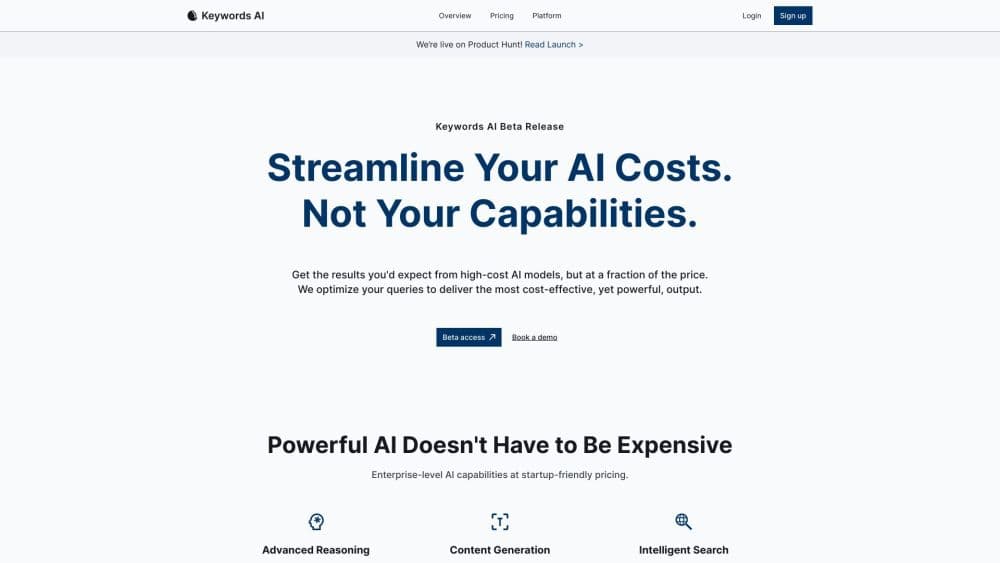
About Keywords AI
What Is Keywords AI
Keywords AI is an LLM observability platform that also acts as an AI gateway. It sits between your app and the model providers: you point the SDK you already use at one endpoint, and every request becomes a trace you can inspect. The company rebranded the product to Respan in February 2026, and the keywordsai.co domain still answers to the older name.
The pitch is closing the loop between shipping and checking. Most teams add logging after something breaks, then guess at the cause. Keywords AI captures each LLM call, tool run, retrieval and agent turn as a span, so cost, latency and errors map to a specific step. On top of that sits an eval pipeline that scores outputs against a test set before a change goes live. According to the company, the platform has handled more than 80 trillion tokens.
The limit is scope. This is infrastructure for people building AI products, not a chat app or a writing tool. If you never call a model API, there is nothing here for you. Setup also assumes you know your way around an SDK and an API key.
Getting Started
- Create a free account at platform.respan.ai, no credit card needed.
- Copy your workspace API key from the dashboard.
- Point your existing OpenAI SDK at the Keywords AI gateway by changing the base URL and key.
- Run your app as normal. Requests start showing up as traces with cost, latency and token counts attached.
- Add evaluators or datasets in the dashboard once you want to score outputs, and wire prompts into version control when you are ready to ship changes.
Product Information
A quick look at Keywords AI's pricing, supported platforms, and performance.
Best for
The users, tasks, and scenarios where this tool fits best.
Users
- AI engineers building agents
- Startup teams shipping fast
- Product managers who own AI features
Tasks
- Debugging a failing agent run
- Comparing two prompt versions
- Controlling model spend
- Adding a fallback chain
Scenarios
- A voice agent fielding a million calls an hour
- A RAG tutor that answers only from course PDFs
- A support bot where the same ticket gets different answers
Key features
Unified Gateway for 1,000+ Models
Send every request to one endpoint and reach models across every major provider, switching between them by changing a single word in the model name. Built-in caching serves repeat requests instantly, and per-key budgets or rate limits block runaway spend before it lands on your bill.
Automatic Fallbacks and Retries
You list the models to fall back to, and the gateway moves to the next the moment one errors or rate-limits. On the company's own dashboard the fallback chain holds near 99.99% uptime where a single provider sits far lower, which matters when an outage would otherwise take your app down.
End-to-End Agent Tracing
Every LLM call, tool run, retrieval and agent turn becomes a span inside one trace. Each span carries the model, latency, cost, token count and the exact input and output, so you can see precisely where a run's time and money go instead of reading a wall of log lines.
Observability Dashboards and Alerts
Requests, errors, cost, latency and tokens sit on one dashboard, sliced by model, key or user. Watch any metric over any window and get an alert through Slack, email or a webhook the moment it crosses a threshold you set. Error tracking groups faults and shows the span behind each one.
Evals with LLM Judges, Code Checks and Human Review
An evaluator composes an LLM judge, a deterministic code check or a human reviewer into a single score for any output. Test cases can be pulled straight from production logs by filter and sampling rate, or uploaded as a CSV, so every case is one your users actually sent. You can also run the same evaluator on live traffic to catch regressions in real time.
Prompt Management and Version Control
Prompts live in a collaborative editor with version history, one-click deployment and release management. A model playground and Jinja templates let you test changes before they ship, and private prompts stay out of teammates' view when a workspace is shared.
Pros and cons
Pros
- One endpoint replaces separate integrations for every model provider, so an LLM gateway swap is a one-line change.
- Tracing, evals and monitoring live in one platform, which cuts the number of tools a team has to wire together.
- The free plan is a full platform with 100k logs, 1k scores and 5 datasets, enough to prove value before paying.
- Automatic fallbacks keep an agent running when a single provider goes down or rate-limits.
- Certified for ISO 27001, SOC 2, GDPR and HIPAA, with a BAA available for healthcare teams.
Cons
- It's developer infrastructure, so anyone without code and an API key can't use it at all.
- Usage is metered beyond the free tiers, with extra logs at $8 per 100k and extra scores at $1 per 1k, which can add up on high volume.
- The February 2026 rebrand to Respan leaves two names in circulation, which can confuse people searching for docs and pricing.
Frequently asked questions
Keywords AI is used to route, monitor and evaluate AI applications. You send model requests through its gateway, then use the same platform to trace each agent run, score outputs against a test set, and watch cost, latency and error metrics on a dashboard. It targets people building AI products, not everyday chat users.
Related content
Explore related tools, skills, and articles for Keywords AI.
Keywords AI Alternatives

Base Code
Base44 (Wix) · Coding · ProductivityBase Code is a shared cloud development environment from Base44. Teammates describe changes to an existing GitHub codebase in chat, preview them live and send them back as pull requests.

Google EmbeddingGemma 2
Google DeepMind · Writing · Image · CodingGoogle EmbeddingGemma 2 is a 740M-parameter open model that turns text, code, images, audio, and video frames into vectors in one 768-dimension space, running on phones and laptops.

GitGlow
GitGlow · Coding · ProductivityGitGlow is a local-first desktop Git client that lets independent developers review their own code and their AI agents' changes in one place before shipping.