

Kidzbook AI
Kidzbook · Writing · Leaning
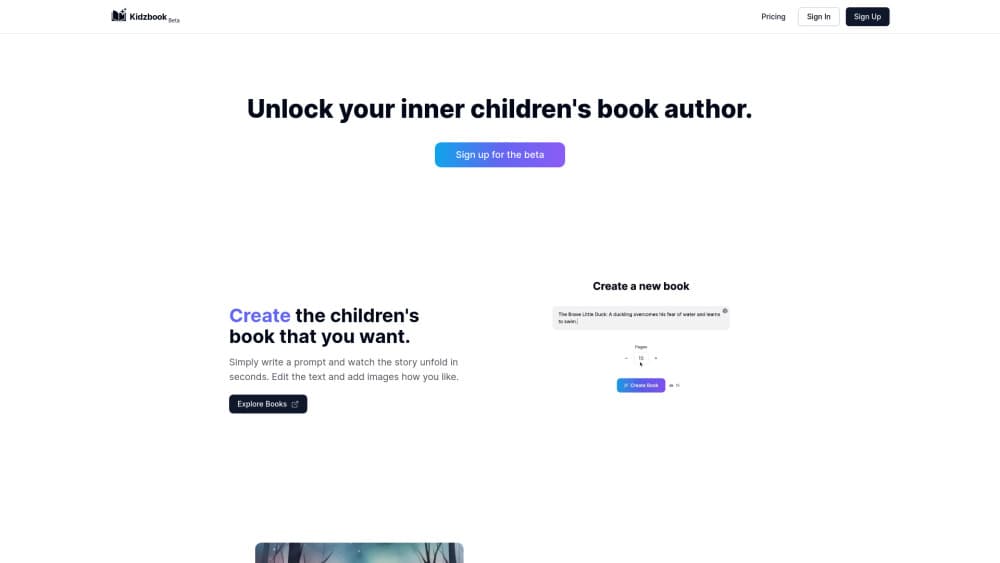
Kidzbook AI turns a short prompt into an illustrated children's picture book, then translates it, narrates it, and exports a printable PDF.
About Kidzbook AI
What Is Kidzbook AI
Kidzbook AI is a children's book generator that runs in a browser and as an iOS app. You describe a story, name the characters, pick a reading level, and the tool writes the pages and draws an illustration for each one. A project that used to eat a week of evenings now takes a few minutes. That speed is the whole pitch, since personalized picture books normally need a writer and an illustrator.
The product covers the whole path from idea to paper. Finished books can be translated into 20 languages, read aloud by synthetic voices, and downloaded as a PDF in several layouts, including a booklet format you fold yourself. Printing happens at home, on your own printer.
The limits matter as much as the features. Every plan counts books and image edits per month, and the free tier gives you 2 books and 10 image edits with no editor access. Accounts are for users 13 and older, so a younger child reads alongside a parent rather than signing up alone.
Getting Started
- Sign up at kidzbook.ai or install the iOS app.
- Write a prompt with the characters, the plot, and the reading level you want.
- Generate the book, then review the text and picture on each page.
- Translate it, add narration, or export a PDF, and print or share the result.
Product Information
A quick look at Kidzbook AI's pricing, supported platforms, and performance.
Best for
The users, tasks, and scenarios where this tool fits best.
Users
- Parents of young children
- Families raising bilingual kids
- Teachers and tutors
Tasks
- Writing a bedtime story around your child's name, pet, and favorite place
- Building a bilingual reader for a child learning a second language
- Turning a finished story into audio for car trips
- Making a printed gift book for a birthday
Scenarios
- A birthday is two days away and you still need a personal gift
- A classroom mixes native speakers and newcomers
- You want screen-free reading at home
Key features
Prompt to Story and Illustrations
You type a description of the book you want and the tool returns a full draft: page text plus a matching picture for each spread. Character names, setting, and reading level all come from your prompt, so the story lands at the right difficulty for the child. From there you can rerun a single page instead of rebuilding the whole book.
A Book Editor for Fixing What the AI Got Wrong
The editor opens up the text on every page and lets you rewrite lines, adjust the image prompt behind a picture, and swap in a different illustration from ones already generated. It sits behind a paid plan, and that's the main reason to move off the free tier. In practice, the editor is what turns a rough draft into something you'd actually read aloud.
Translation Into 20 Languages
Any finished book can be translated into 20 languages without regenerating the art. The translation ships as a new version of the book, so the original stays intact. For grandparents who live in another country, or a child enrolled in an immersion program, this is the feature that separates Kidzbook from a plain AI storybook maker.
Two Languages on the Same Page
Bilingual mode shows up to two languages at once, usually one above the other on the same page. Kids can track a familiar sentence against the version they're learning, which is how dual-language readers work in print. It's a small toggle with real use for children's book translation, and it works with the printed PDF too.
Narration in Every Supported Language
The app converts a book into an audiobook in any language the platform supports. Voices are generated, not recorded, so a new story gets audio the same day it's written. That matters for bedtime routines and long drives, and it also gives early readers a model for pronunciation.
PDF Layouts and Home Printing
Exports come as PDFs with more than one layout, including a booklet setting that arranges pages for folding into a small book. You print it yourself, which keeps the cost at paper and toner. Printable PDF files also work fine on a tablet when you'd rather not deal with a printer at all.
Pros and cons
Pros
- One pipeline covers writing, illustration, translation, narration, and export, so you don't stitch together four separate tools.
- Translation into 20 languages keeps the original illustrations, which saves a full regeneration pass.
- The editor lets you fix a bad line or a strange picture without starting the book over.
- Paid plans start at $4.99/mo with 10 books and 100 image edits, a low bar for a hobby project.
- The free tier is real: 2 books and 10 image edits per month, enough to judge the output quality.
Cons
- Image edits are metered. A picky parent who regenerates every page can burn the monthly allowance on one book.
- Free accounts get no editor access, so you can't correct AI text or swap a picture until you subscribe.
- There's no native Android app. Android families are stuck with the browser version, which is fine on a tablet but less smooth on a phone.
- Home printing is the only physical option, so the final quality depends on your printer, paper, and patience with folding.
Frequently asked questions
It writes and illustrates a children's picture book from your prompt, then lets you translate, narrate, and export it as a PDF. You end up with a finished book file, not just a story draft.
Related content
Explore related tools, skills, and articles for Kidzbook AI.
Kidzbook AI Alternatives

Claude for Google Workspace
Anthropic · Writing · Productivity · BusinessClaude for Google Workspace puts Claude in a sidebar inside Google Docs, Sheets, and Slides, where it reads the file you have open and edits it in place.

Claude Haiku 5.5
Anthropic · Writing · Coding · ChatbotClaude Haiku 5.5 is Anthropic's fastest and cheapest small model, built for high volume tasks at $0.10 per million input tokens with a 1M token context window.

NoteWorthy
Suman Hansada · Writing · Productivity · AI AssistantNoteWorthy is a notes app for iPhone, iPad and Mac that writes titles, tidies formatting, summarizes long notes and files each one with on-device AI. No account, no upload, no network requests.