

Kimi 2.5
Moonshot AI · Coding · Other
Kimi 2.5 (also called Kimi K2.5) is Moonshot AI's open-source multimodal model, built to read text, images, and video in one pass and turn that understanding into working code, documents, or research. It pairs a 256K context window with an agent mode that splits big jobs across many sub-agents, so it fits long documents, front-end prototyping, and multi-step automation. You reach it through the Kimi website, the mobile app, or the developer API.
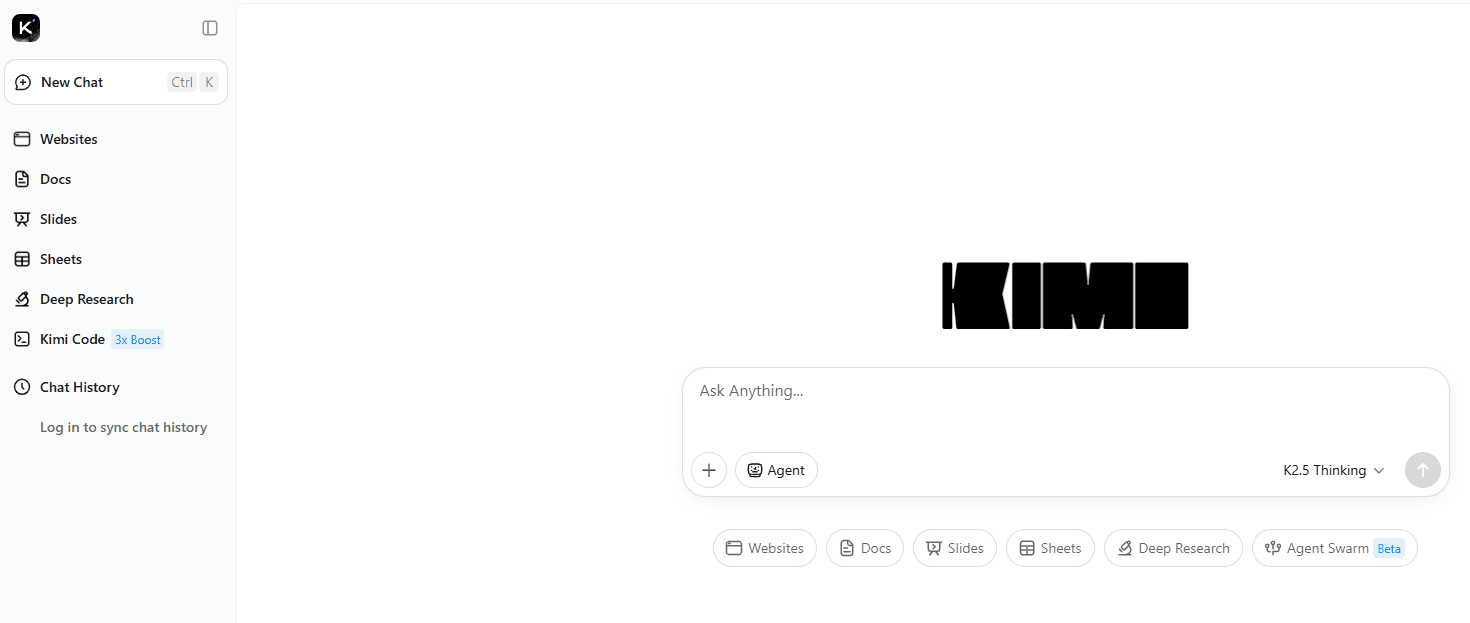
About Kimi 2.5
What Is Kimi 2.5
Kimi 2.5 is a large language model from Moonshot AI, a Beijing company founded in 2023. It's the successor to the Kimi K2 line and the first in that family to handle vision natively, meaning the model was trained on images and text together rather than bolting a separate image reader onto a text brain. With roughly 1 trillion total parameters (about 32 billion active at any moment), it's built to solve complex reasoning and coding tasks without running at full size on every request.
The model targets a practical gap: most assistants handle chat well but stumble when a task needs visual input, long context, and many tool calls at once. So what does that look like in practice? Kimi 2.5 combines all three. You can hand it a screen recording and ask for the matching HTML, feed it a 100-page report, or let it run dozens of steps with tools on its own.
The main limits are worth knowing up front. Agent swarm and multimodal features work best through the official platform, and the open weights are large enough that local deployment needs serious hardware. For most people, the app or API is the realistic entry point.
Getting Started
- Create a free account at kimi.ai or install the Kimi app for iOS or Android.
- Pick Kimi 2.5 from the model selector at the top of the chat, since older Kimi versions may still be listed.
- Type a question, or upload a document, image, or video using the upload button.
- Flip on thinking mode for hard problems that need step-by-step reasoning, or switch to agent mode for multi-step tasks.
- Review the output, then copy the code, export the file, or refine your prompt for another pass.
Product Information
A quick look at Kimi 2.5's pricing, supported platforms, and performance.
Best for
The users, tasks, and scenarios where this tool fits best.
Users
- Developers building front-end interfaces
- Office workers buried in long documents
- Researchers and students
- Teams evaluating open-source models
Tasks
- Visual coding from a mockup
- Long-document analysis
- Multi-step automation
- Coding help
Scenarios
- Turning a design review into a prototype
- Weekly reporting
- Learning something dense
- Personal projects
Key features
Native Multimodal Understanding
Kimi 2.5 was trained on images and text together, not stitched from a separate vision model. That means it reads a chart, a handwritten note, or a video frame as part of the same reasoning flow it uses for text, which is why visual tasks stay coherent instead of falling apart halfway. You can upload a photo of a whiteboard and ask for the action items, or a product screenshot and ask what's broken.
Visual Coding That Reads Video
The standout trick is turning visual input into code. Give Kimi 2.5 a screen recording of an app and it can rebuild a similar interface in HTML and CSS, layouts and scroll effects included. It's a different workflow from text prompting. You show the model what you want. For front-end work, that removes a lot of back-and-forth.
Agent Swarm for Big Jobs
Instead of one model grinding through a task alone, Kimi 2.5 can spin up many sub-agents that work in parallel and hand results back. Moonshot AI says the setup supports large numbers of tool calls across a single task. The practical effect is speed on research and automation jobs. Parallel branches beat a single line of reasoning. It's a Beta-style feature. Expect uneven results on messy tasks.
256K Context Window
The context window holds roughly 256,000 tokens. That's enough for a 100-page document or a couple of hours of video transcript in one session. You get fewer "chunk and stitch" headaches, and follow-up questions keep the earlier material in view. Big difference on long projects.
Thinking and Non-Thinking Modes
You can run Kimi 2.5 in a fast mode for quick answers or a thinking mode that lays out intermediate reasoning steps. Math, logic, and multi-step planning benefit from the slower path. Casual chat doesn't need it. Having both in one model means you don't switch tools when the task changes shape.
Kimi Code and Editor Integration
Moonshot ships Kimi Code, a coding assistant that connects to common editors and IDEs. It covers mainstream languages and plugs the model into the place developers already work. No copy-paste loop through a browser tab.
Pros and cons
Pros
- Open-source weights with a permissive license, so you can inspect, modify, and self-host the model.
- Native vision handling goes beyond image captions into code generation and interface rebuilding.
- The 256K context window keeps very long documents and transcripts usable in one session.
- Agent swarm speeds up research and automation tasks that would otherwise run one step at a time.
- A free tier through the Kimi app and website makes it easy to test before committing.
Cons
- Agent swarm and the richest multimodal features are still maturing, so complex tasks can produce uneven output.
- Running the full model locally demands serious hardware, which puts self-hosting out of reach for most individuals.
- The heaviest features lean on the official platform, so the offline story is limited.
Frequently asked questions
It handles chat, long-document analysis, coding help, and visual tasks like turning screenshots into code. It's a general assistant, not a single-purpose tool, so the useful part depends on what you bring to it.
Related content
Explore related tools, skills, and articles for Kimi 2.5.
Kimi 2.5 Alternatives
Forefront
Forefront · CodingForefront is a web platform for building with open-source AI. It lets you fine-tune leading open-source language models on your own data, evaluate how they perform, and run them through an API or export them to host yourself. Developers who want the convenience of a closed-source platform but insist on owning their models and data are the target audience here.

Startkit
StartKit.AI · CodingStartkit is a boilerplate for building AI SaaS and AI wrapper products. Think of it as an AI startup boilerplate with the boring parts already wired up: authentication, Stripe and Lemon Squeezy payments, usage limits, transactional email, and an AI API starter that talks to OpenAI, Anthropic, Groq, or Llama. You clone the repo, set your price, and start on the part of your product that people actually pay for. It's Next.js under React and Tailwind, so most of the boilerplate code already feels familiar.
Testim
Tricentis · CodingTestim is an AI-powered test automation platform for building and running end-to-end tests across web, mobile, and Salesforce applications. It leans on machine learning to keep tests stable when an interface changes, so teams spend less time fixing broken selectors. Not bad for an automated testing tool you can start using today. You create tests by recording actions in a browser, then optionally add JavaScript when you need more control. It's a solid pick for busy QA teams.