

Kiro
AWS (Amazon Web Services) · Coding
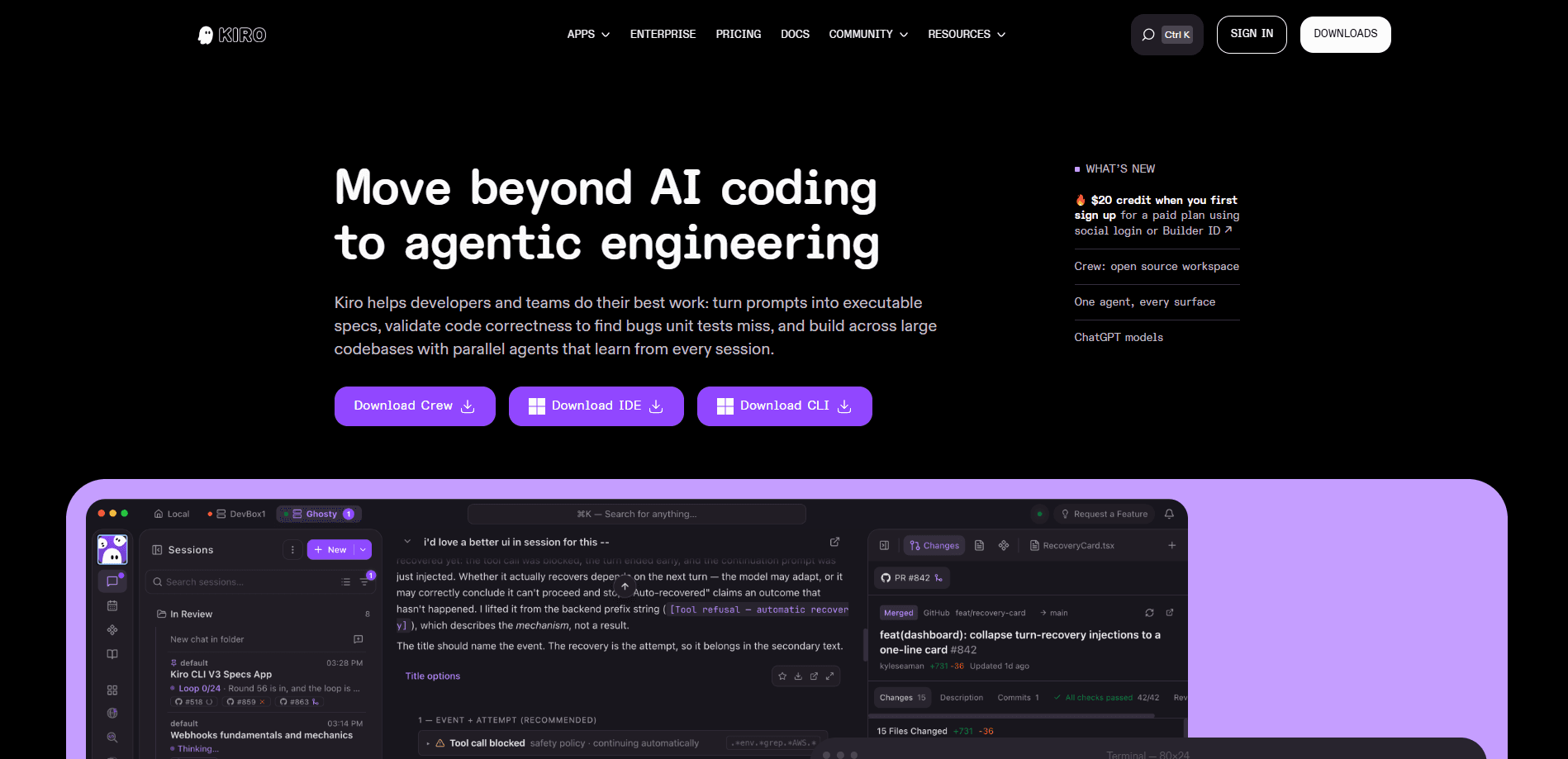
Kiro is an AI coding environment from AWS that turns plain prompts into executable specs and then implements them with parallel agents. Think of it as an agentic IDE for people who want structure before code, not just AI code generation on autopilot. Instead of jumping straight from prompt to output, Kiro writes requirements, checks them for gaps, and builds tests that assert rules across all inputs.
About Kiro
What Is Kiro
Kiro is an agentic development environment from AWS. It's available as a desktop IDE and a command-line tool, and it works across the biggest editors and terminals developers already use. The core idea is simple: most AI tools are good at generating code, but they leave the project structure to you. Kiro handles that structure first. You describe what you want, and it produces a spec with requirements, a design, and a task list before a single line of implementation gets written.
The biggest reason people reach for it? Speed without chaos. On a small script, nobody cares about process. On a large codebase, a fast change that breaks three other things isn't speed at all. Kiro's agents work from those specs and run in parallel, so you can push several tasks forward at once and still keep everything tied to a written plan. When a test suite passes but the code doesn't match what you actually meant, Kiro's correctness checks catch the difference.
That structure has a cost. You can't stay in "vibe mode" forever, and moving into spec mode means more upfront writing. The free tier is also light on credits, so heavy daily use pushes you toward a paid plan fast.
Getting Started
- Download the Kiro IDE from kiro.dev or install the CLI with the one-line shell command on the site, then sign in with a social account, AWS Builder ID, or AWS account.
- Start a new project or point Kiro at an existing repository so it can read your files and folders.
- Describe the feature you want in plain language. Kiro drafts a spec with requirements, a design, and a task list you can edit before anything gets built.
- Switch to spec mode and let the agents implement the tasks, review the diffs as they land, and adjust the plan when the design shifts.
- Add property-based tests to check behavior across many inputs, then run your normal test suite for the final pass.
Product Information
A quick look at Kiro's pricing, supported platforms, and performance.
Best for
The users, tasks, and scenarios where this tool fits best.
Users
- Professional developers on large repos
- Startup teams shipping features fast
- Backend and cloud engineers working in Python, Terraform, and similar stacks
Tasks
- Turning a vague feature request into a reviewed plan
- Refactoring across many files
- Catching bugs unit tests miss
- Automating repeatable steps
Scenarios
- Adding rate limiting or validation logic to an API endpoint, where edge cases matter more than a happy-path test
- Kicking off a new service and needing a scaffold that matches company conventions
- Working on a codebase you didn't write and want the design intent spelled out before changing it
Key features
Spec-driven development
Kiro turns a prompt into a spec with three parts: requirements, design, and tasks. You review and edit each one, so the plan exists on paper before implementation starts. For teams that already write design docs, this just moves that step earlier and makes it machine-readable.
Correctness checks with property-based testing
Passing tests don't prove the code does what you meant. Kiro scans your requirements for contradictions and gaps, then adds property-based tests that check rules across all inputs instead of a handful of examples. It behaves a lot like fuzz testing, and it's aimed squarely at the bugs example-based suites walk right past.
Parallel agents on large codebases
Instead of one agent grinding through a task list, Kiro runs multiple agents at once and keeps each one tied to the spec. That matters most on bigger repositories where a single change touches many files. The agents also learn from earlier sessions, so recurring project context carries forward.
Hooks for automation
Hooks let you attach automated actions to events in the project, so routine steps run on their own. Save a file, hit a checkpoint, and the follow-up work fires without another prompt from you.
Model choice with Auto mode
You can pick the model per task: Anthropic Claude, OpenAI GPT, open-weight options like DeepSeek and Qwen, or Auto. Auto reads the task's complexity and picks a model based on quality, latency, and cost, so simple edits don't burn the same budget as a hard refactor.
Credit-based pricing without rate caps
Kiro runs on credits rather than daily or weekly request limits, and simple requests can cost less than a single credit. Overages are pre-paid, so a long session doesn't turn into a surprise bill at the end of the month.
Pros and cons
Pros
- Specs give structure to messy prompts before any code is written
- Property-based tests catch logic gaps that example tests skip
- Parallel agents speed up work across large, multi-file changes
- Model menu spans Claude, GPT, and open-weight options with Auto for picking
- No daily or weekly rate limits, and overages are pre-paid
Cons
- The spec workflow adds upfront writing you can't skip in spec mode
- Free tier only includes 50 credits per month, which runs out fast
- Credit costs scale with task complexity, so heavy use gets expensive
- Some premium models aren't available in every country or region
Frequently asked questions
Kiro is an AI development environment from AWS that runs as an IDE and a CLI. It converts prompts into executable specs, implements them with agents, and validates the result with automated checks.
Related content
Explore related tools, skills, and articles for Kiro.
Kiro Alternatives
Forefront
Forefront · CodingForefront is a web platform for building with open-source AI. It lets you fine-tune leading open-source language models on your own data, evaluate how they perform, and run them through an API or export them to host yourself. Developers who want the convenience of a closed-source platform but insist on owning their models and data are the target audience here.

Startkit
StartKit.AI · CodingStartkit is a boilerplate for building AI SaaS and AI wrapper products. Think of it as an AI startup boilerplate with the boring parts already wired up: authentication, Stripe and Lemon Squeezy payments, usage limits, transactional email, and an AI API starter that talks to OpenAI, Anthropic, Groq, or Llama. You clone the repo, set your price, and start on the part of your product that people actually pay for. It's Next.js under React and Tailwind, so most of the boilerplate code already feels familiar.
Testim
Tricentis · CodingTestim is an AI-powered test automation platform for building and running end-to-end tests across web, mobile, and Salesforce applications. It leans on machine learning to keep tests stable when an interface changes, so teams spend less time fixing broken selectors. Not bad for an automated testing tool you can start using today. You create tests by recording actions in a browser, then optionally add JavaScript when you need more control. It's a solid pick for busy QA teams.