

Kits AI
Kits AI · Voice & Language
Kits AI is a web and desktop studio for AI voice cloning and music production tools, letting producers generate, convert, and master vocals that stay royalty-free.
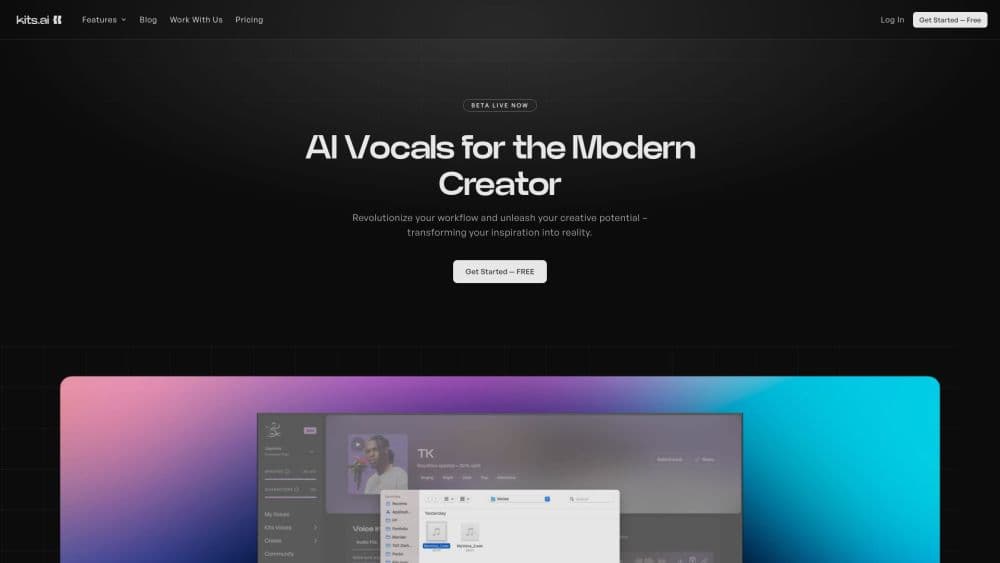
About Kits AI
What Is Kits AI
Kits AI is a music production studio built around AI voice tools. You upload an audio clip or record your own singing, pick a voice from the library or a model you trained yourself, and the platform replaces or layers the vocals with a new performance. Producers use it to demo a song before hiring a singer, to try a female take on a male demo, or to fill gaps in an arrangement without booking a session.
The toolset reaches past voice conversion. The same account covers vocal removal, stem splitting, AI mastering, harmony generation, instrument sketching, and a Blender that fuses several voices into a new tone. The desktop app plugs into a DAW through drag and drop, while the browser version handles the same jobs for free.
Two things shape what you actually get. Every voice in the public library is licensed from the artists themselves, so what you produce is royalty-free and cleared for release. And the model leans on voice conversion rather than text-to-speech for singing, which means you supply the melody and phrasing, and AI handles the timbre.
Getting Started
- Create a free account at kits.ai or open the desktop app for Windows.
- Upload your own vocal track, record one in the browser, or drag an audio file into the studio.
- Choose a voice model from the royalty-free library, or train a custom clone from a sample you have the rights to use.
- Run the conversion, audition the result against the original, and download the take in your chosen format.
Product Information
A quick look at Kits AI's pricing, supported platforms, and performance.
Best for
The users, tasks, and scenarios where this tool fits best.
Users
- Music producers
- Independent artists and songwriters
- Musical theater writers and composers
Tasks
- Swapping or layering vocals
- Cleaning up a mix
- Mastering and finishing
Scenarios
- Sketching a demo on the road
- Preparing a client pitch
- Filling out a backing track
Key features
AI Voice Cloning
Kits AI trains a custom voice model from a vocal sample you own or control, then uses it to convert new performances into that voice. The platform offers an instant clone for fast experiments and a professional method for higher fidelity, and the professional option sits on the Producer tier and above. For solo creators, this replaces the cost of repeatedly hiring session singers.
Royalty-Free Voice Library
The AI singing generator draws on a library of more than 100 artists, and every voice is licensed directly from the performer under a revenue-sharing deal. That sourcing is what lets you use the output in released music without a separate clearance step, which matters most to artists who plan to distribute their songs.
Vocal Remover and Stem Splitter
The vocal remover isolates a voice from a finished track and strips echo and reverb, while the stem splitter separates a song into vocals, drums, bass, and other instruments. Both are useful for remixing, for building a karaoke version, or for salvaging a take that was recorded in a noisy room.
AI Mastering
AI mastering processes a finished track, a stem, or a sample to lift loudness and clarity without a separate mastering engineer. It suits creators who want a louder, cleaner master for streaming but are not ready to pay for a human pass, and it runs on the standard audio tool suite.
Voice Blender, Designer, and Variants
The Blender fuses two or more voices into a tone that belongs to neither, the Designer lets you pick traits to shape a fresh vocal, and Variants make subtle or dramatic shifts to a Kits voice. Together they cover the case where the library has no exact match and you want a signature sound.
Harmony Generator and AI Instruments
The harmony generator turns a single vocal line into stacked harmonies, and the AI instrument library lets you sketch parts with session-level sounds. Both help producers build out an arrangement quickly, and both sit inside the same subscription as the voice tools.
Developer API
Kits exposes an API for voice conversion, voice blending, and vocal separation, aimed at developers integrating the audio models into their own apps. You generate a token from the API page and work from the documentation, which covers conversion, blending, and separation endpoints.
Pros and cons
Pros
- Every voice in the public library is licensed from the artists, so the output is royalty-free and ready to release.
- One account covers voice cloning, vocal removal, mastering, stem splitting, and harmonies, cutting the number of separate tools a producer needs.
- The desktop app drags straight into a DAW, so converted vocals drop into an existing project without a manual export step.
- An instant cloning mode makes it quick to test a voice idea before committing time to a higher-fidelity clone.
- A free tier with one custom voice and a batch of conversion minutes lets new users try the workflow before paying.
Cons
- Professional cloning, extra voice slots, and more download minutes require the higher paid tiers, which raises the cost for anyone who needs several voices.
- Conversion quality still depends on how clean and on-key the source performance is, so a rough input gives a rough output.
- The tool works on voice and audio, not full song generation, so you still need to write and record the underlying music yourself.
- Download minutes cap what you can export even on paid plans, and heavy use leans on fair-use limits rather than a fixed allowance.
Frequently asked questions
Kits AI is used to create and edit vocals for music. You convert a performance into another voice, blend voices, remove or split vocals, master a track, and generate harmonies and instrument parts, all from one account.
Related content
Explore related tools, skills, and articles for Kits AI.
Kits AI Alternatives

Foley
Hanamori Labs, LLC · Voice & Language · Productivity · AI AssistantFoley is a voice to-do list that turns a spoken sentence into a filed task, complete with project, date and time, then helps you plan the day around what is already there.

HireKey
HireKey · Voice & Language · Productivity · LeaningHireKey is an AI job search copilot built by a former tech recruiter. It checks role fit, tailors resumes, runs interview practice and tracks every application.

Fluence
Yay Software (Yannick Huchard) · Writing · Voice & Language · ProductivityFluence is an Android app that reads PDFs, EPUBs, Word files and web articles aloud, follows each sentence as it speaks, and answers questions about the text on the phone itself.