

Klutter AI
Klutter AI · Business
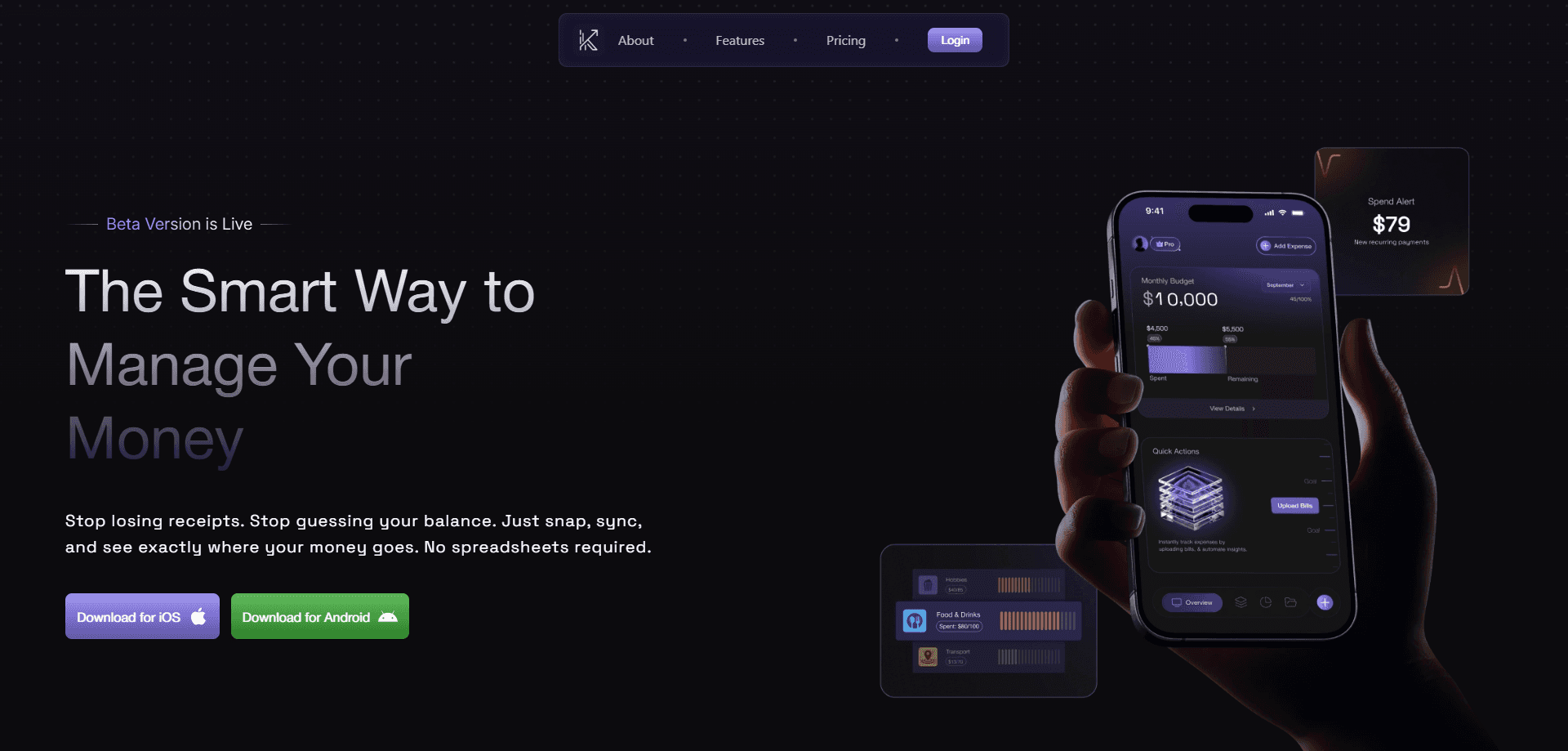
Klutter AI is an AI expense tracker that turns messy receipts, bills, and bank alerts into an organized picture of your money. It scans receipts on your phone, sorts every expense into the right category, and pulls in spending from your email and SMS so you don't have to type anything. On top of that, this AI budgeting app tracks budgets, flags subscriptions, and forecasts where your spending is heading. Think of it as a spending tracker that handles the boring part for you.
About Klutter AI
What Is Klutter AI
Klutter AI is a web-based expense management service built around one idea: you shouldn't have to log every purchase by hand. Instead of a blank spreadsheet, you point your camera at a receipt or upload a bill, and the app reads the merchant, amount, category, and date for you. It also connects to your email and SMS to catch transactions you'd otherwise forget, which is a bigger deal than it sounds for anyone whose spending never lands in one place at the end of the month.
The bigger promise is insight, not just record-keeping. Klutter watches your habits, spots patterns like a heavy spending day, and warns you about unusual charges or new recurring bills. It's aimed at people who want a clear view of their finances but don't enjoy data entry. Most of them gave up on budgeting a while ago.
The main limitation is trust and setup. Linking email and SMS means giving a third party access to messages that often contain sensitive information. Not everyone will be OK with that. Your comfort level with inbox access pretty much decides whether Klutter fits. It's also a web product, and there's no downloadable Android app here. Pricing isn't published clearly either, so confirm the current plan on the official site before you commit.
Getting Started
- Create your account on the Klutter AI website.
- Link the email and SMS sources you want the app to read for expense data.
- Snap a photo of a receipt or upload a bill to let AI extract the details.
- Set budgets per category and switch on spending alerts so the app can nudge you before a category quietly runs over its limit again.
- Review your categorized spending, subscription list, and forecast on the dashboard to see where the month is actually heading.
Product Information
A quick look at Klutter AI's pricing, supported platforms, and performance.
Best for
The users, tasks, and scenarios where this tool fits best.
Users
- Freelancers and solo workers
- Budget-conscious households
- People who hate spreadsheets
Tasks
- Scanning receipts
- Tracking subscriptions
- Forecasting spending
- Setting category budgets
Scenarios
- Month-end catch-up
- Subscription audits
- Big-purchase planning
- Noticing odd charges
Key features
AI Receipt Scanning
Point your camera at any receipt and Klutter AI reads the merchant, amount, category, and date for you. No typing. That matters, because data entry is exactly why most people abandon a receipt scanning app. It works best on clear, well-lit photos. Crumpled or faded receipts may need a manual fix.
Smart Categorization
The app sorts each expense into a category automatically instead of making you choose one. The official site also notes you can connect it with accounting and budgeting apps to keep everything organized without extra hassle. An AI budgeting app lives or dies on this. If your spending is unusual, expect to correct a category now and then.
Financial Forecasting
Klutter predicts where your spending is heading based on your habits and patterns. Is that worth it? Before a big purchase or a tight month, yes. You're deciding with a number instead of a guess, and that beats most spreadsheet math. Treat the projection as a guide, not gospel. Forecasts depend on how consistent your past spending has been.
Subscription Management
AI auto-detects your recurring payments and subscriptions, so you don't have to hunt through statements manually. Subscription tracking pays for itself fast here. Finding a charge you forgot about is often the quickest way to save money, and this feature puts them all in one list. Detection depends on the transaction being recognizable as recurring. Odd billing intervals might slip through.
Multi-Account Expense View
Klutter lets you securely link your email and SMS so all expenses appear in one real-time view. Picture a personal card, a work card, and a couple of savings accounts. For that person, the single view is the reason to use it. The trade-off is real. Linking inboxes and messages opens access to a lot of sensitive data, so read the privacy terms first.
Budgets and Alerts
You can add custom budgets for each category with spending alerts. The app also sends notifications for unusual spends or new recurring bills. Reports tell you what happened. Alerts reach you while there's still time to change course, and that's the difference. The catch is that overly aggressive budgets just train you to ignore the warnings.
Pros and cons
Pros
- Receipt scanning cuts out manual entry, the main reason people quit expense trackers.
- Automatic categorization keeps spending organized without constant hands-on sorting.
- Email and SMS sync catches transactions you'd otherwise forget to log.
- Forecasting and alerts help you act on spending before the month is over, not after, which is the difference between adjusting a budget and simply recording a loss.
- Subscription detection surfaces forgotten recurring charges you can cancel, which often pays for the app within a single month.
Cons
- No Android app, so you're tied to the web version rather than a phone app.
- Linking email and SMS means sharing access to sensitive messages, which won't suit everyone.
- Pricing isn't clearly published, so you may need to contact the team to confirm costs.
- Automatic categorization can misfire on unusual merchants, adding cleanup time.
Frequently asked questions
It's an expense management app that scans receipts, auto-categorizes spending, syncs transactions from email and SMS, and gives you budgeting insights and forecasts. In short, it tracks where your money goes with minimal manual work. It won't replace a tax accountant.
Related content
Explore related tools, skills, and articles for Klutter AI.
Klutter AI Alternatives

Knocket
Knocket (Tencent RTC team) · Productivity · Business · ChatbotKnocket is a free live chat and contact page tool that lets visitors message you from your website, app, or a shareable link, with every reply handled from Telegram or one inbox.

shippedit.me
Krawlup · Marketing · Businessshippedit.me now redirects to Krawlup, a web platform that audits SEO, AEO and page speed every week, then hands the fixes to AI coding agents over MCP.

Ayven
Alknoma · Productivity · BusinessAyven is an AI control centre by Alknoma that turns a plain-language goal into a dated plan, hands the work to your people and AI agents, and asks for your approval only when the call is yours.