

Koast.ai
Koast · Marketing
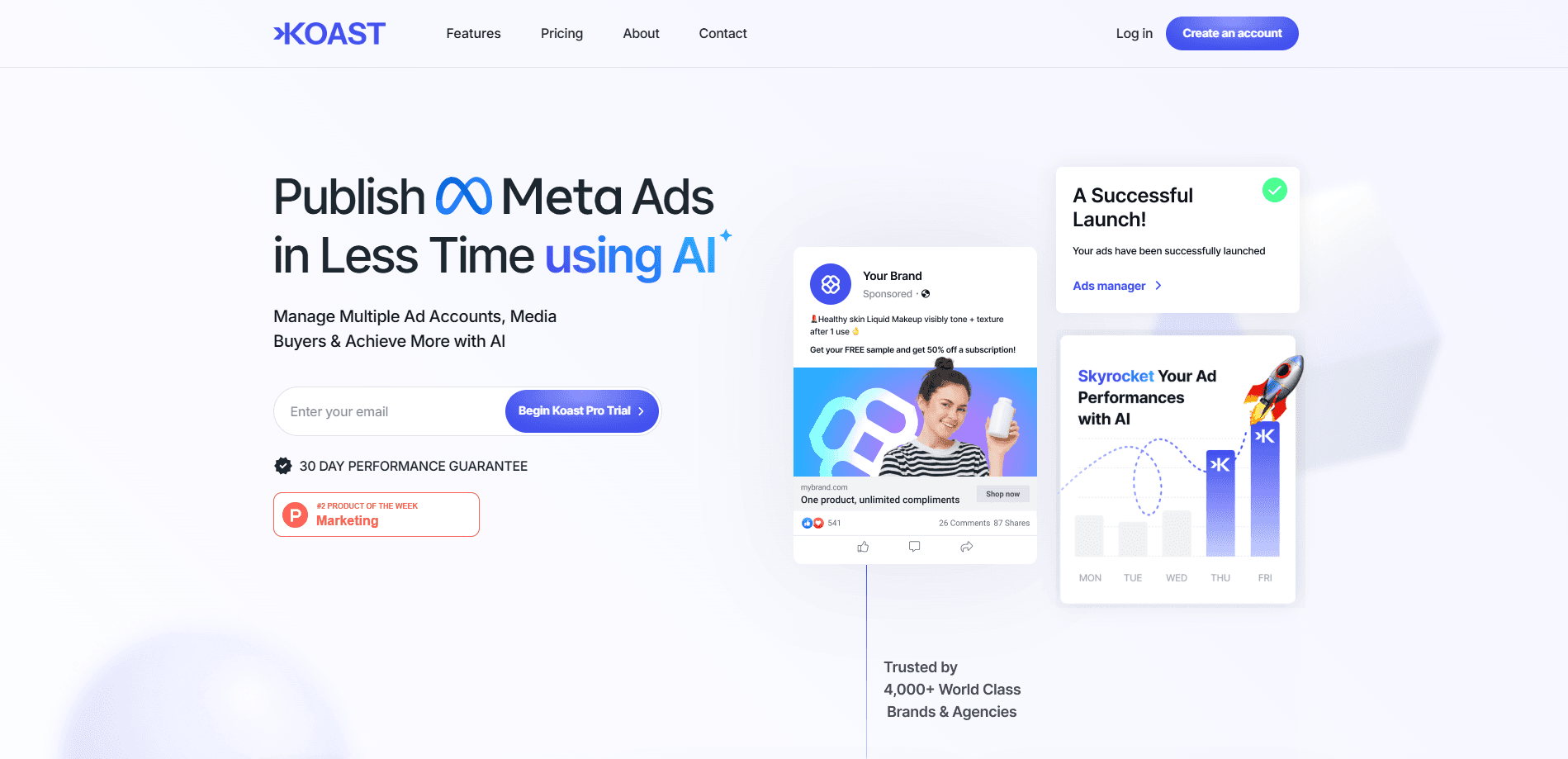
Koast.ai is an AI operating system for performance marketing teams. It bulk launches Meta ads across accounts, tracks portfolio KPIs in one view and runs agents on your rules.
About Koast.ai
What Is Koast.ai
Koast.ai is a self-serve platform that media buyers use to run Meta ad accounts at scale, and it pitches itself as an AI operating system for performance marketing teams rather than another reporting dashboard. The core idea is speed: where Meta's Ads Manager forces you to publish one ad at a time, Koast lets you queue hundreds, pick every destination account at launch and push the whole batch in a single pass. Teams behind more than $1.5 billion in managed spend use it, according to the company, and Koast reports 7.1 times higher publishing volume than the manual flow.
The product splits into two halves. The first is launching, which handles the mechanical work of getting creative out the door: auto-grouping sizes, stripping filenames and EXIF metadata, and reusing one post ID across accounts so likes and comments stack up instead of fragmenting. The second is the command center, a single screen that shows spend, ROAS, CPA and CTR side by side across every account, with anomalies flagged before you go looking for them. Agents sit on top of both, handling stop-loss, triage and recaps as queued tasks you approve or hold.
There are two limits worth knowing before you sign up. Koast is built around Meta, so teams running Google, TikTok or programmatic spend still need their other tools. And it is not free: the self-serve plan costs $499 a month plus a one-time setup fee, which puts it out of reach for a solo buyer testing the waters.
Getting Started
- Book a demo or start the self-serve Growth Plan, then connect your Meta ad accounts through the official API
- Set up one-click templates so naming conventions, UTMs, pixels and placements get locked before anything ships
- Load your creative, select the destination accounts and queue the batch for review
- Launch the batch in one pass, then watch spend, ROAS and CPA update live on the portfolio screen
- Assign team roles, turn on agent guardrails like stop-loss and approve or hold the actions they queue
Product Information
A quick look at Koast.ai's pricing, supported platforms, and performance.
Best for
The users, tasks, and scenarios where this tool fits best.
Users
- Media buying teams running multiple Meta accounts
- Performance marketing agencies
- Creative strategists and editors
- Growth leads at scaling brands
Tasks
- Bulk ad launching
- Multi-account publishing
- Portfolio monitoring
- Creative pipeline management
- Agent-run guardrails
Scenarios
- An agency runs a dozen client accounts
- A creative drops three export sizes for one ad
- Spend spikes on a losing ad overnight
- A strategist briefs a hook test
- Leadership wants a spend breakdown
Key features
Bulk launching and batch review
Koast lets you queue hundreds of ads in a single pass, review the whole batch and launch it as one. This is the feature the product is built around, and it replaces the one-at-a-time flow that makes Ads Manager slow for high-volume buyers. You pick destinations at the moment of launch, so a batch that targets a dozen accounts still ships in one action.
Multi-account control from one screen
The command center shows your entire portfolio, with spend, ROAS, CPA and CTR on one strip and updates in real time. You can drill from the book of business down to a single ad in two clicks, and admin-level tracking records who changed what, where and when. Anomalies surface on their own, which cuts the time you spend hunting for problems.
One-click templates and metadata cleaning
Naming conventions, UTMs, pixels and placements get saved once as a template, then reapplied to every future launch with a keyboard shortcut. Koast also strips filenames and EXIF metadata before Meta sees the file, which keeps client-identifying junk out of your uploads. The combination removes the repetitive setup that eats into a buyer's day.
Creative pipeline and collaboration
Briefs, assets and approvals live on one board, so strategists brief, editors upload and buyers launch without a status chase. The brief carries angles, references, deliverables and due dates on the card itself, and creative sources like Drive, Dropbox and Frame.io feed straight into the board. Team members get roles and views rather than shared account keys, and approvals push work forward on their own.
AI agents that queue decisions
Agents run tasks against the rules you set, such as stop-loss, triage and recap, and they surface results as a decision to approve or hold instead of another dashboard to read. Every action is logged with the reasoning attached, so admins can see what fired and why. The company says this approach saved 12 percent of ad spend on zero-purchase ads for the teams it studied.
Scoped access and audit trail
Access runs through the official Meta API with scoped permissions, so you control who sees which account. Buyers, content managers and view-only seats for clients and leadership replace password spreadsheets, and a full audit trail records every agent action and human edit. This is the package a security review asks for before a team rolls the tool out.
Pros and cons
Pros
- Bulk launching across many accounts in one pass, which is the biggest time saver for high-volume Meta buyers
- A single command center for spend, ROAS, CPA and CTR with live updates and automatic anomaly flagging
- One-click templates that lock naming, UTMs and pixels, plus metadata cleaning before upload
- AI agents that queue approve-or-hold decisions instead of dumping another dashboard on you
- Scoped Meta API access and a full audit trail, with roles instead of shared logins
Cons
- The Growth Plan starts at $499 a month plus a one-time setup fee, so it is priced for teams rather than solo buyers
- It is built around Meta, so teams running Google, TikTok or programmatic spend still need separate tools
- Bulk launching and agent credits sit behind a subscription, and there is no free plan to test the workflow first
Frequently asked questions
Koast.ai is an AI operating system for performance marketing teams. It focuses on launching and monitoring Meta ads at scale: bulk launching across accounts, one-click templates, a cross-account command center and agents that handle stop-loss, triage and recaps.
Related content
Explore related tools, skills, and articles for Koast.ai.
Koast.ai Alternatives

ngram 2.0
ngram · Video · Marketingngram 2.0 is an AI video generator for teams. It turns a prompt, a screen recording, or a product URL into a narrated explainer, product demo, or AI avatar video, and every scene stays editable.

shippedit.me
Krawlup · Marketing · Businessshippedit.me now redirects to Krawlup, a web platform that audits SEO, AEO and page speed every week, then hands the fixes to AI coding agents over MCP.

MePersona
MePersona, Inc. · Writing · Productivity · MarketingMePersona is an AI unified inbox for creators. It learns your voice, drafts replies to fan messages from 12 platforms, and sends only what you approve.