

Krater
Krater · Other
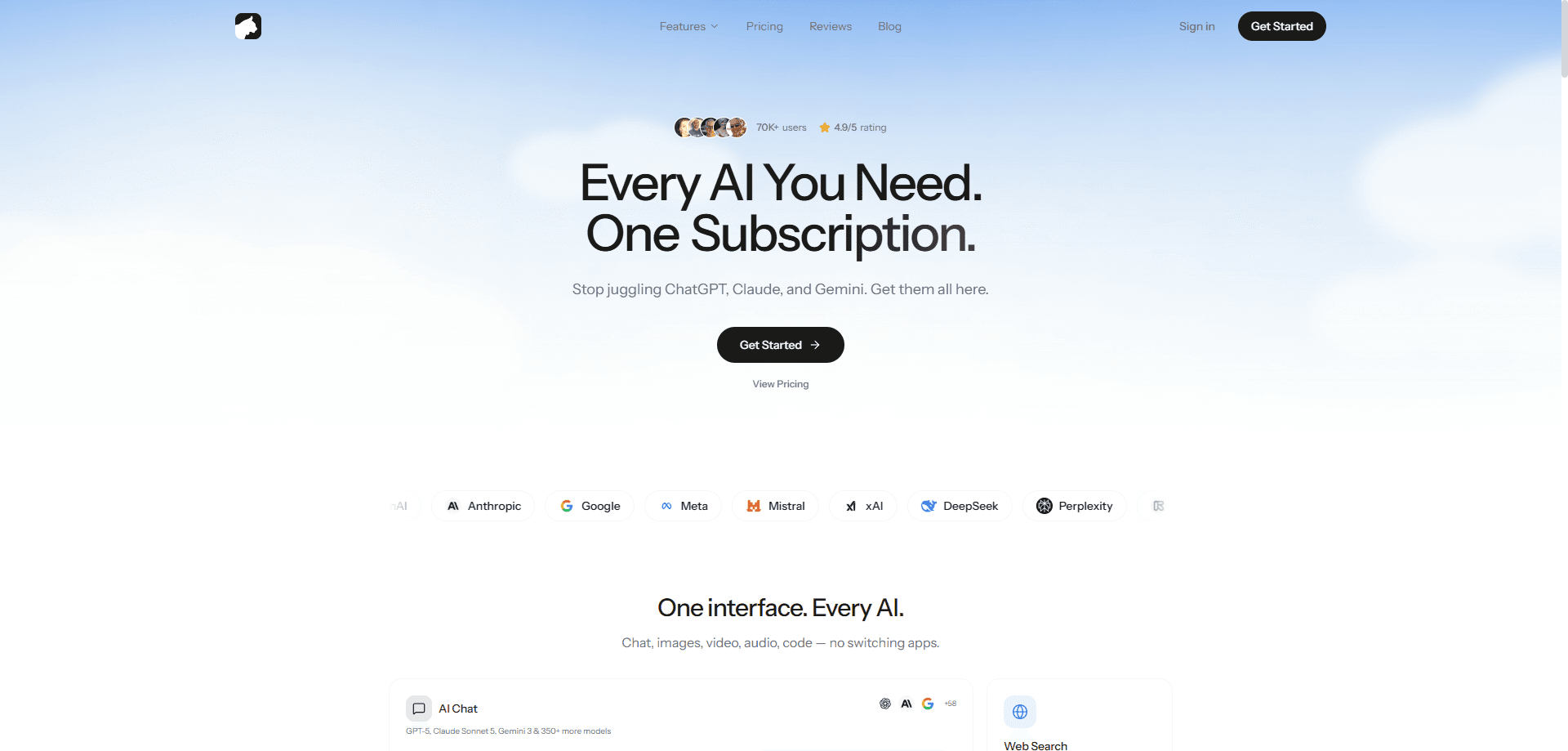
Krater is an all-in-one AI workspace that bundles 400+ AI models with image, video, and audio generation, web research, document chat, and scheduled automation under one subscription. Instead of paying for a dozen separate AI tools, you get ChatGPT, Claude, Gemini, and many others alongside image and video generation, all reachable from a single chat window you never have to leave. One bill. One login. Everything in one place.
About Krater
What Is Krater
Krater is a web-based AI super app built around a simple idea: stop stitching together subscriptions. The platform gives you one login, one credit balance, and one chat window that can reach more than 400 models, from the biggest names to smaller open-source options. Beyond chat, it also handles images, video, voiceovers, and code, so a single prompt can turn into a finished piece of work without you ever switching apps or reformatting anything by hand.
The product is designed for anyone who juggles several AI tools a day and wants them to stop fighting each other for screen space. Writers draft and edit in the same place. Analysts run research across the web and their own files. Teams build slide decks and documents from a single prompt. The company says more than 100,000 people use it, and it markets itself as a cheaper alternative to stacking up individual subscriptions.
The main limits are its credit system and the fact that it's a web app. Credits refresh each month with your billing cycle and don't roll over, which means heavy users eventually have to buy top-ups or move up to a more expensive tier when their normal usage outpaces the monthly allowance. There's no public API docs page, so developers who want to build on Krater should check with the company directly. Guest mode caps you at 3 messages a day.
Getting Started
- Visit krater.ai and open the app, or sign up for an account to get access to all 400+ models.
- Pick a plan if you want full access. Pro runs $20/month, and you can also start with guest mode to test the waters.
- Choose a model from the picker, or let the auto-router pick one for your prompt.
- Write your prompt for text, then switch to image, video, or audio tools when you need them.
- Connect your own apps and schedule repeat tasks if you want agents to run on their own.
Product Information
A quick look at Krater's pricing, supported platforms, and performance.
Best for
The users, tasks, and scenarios where this tool fits best.
Users
- Everyday AI users
- Writers and content creators
- Teams and small businesses
Tasks
- Turning a single prompt into slides, documents, or images
- Research across the web and your own files
- Scheduling repeat work
Scenarios
- Replacing several AI subscriptions with one
- Early-stage project research
- Daily content production
Key features
400+ AI Models in One Place
Krater gives you access to more than 400 models, including ChatGPT, Claude, Gemini, and Llama, from a single interface. You can switch between them mid-task to compare answers or match a model to the job, which is genuinely useful when you want a second opinion on a draft. This is the core reason to use it: no more juggling separate tabs and accounts.
Image, Video, and Audio Generation
The creation tools handle images, video, and voiceovers in the same workspace. You describe what you want, and Krater generates it without sending you off to a separate product. Big time saver for creators who need visuals alongside writing.
Web Research With Sources
Krater runs research across the web and returns results with sources you can check. You can also chat with your own documents and files, so you're not limited to what's already online. Citations attached. That matters when you need to verify claims.
Document and File Chat
Upload files and ask questions about them directly in the chat. This is handy for contracts, reports, and research papers where you need specific answers instead of generic summaries. It keeps your analysis and your source material in one window. No copy-paste shuffle.
Scheduled Automation Agents
Repeat tasks can become scheduled agents that run on their own. Set the schedule once. Think weekly digests, recurring research pulls, or routine content drafts. It moves Krater from a tool you open to one that works in the background.
Guest Mode
You can try Krater without an account. Guest mode gives you 3 messages a day. That's it. It's a genuine way to test the interface before you subscribe, even if the limits are tight.
Privacy Controls
The company states that conversations and files stay yours and that it doesn't sell or train on your data. It points to EU hosting and GDPR compliance. That's a claim worth weighing if you handle sensitive material. Reasonable, but verify it. Confirm the details before trusting it with anything confidential.
Pros and cons
Pros
- One subscription replaces a dozen AI tools, which simplifies both billing and workflow.
- Access to 400+ models means you can pick the best one for each task instead of settling.
- Image, video, and audio generation live in the same workspace as chat and research.
- Scheduled agents let repeat work run on its own, which cuts manual steps.
- Guest mode lets you test it before paying anything.
Cons
- Credits don't roll over month to month, so unused credits are lost and heavy users need top-ups.
- No public API documentation, which makes it hard for developers to build on the platform.
- It's web-only, so there's no offline access or dedicated desktop app.
Frequently asked questions
Krater is an all-in-one AI workspace for chat, image and video generation, audio, code, research, and automation. You use it to run most AI tasks from one place instead of switching between apps.
Related content
Explore related tools, skills, and articles for Krater.
Krater Alternatives
BinkBink
BinkBink · OtherBinkBink is a free online game platform and AI game maker that lets anyone turn a short text description into a playable browser game. You can jump into hundreds of community-made games. Or describe your own idea and play it in seconds, then share it with friends. Want to create your own game? You don't need to code. No engine setup, no download, no hassle.

Audiogen
Audiogen Inc. · OtherAudiogen is an AI music generator built by Audiogen Inc., a small research team that spent about 2.5 years training its own generative music model and designing a web interface around it. Instead of a plain text box, this AI music tool turns the timeline into a beginner-friendly Generative Audio Workstation, or GAW, where inpainting, extending, remixing and stem editing work more like painting on a canvas. The product is still in beta, so access runs through a waitlist or an invite. Paid plans aren't published yet.

Aiml API
AIMLAPI OÜ · OtherAiml API is a unified AI model API that puts more than 1000 models from OpenAI, Google, Anthropic, and others behind one endpoint and one bill. You write code against a single OpenAI-compatible schema, then switch between chat, image, video, and audio models by changing a model string. It suits developers and small teams who want multi-model access without juggling a dozen separate provider accounts, and it removes the usual billing headache that comes with testing several vendors. One key covers it all.