

Krisp AI Meeting Note Taker
Krisp · Voice & Language · Productivity
Krisp AI Meeting Note Taker is a bot-free AI notetaker that records, transcribes, and summarizes online and in-person meetings, and it adds noise cancellation plus accent conversion for clear audio.
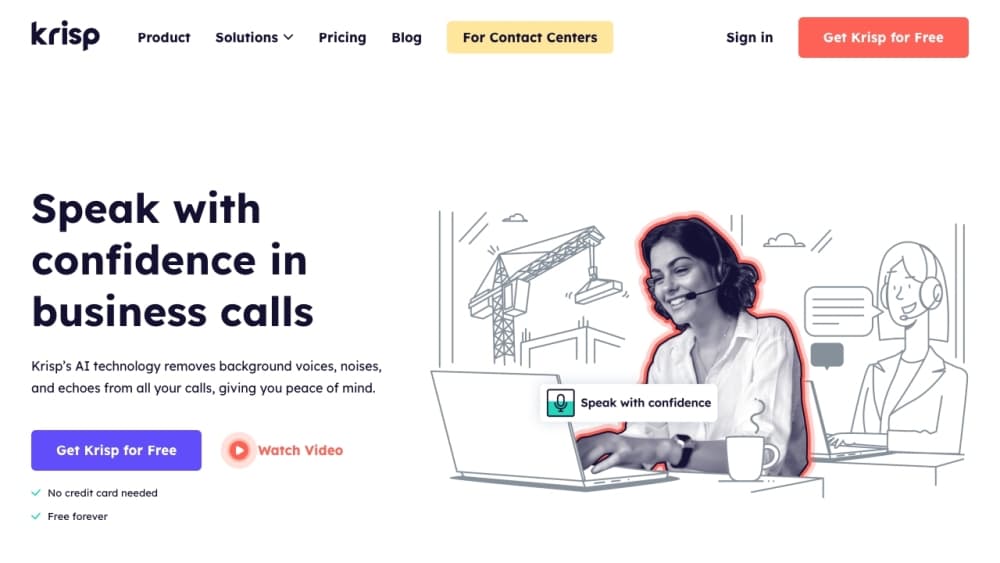
About Krisp AI Meeting Note Taker
What Is Krisp AI Meeting Note Taker
Krisp AI Meeting Note Taker is the meeting assistant built by Krisp, a voice AI company that started with noise cancellation and grew into a full meeting tool. It records the call, turns speech into a searchable transcript, and writes up a summary with action items, all without an assistant bot joining the room.
The pitch is simple. Most notetakers send a bot into the meeting, which shows up on the guest list and makes some hosts uneasy. Krisp works at the audio level instead, so it sits between your microphone and any conferencing app and nobody else sees it. That same audio path lets it strip background noise and echo in real time, and it can soften accents so remote teammates catch every word.
The limits are worth knowing up front. Krisp leans on a calendar connection during signup to know when meetings start, but a zero-permission option exists for teams that don't want to share calendar data. The mobile app records and transcribes in-person talks but does not cancel noise yet. There is no public API for the meeting assistant, so automation runs through integrations instead.
Getting Started
- Sign up at app.krisp.ai with a Google or Outlook calendar connection, and install the desktop app for Windows or macOS.
- In your conferencing app, set the microphone and speaker to the Krisp devices so the audio flows through Krisp.
- Join a call as usual. Krisp records, transcribes, and cancels noise in the background without a bot appearing on the guest list.
- Open the meeting afterwards to review the transcript, summary, and action items, then share the notes by link or push them to your CRM.
Product Information
A quick look at Krisp AI Meeting Note Taker's pricing, supported platforms, and performance.
Best for
The users, tasks, and scenarios where this tool fits best.
Users
- Sales teams
- Managers and meeting owners
- Students and researchers
Tasks
- Turning a call into searchable notes
- Filtering noisy audio during a call
- Capturing an in-person meeting
Scenarios
- A remote team spread across time zones
- A noisy home office
- An interview or voice memo
Key features
Bot-Free AI Notetaker
The core feature is an AI notetaker that joins no bot to your call. Krisp captures audio at the device level, so it works with Zoom, Google Meet, Microsoft Teams, Slack Huddles, and any other conferencing tool without a plugin per app. Because no bot appears in the participant list, the experience stays quiet and private, which is the main reason teams pick Krisp over bot-based rivals. It records online and in-person meetings and turns each one into notes, a transcript, and a list of action items.
Meeting Transcription and Summaries
Krisp transcribes meetings in real time and writes a summary that pulls out key points, decisions, and next steps. Transcripts are speaker-aware with timestamps, so you can tell who said what and jump to the moment you need. These smart meeting notes pull the top of every call into one place. Krisp handles 17 languages and offers three modes, transcript-only, audio, and video, so you can pick how much to capture. Search runs across your whole meeting history, and an AI chat answers questions about a call without replaying it.
Noise Cancellation
Noise cancellation is where Krisp started, and it still sets the product apart. It removes background noise, secondary voices, and echo from both inbound and outbound audio, so a barking dog on your end never reaches the caller, and their noisy office never reaches you. The same engine runs in every plan, and it works with any headset and any conferencing or call center platform. For anyone taking calls from a busy place, this is the feature that decides whether the audio is usable.
Real-Time Accent Conversion
Accent conversion reshapes speech in real time so an accent is easier to follow, on both the speaker's side and the listener's side. It keeps the speaker's own voice, tone, and emotion rather than swapping in a synthetic voice, which matters when you still want to sound like yourself. It supports Indian, Filipino, South African, and Latin American accents on the speaker side, with British and US English outputs. The point is fewer misunderstandings in global meetings, not erasing how someone talks.
Integrations and Workspaces
Krisp pushes notes and action items into the tools teams already use, including Salesforce, HubSpot, Slack, Notion, and Zapier, so insights land in the CRM and checklists update on their own. Workspaces collect meetings, agendas, and follow-ups in one place and let a manager see activity across a team. Custom vocabulary holds up to 750 terms per workspace, which keeps names, acronyms, and industry words spelled right in the transcript.
In-Person Meeting Support
Not every conversation happens on a screen. The Krisp mobile app records and transcribes walk-and-talks, sit-down meetings, lectures, and voice memos, and it works offline once the audio is captured. You can also upload an existing audio or video file and get a transcript and summary from it. The mobile app leaves out noise cancellation today, which the company says is coming, so the offline path is about notes rather than clean audio.
Pros and cons
Pros
- No bot joins the call, so meetings stay private and hosts don't have to explain a silent participant to guests.
- Noise cancellation and accent conversion run alongside the notes, which few notetakers bundle in one app.
- Works with virtually any conferencing app because it captures audio at the device level rather than per-platform plugins.
- Handles online and in-person meetings, so a phone recording and a video call end up in the same workspace.
- Notes sync to CRMs and collaboration tools, which saves the manual copy-and-paste after each call.
Cons
- Signup leans on a calendar connection by default, so teams that guard calendar access have to ask sales for the zero-permission path.
- The mobile app does not cancel noise yet, which limits its value for calls taken in loud places.
- There is no public API for the meeting assistant, so building custom automation means stitching together integrations instead.
- Accent conversion on the speaker side is capped by daily hours on the entry plans, which heavy users will hit.
- Storing recordings and transcripts in the cloud means privacy-sensitive teams should check the security and data options on their plan.
Frequently asked questions
It is the meeting assistant part of the Krisp voice AI platform. It records calls without a bot, transcribes them, and writes summaries with action items, and it adds noise cancellation and accent conversion for clearer audio.
Related content
Explore related tools, skills, and articles for Krisp AI Meeting Note Taker.
Krisp AI Meeting Note Taker Alternatives

Off the Record
Weird Machines · Voice & Language · ProductivityOff the Record is a macOS app from Weird Machines that reshapes your voice in real time to block AI transcription, so people hear you normally and notetakers get nothing usable.
Cekura Bench
Cekura · Voice & Language · BusinessCekura Bench is a public benchmark that runs speech-to-speech models and deployed voice agents through 82 simulated phone calls, three times each, then publishes pass rates, latency and cost.
Griffin by Tavus
Tavus · Voice & Language · Video · ChatbotGriffin by Tavus is the first Human Interaction Model: a full-duplex, video-to-video system that watches, listens, and answers during a live video call in real time.