

Kromio.ai
Kromio.ai · Coding
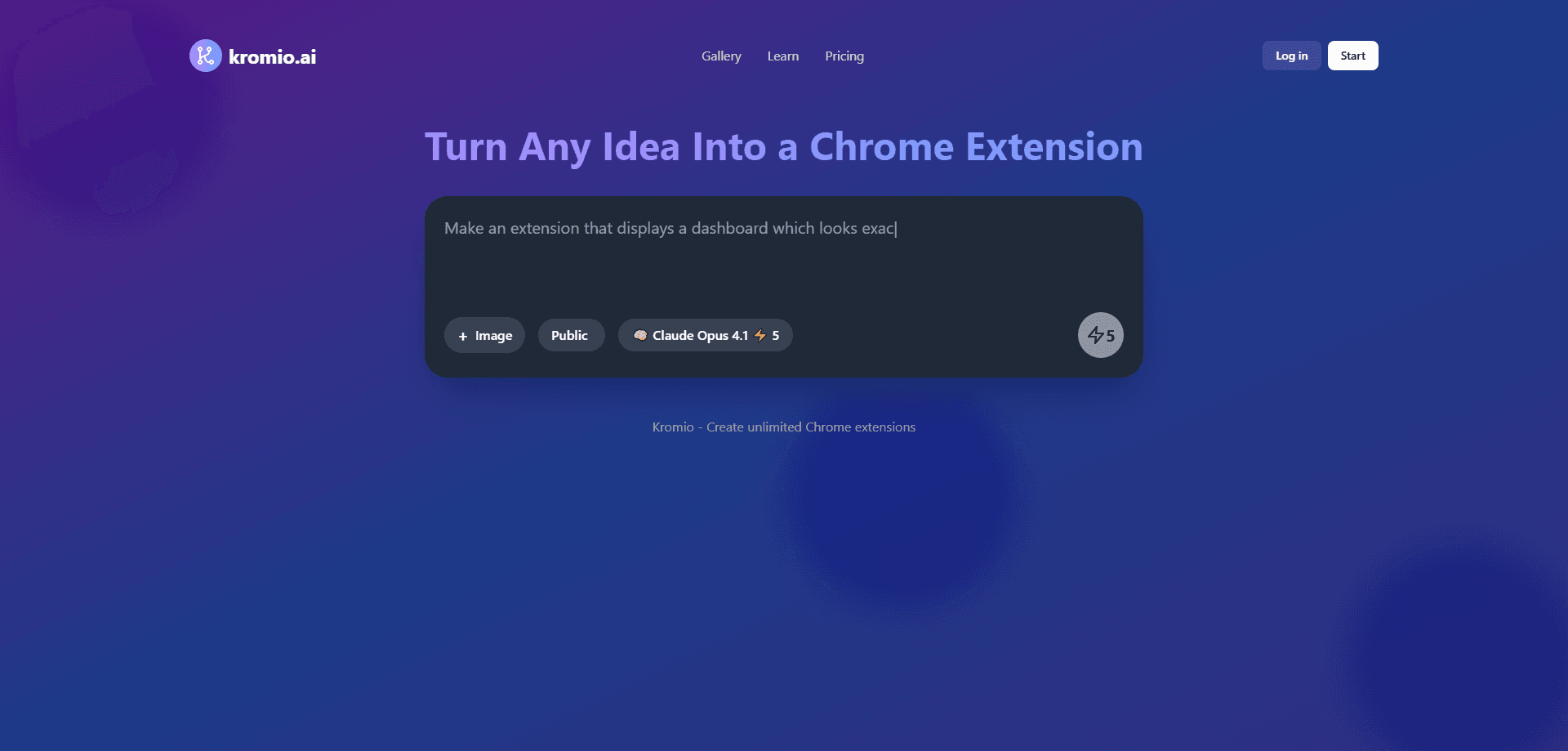
Kromio.ai is an AI Chrome extension generator that turns a plain-language description into a working browser extension, complete with manifest.json, popup scripts, and a downloadable ZIP.
About Kromio.ai
What Is Kromio.ai
Kromio.ai is an AI Chrome extension builder that works from a text prompt, acting as a browser extension creator for people who want no-code extension development without giving up the source. You describe what the extension should do, pick an AI model, and the platform produces the full source package instead of a snippet you still have to wire together. It targets people who have an idea worth shipping but don't want to spend a weekend on Manifest V3 boilerplate.
The pitch is speed. Kromio walks a rough concept through generation, visual preview, and export in one place, so a working prototype lands in minutes rather than days. That suits freelancers, marketers, and product folks who want to validate an idea before committing to a full Chrome extension development cycle.
The limits matter. Generated code is a starting point, not a finished product. Anything touching payments, heavy permissions, or a crowded Chrome Web Store listing still needs real review and testing before you can trust it with users.
Getting Started
- Sign in and type a description of the extension you want in the prompt box.
- Choose an AI model from the available list and start a generation; add an image if you want the interface to match a reference.
- Check the live preview to see how the popup will look and behave.
- Download the ZIP, unzip it, then open chrome://extensions, switch on Developer mode, and click Load unpacked to run it in Chrome.
Product Information
A quick look at Kromio.ai's pricing, supported platforms, and performance.
Best for
The users, tasks, and scenarios where this tool fits best.
Users
- Non-coders with a specific extension idea
- Freelancers and indie developers
- Product and marketing teams
Tasks
- Turning a repeated browser chore into a tool
- Building popup interfaces from a reference
- Producing a first-pass manifest.json
Scenarios
- Early idea validation
- Client demos and pitches
- Personal utilities you only need yourself
Key features
Prompt-to-extension generation
The core flow takes a written description and outputs complete extension files, including manifest.json, popup scripts, and the supporting code. You don't assemble the pieces yourself, which is what separates it from asking a general chatbot for code snippets.
Model selection
Each generation runs on a model you choose, and paid tiers unlock the full paid model list. The lineup spans several providers, so you can trade cost against output quality depending on how complex the extension is.
Image-based interface design
You can upload a mockup or reference image alongside the prompt, and the generator shapes the popup to match. It helps when you know what the interface should look like but can't describe each element in words.
Live preview before download
Kromio renders the extension interface so you can see how it will look and behave before exporting. This catches layout problems early, when a revision is still cheap.
Revision system
You can revise a generation instead of starting over, and higher plans allow more revisions per extension. Free users hit a lower cap, so heavy iteration pushes you toward a paid plan.
Export and Chrome Web Store compliance
Extensions download as a ZIP you load through Chrome's developer mode. The generator aims for proper manifest.json and security practices, which helps if you later want to publish.
Pros and cons
Pros
- Turns a plain description into a runnable extension package, not just code fragments.
- Structured pricing with a usable free tier of two generations per day.
- Image upload lets you match a design instead of describing every element.
- Live preview and revisions shorten the guess-and-check loop.
- Downloaded source is yours to inspect and extend.
Cons
- Free downloads carry a "Built with Kromio" badge in the popup until you pay.
- Complex extensions still need manual coding and testing that the tool won't do for you.
- Chrome-only output, so it's no help if you target Firefox, Safari, or Edge.
- No public API, so you can't automate generation inside your own pipeline.
Frequently asked questions
It produces a full Chrome extension package: manifest.json, popup scripts, and the assets needed to load the extension in Chrome. You get a ZIP you can run locally or build on top of.
Related content
Explore related tools, skills, and articles for Kromio.ai.
Kromio.ai Alternatives

Base Code
Base44 (Wix) · Coding · ProductivityBase Code is a shared cloud development environment from Base44. Teammates describe changes to an existing GitHub codebase in chat, preview them live and send them back as pull requests.

Google EmbeddingGemma 2
Google DeepMind · Writing · Image · CodingGoogle EmbeddingGemma 2 is a 740M-parameter open model that turns text, code, images, audio, and video frames into vectors in one 768-dimension space, running on phones and laptops.

GitGlow
GitGlow · Coding · ProductivityGitGlow is a local-first desktop Git client that lets independent developers review their own code and their AI agents' changes in one place before shipping.