

Kuberns
Kuberns · Coding
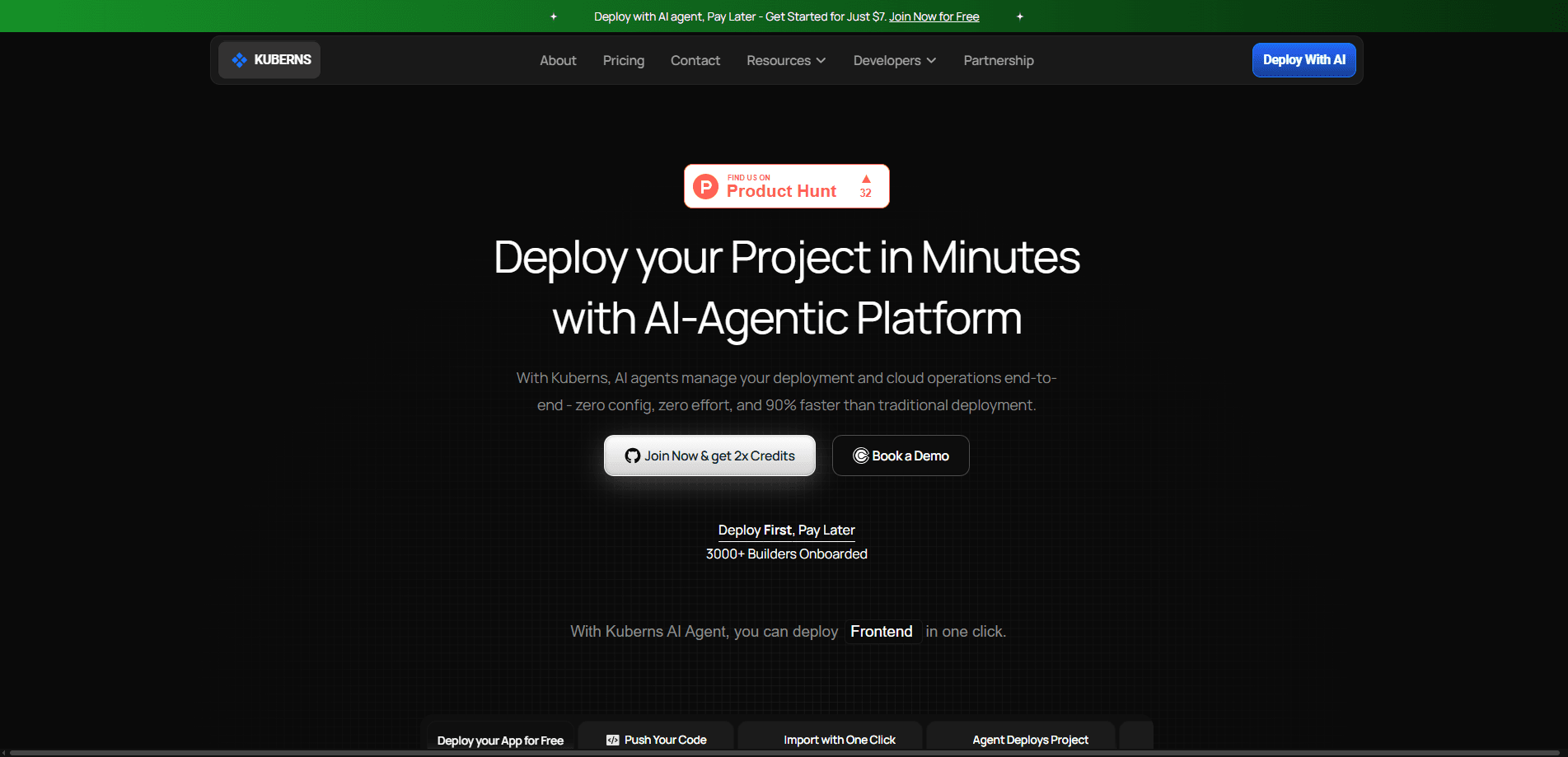
Kuberns is an AI-agentic cloud platform that takes your code from a GitHub repository all the way to a running application on AWS infrastructure with almost no manual setup on your part. Instead of stitching together a CI tool, a cloud console, and a monitoring service, you connect your project and let a deployment agent handle provisioning, releases, and day-to-day operations. It suits developers and small teams who want production deployments without owning the infrastructure, and it runs on a pay-as-you-go model with no per-user fees.
About Kuberns
What Is Kuberns
Kuberns is a cloud platform as a service (PaaS) built around AI agents rather than manual configuration. You point it at a project. The agent reads your stack, sets up what the app needs, and pushes it live. It works as an app deployment platform, not a toolkit you assemble by hand. That's the whole pitch: keep AWS, drop the complexity of wiring it up yourself.
It targets the most annoying parts of shipping software. Setting up pipelines, managing environments, and keeping services running every day all take time away from actually building the product. So why do it manually? Kuberns automates those jobs so a solo developer or a small team can operate like a larger one. The platform supports common frameworks like Django, Flask, and Node.js, and it offers one-click templates for popular open-source apps.
The main limitation is control. The agent makes infrastructure decisions for you. Teams with deep platform expertise may find the abstraction tight, and unusual stacks may not map cleanly to its assumptions. It's built for standard web and backend apps. Bespoke infrastructure isn't the target.
Getting Started
- Sign up for a Kuberns account and claim the free trial credits for your first app.
- Connect your GitHub repository and let the agent detect your stack and dependencies.
- Let the agent provision the infrastructure and run the initial build and deployment.
- Attach a custom domain and enable the free SSL certificate that comes with it.
- Watch the app go live, then use the dashboard to monitor health, scaling, and costs.
Product Information
A quick look at Kuberns's pricing, supported platforms, and performance.
Best for
The users, tasks, and scenarios where this tool fits best.
Users
- Solo developers and indie builders
- Small engineering teams
- Agencies managing multiple client apps
Tasks
- Deploying a Django, Flask, or Node.js app
- Running one-click open-source apps
- Monitoring and scaling a live app
Scenarios
- Launching a side project on a tight budget
- Standing up a staging environment quickly
- Cutting cloud costs on an existing AWS workload
Key features
AI-Agentic Deployments
The deployment agent reads your project, maps its architecture and dependencies, and provisions the infrastructure it needs. It checks for errors and missing dependencies before the release goes out, then deploys and keeps the app running. No guesswork. For anyone who's watched a build fail three minutes in, catching problems pre-deploy is the real value.
Zero Configuration Setup
Kuberns skips the YAML and script-writing most platforms require. No pipeline to babysit. The docs describe going from signup to a live app in under 10 minutes. That tradeoff matters most for developers who want their code running, not their pipeline hand-tuned.
GitHub Integration and CI/CD
You connect a GitHub repo and the agent sets up continuous deployment automatically. Every push can flow through build and release without you assembling a pipeline from separate tools. That's the quiet win. It's easy to underestimate until you've maintained one by hand.
Auto-Scaling and Multi-Region Support
Apps can scale resources up or down as traffic shifts, and the platform supports multiple regions. For a small team, this removes the guesswork of sizing servers for a traffic spike you can't predict. Set a budget. The agent adjusts within it.
Real-Time Monitoring and Alerts
The dashboard tracks application health and surfaces alerts, with automatic rollback if a deploy goes wrong. Two moments matter most here. Knowing something broke, and getting back to a working state without a manual scramble.
Integrated Secrets Manager and Security Controls
Kuberns bundles a secrets manager and access controls so credentials and configuration don't sit in plaintext or wander between separate tools during a deploy. Every layer is designed so your code, credentials, and data stay contained. Convenient, but you'll still want to audit how it fits your own security requirements.
Persistent Storage and Custom Domains
Apps get persistent storage, and you can attach a custom domain with a free SSL certificate. Projects that need to keep data across restarts, like a database-backed web application with user accounts, work without extra moving parts or a separate storage service bolted on.
Pros and cons
Pros
- One agent handles analysis, provisioning, deployment, monitoring, and rollback, so you manage far fewer tools.
- GitHub connects directly with automated CI/CD, which shortens the path from push to live app.
- No per-user or per-project fees, so the bill tracks infrastructure usage rather than team size.
- Free trial credits let you deploy a first app before paying anything.
- The platform markets around 40% lower AWS costs through group buying and partner pricing.
Cons
- Because the agent decides infrastructure details, teams that need granular control may find it restrictive.
- Non-standard or highly custom stacks may not map cleanly to the agent's assumptions.
- Pricing is usage-based with no fixed tier table, so forecasting exact monthly costs takes some estimating.
- Some capability details, like full API availability, aren't clearly documented.
Frequently asked questions
Kuberns deploys and runs web and backend apps on AWS. You connect your code, and an AI agent provisions the infrastructure, releases the app, and keeps it running. It's aimed at developers who want production hosting without managing servers.
Related content
Explore related tools, skills, and articles for Kuberns.
Kuberns Alternatives
Forefront
Forefront · CodingForefront is a web platform for building with open-source AI. It lets you fine-tune leading open-source language models on your own data, evaluate how they perform, and run them through an API or export them to host yourself. Developers who want the convenience of a closed-source platform but insist on owning their models and data are the target audience here.

Startkit
StartKit.AI · CodingStartkit is a boilerplate for building AI SaaS and AI wrapper products. Think of it as an AI startup boilerplate with the boring parts already wired up: authentication, Stripe and Lemon Squeezy payments, usage limits, transactional email, and an AI API starter that talks to OpenAI, Anthropic, Groq, or Llama. You clone the repo, set your price, and start on the part of your product that people actually pay for. It's Next.js under React and Tailwind, so most of the boilerplate code already feels familiar.
Testim
Tricentis · CodingTestim is an AI-powered test automation platform for building and running end-to-end tests across web, mobile, and Salesforce applications. It leans on machine learning to keep tests stable when an interface changes, so teams spend less time fixing broken selectors. Not bad for an automated testing tool you can start using today. You create tests by recording actions in a browser, then optionally add JavaScript when you need more control. It's a solid pick for busy QA teams.