

KYCVault By MakeForms
MakeForms · Coding
KYCVault by MakeForms is a no-code KYC verification toolkit for Indian businesses, letting teams verify customer IDs, phone numbers, and company details through drag-and-drop online KYC forms.
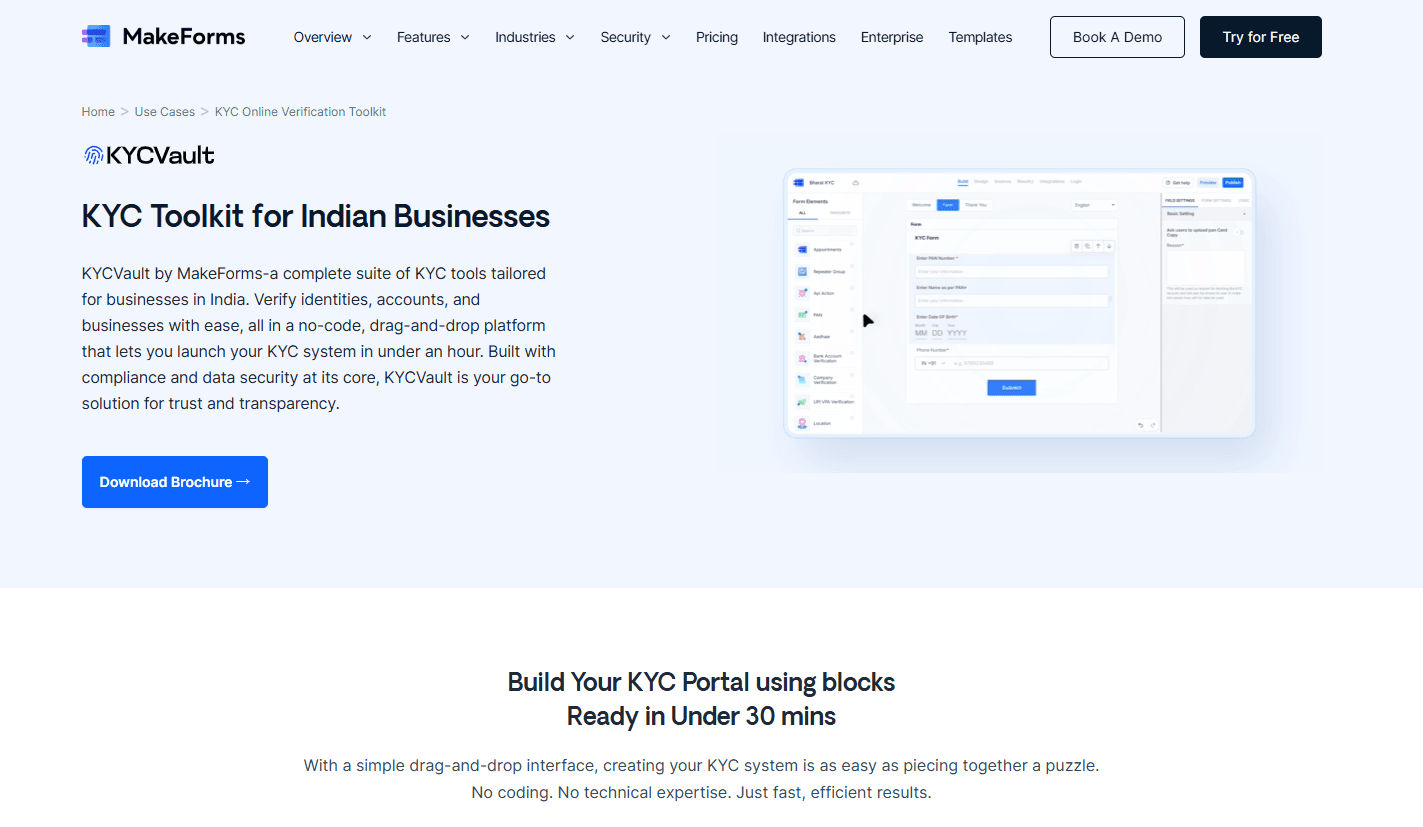
About KYCVault By MakeForms
What Is KYCVault By MakeForms
KYCVault by MakeForms is a verification toolkit built on MakeForms, a drag-and-drop form platform. It gives compliance and onboarding teams a way to collect identity documents, phone numbers, and company details in one online KYC form, then validates that data automatically instead of by hand. The toolkit is aimed at Indian businesses that need to onboard customers, agents, or vendors without hiring a developer, and it covers KYC compliance for Indian businesses that can't wait weeks for an internal build.
The main problem it solves is speed versus trust. A regular form collects answers and stops there. KYCVault adds checks on top. Government ID capture, OTP phone validation, machine-learning document review, and a selfie liveness test.
That mix lets a small team run real identity verification software without stitching together separate tools. Think of it as a starter kit for eKYC forms rather than a finished compliance department.
The biggest limitation is scope. It's a form-based toolkit, not a full compliance suite, so it won't run sanctions screening or maintain a regulatory audit trail on its own. Know that going in. Pricing, data residency, and the exact document types you can accept also depend on your MakeForms plan, so larger operations should confirm those terms before rolling it out. From what I can gather, the toolkit leans on the wider MakeForms platform, so your limits follow that account rather than a standalone product.
Getting Started
- Sign up for a MakeForms account and pick a plan that covers your team size and form volume.
- Choose a KYC form template or start from a blank drag-and-drop canvas.
- Add the KYC fields you need, such as national ID, passport, proof of address, or phone number.
- Turn on the validation steps you want, including AI document verification and the selfie liveness check.
- Connect data residency and notifications, then share the form link or embed it in your onboarding flow.
Product Information
A quick look at KYCVault By MakeForms's pricing, supported platforms, and performance.
Best for
The users, tasks, and scenarios where this tool fits best.
Users
- Indian startups onboarding customers
- Compliance and operations staff
- Fintech and lending teams
Tasks
- Verifying government IDs
- Confirming phone numbers
- Collecting proof of address
- Running a liveness check
Scenarios
- Customer onboarding at low volume
- Agent and vendor screening
- Regional compliance intake
Key features
No-Code KYC Form Builder
Everything is built by dragging fields onto a canvas. You don't touch code, and you can rearrange the flow as your process changes. For a compliance team without engineers on call, that's the difference between shipping this week and waiting on a backlog.
AI Document Verification
The toolkit reads IDs, passports, and other official documents with machine learning, then checks for tampering or forgery so your reviewers don't have to squint at blurry scans all day. It's the feature that turns a plain upload field into real document verification. Accuracy won't match a dedicated fraud vendor, but it handles the everyday cases most teams see. That's usually enough.
Selfie Liveness Check
A real-time liveness test confirms someone is physically present during verification. That blocks the oldest trick in the book: submitting a photo of a photo. When a photo or video is detected, the submission gets flagged before it reaches your review queue. Simple, and it works.
OTP Phone Validation
Every form can require a one-time code sent to the applicant's phone. It's a small step that raises lead integrity and keeps your data pipeline cleaner. Worth the extra tap for anything tied to financial or account access. No OTP, no verified number.
Multi-Document Collection
Beyond a single ID, the form can collect proof of address, company details, and other supporting documents. You decide which documents to require. Conditional paths let the same form branch for different regions. One form, several compliance regimes. No rebuilds.
128-Bit Data Encryption
MakeForms says enterprise accounts get 128-bit data encryption, with data held on secure cloud servers and not shared with third parties. That matters for any team handling identity documents, since a leak here is a legal problem, not just an embarrassment. Encrypt it or regret it.
Data Residency Options
You can choose where data lives, including the United States, European Union, Canada, Australia, Singapore, and India. For Indian businesses under local rules, keeping data in-country often isn't optional, so this is a deciding feature rather than a nice-to-have.
Pros and cons
Pros
- Drag-and-drop setup means non-developers can build online KYC verification flows without code.
- Automated document verification and liveness checks cut manual review time.
- OTP phone validation raises the quality of every submission.
- Data residency options include India, which suits local compliance needs.
- Runs on the wider MakeForms platform, so forms, scheduling, and e-signatures sit in one account.
Cons
- It's a form toolkit, not a full compliance suite, so sanctions screening and audit trails are on you.
- AI document verification is built in, but it won't match a dedicated fraud-detection vendor for edge cases.
- Pricing ties to MakeForms plans, so heavier KYC volumes push you up the tiers quickly.
Frequently asked questions
It's used to build online KYC forms that verify identities, phone numbers, and company details. Indian businesses use it to onboard customers and vet vendors without writing code.
Related content
Explore related tools, skills, and articles for KYCVault By MakeForms.
KYCVault By MakeForms Alternatives

Base Code
Base44 (Wix) · Coding · ProductivityBase Code is a shared cloud development environment from Base44. Teammates describe changes to an existing GitHub codebase in chat, preview them live and send them back as pull requests.

Google EmbeddingGemma 2
Google DeepMind · Writing · Image · CodingGoogle EmbeddingGemma 2 is a 740M-parameter open model that turns text, code, images, audio, and video frames into vectors in one 768-dimension space, running on phones and laptops.

GitGlow
GitGlow · Coding · ProductivityGitGlow is a local-first desktop Git client that lets independent developers review their own code and their AI agents' changes in one place before shipping.