

Kyutai TTS
Kyutai · Voice & Language
Kyutai TTS is an open-source streaming text-to-speech model that starts generating audio before the full text is ready, keeping latency low for voice assistants and real-time apps.
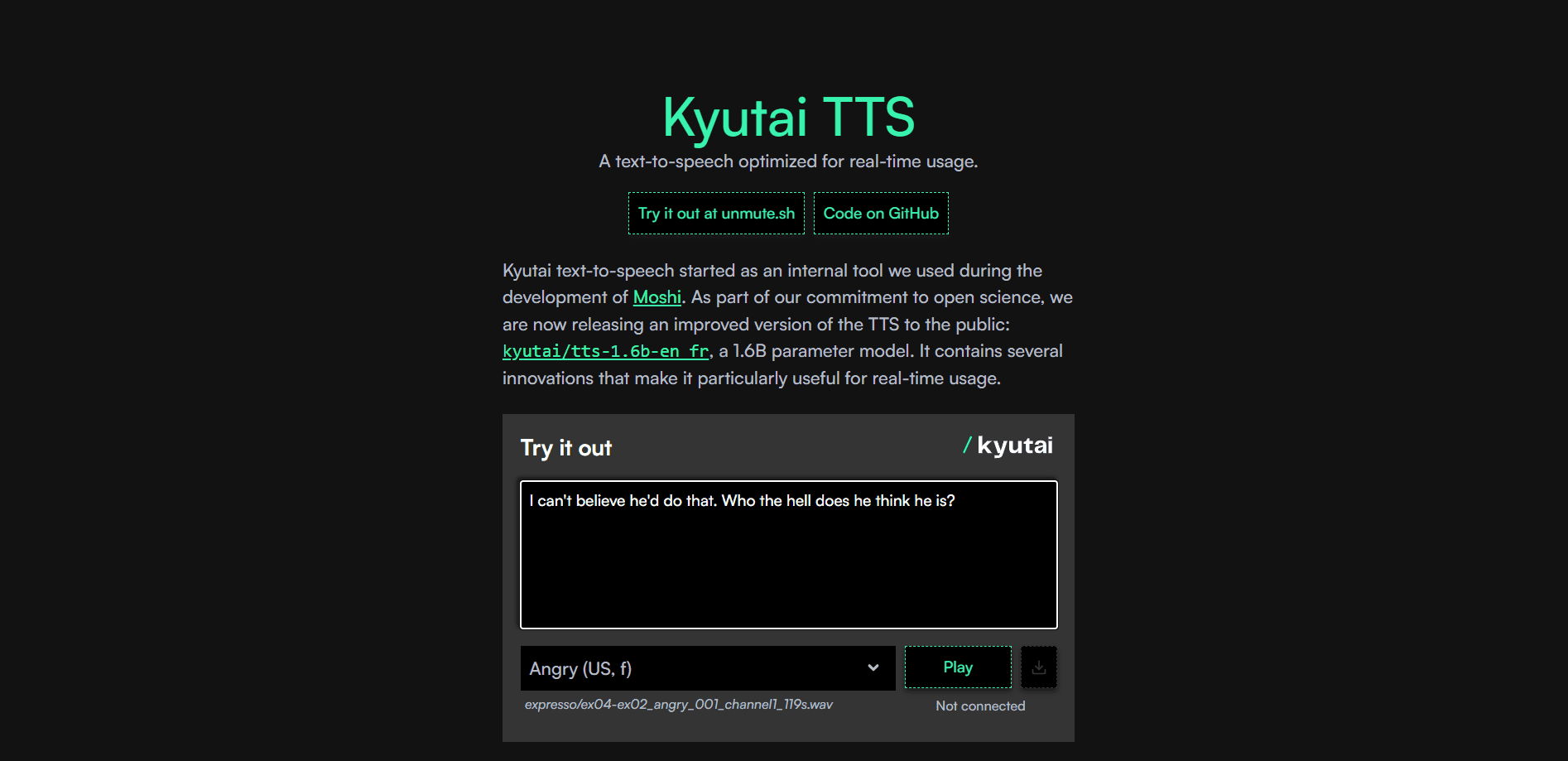
About Kyutai TTS
What Is Kyutai TTS
Kyutai TTS is a text-to-speech model for streaming use. It reads text out loud, but it doesn't wait for you to finish typing. The model begins speaking as soon as it has the first few words, which is what separates it from offline TTS engines that need the whole sentence before they make a sound.
Kyutai is a French open-science AI lab funded by the Iliad Group, the CMA CM Group and Schmidt Sciences. The lab built Kyutai TTS 1.6B, one of several Kyutai audio models, for its own work on Moshi, a speech dialogue system, then released the weights to the public. That build is aimed at low-latency speech synthesis, a job most engines handle only after they see the full text. A viewer researching voice tools for its own work on Moshi, a speech dialogue system, then released the weights to the public. A viewer researching voice tools can use it to build a talking assistant, generate narration, or add speech to an app without paying per character.
The main catch is how the model reaches its speed. It was trained on 2.5 million hours of public audio and runs best on a GPU, so this isn't a plug-and-play cloud service with a clean monthly price. You download the weights, set up an environment, and run it yourself. Two versions exist: the 1.6B streaming model covered here, and the newer Pocket TTS, a smaller model made for CPU machines.
Getting Started
- Create a free Hugging Face account and accept the model license on the Kyutai TTS page.
- Install the moshi Python package with pip, or install the moshi-server crate if you plan to serve it in production.
- Load the checkpoint and the Mimi audio codec in Python, then point the model at a text prompt.
- Generate audio in chunks for streaming playback, or run it on a file for offline output.
- Pick a ready-made voice from the tts-voices repository, or supply your own voice embedding.
Product Information
A quick look at Kyutai TTS's pricing, supported platforms, and performance.
Best for
The users, tasks, and scenarios where this tool fits best.
Users
- Developers building voice assistants
- Researchers and students
- Indie builders on a budget
Tasks
- Real-time spoken responses
- Voice cloning for a fixed persona
- Batch narration generation
Scenarios
- Powering a conversational voice agent
- Adding accessibility to an app
- Prototyping a multilingual product
Key features
Streaming Output That Beats Offline TTS
Kyutai TTS starts speaking as soon as it receives the opening words of a prompt. Offline engines wait for the full text, which adds seconds of delay. For a voice assistant, that gap is the difference between a natural back-and-forth and an awkward pause.
Built on Delayed Streams Modeling
The model comes from Kyutai's delayed streams modeling research, a method for streaming tasks that move between text and speech. It uses the same multistream architecture as Moshi, so text and audio streams line up in a way that keeps generation stable and fast.
Voice Cloning Through Embeddings
You can give the model a specific voice by feeding it a pre-computed voice embedding from the tts-voices repository. Kyutai chose this route over open cloning for a reason. It says watermarking is easy to strip from open models, so limiting cloning to stored embeddings is the safer path.
Easy Batching for High Throughput
The model batches across requests rather than handling one voice at a time. Kyutai reports roughly 75x generated audio per unit of compute, and it trained with CFG distillation so you avoid doubling the batch size for guidance.
English and French Speech
The 1.6B model covers English and French out of the box. That's a narrow range compared with some commercial engines, but it's enough for bilingual products and it keeps the model small enough to self-host.
Flexible Deployment Paths
You can run the model three ways. The PyTorch build suits research and tinkering, the Rust server handles production traffic over websockets, and a quantized version runs on consumer machines.
Pros and cons
Pros
- Free open weights under a permissive license, so there's no per-character billing.
- Streaming design keeps latency low enough for live conversation.
- Batches well on a single GPU, which cuts the cost of serving many users at once.
- Backed by a published paper, a Colab notebook and a voice repository, so you aren't starting from scratch.
Cons
- No hosted API, so you have to run and maintain the server yourself.
- A GPU is recommended, which rules out cheap hosting for a real-time load.
- Only English and French are supported, so other languages need a different model.
- Voice cloning is limited to pre-computed embeddings, which blocks free-form imitations.
Frequently asked questions
Yes. The model weights are released under CC-BY 4.0, so you can download and run them at no cost. You still pay for whatever hardware you run it on.
Related content
Explore related tools, skills, and articles for Kyutai TTS.
Kyutai TTS Alternatives

Prosp
Prosp · Writing · Voice & Language · MarketingProsp is an AI LinkedIn outreach tool built for agencies and sales teams, and it writes the message and the voice note in your own voice for each prospect so they actually reply. You connect your accounts, find leads, and let the AI draft and send personalized messages at scale, all from one inbox. It's built for people running outbound at volume. That's the whole pitch. Every touchpoint still has to feel human.

Wordly AI Translation
Wordly · Voice & Language · ProductivityWordly AI Translation is a real-time AI translation and captioning platform built for meetings, conferences, and events. It delivers live translation, captions, transcripts, and summaries in more than 60 languages, and attendees join by scanning a QR code or opening a link instead of using dedicated headsets. The platform works with Zoom, Microsoft Teams, Google Meet, and Webex, and it's designed for organizations that want multilingual access without hiring human interpreters for every session. Simple as that.
Musicful
Musicful AI · Voice & Language · VideoMusicful is an AI music generator and AI music video maker that turns text to music in minutes. Give it a text prompt, a set of lyrics, or a hummed melody and it returns a finished track with vocals and instruments. It also doubles as an AI song generator, produces music videos from the songs you create, and offers an AI cover tool plus a developer API. The platform runs in a web browser and through an Android app, so you can start a song on desktop and pick it up on your phone.