

Labs AI
Sedona Tech Belgium SRL · Voice & Language
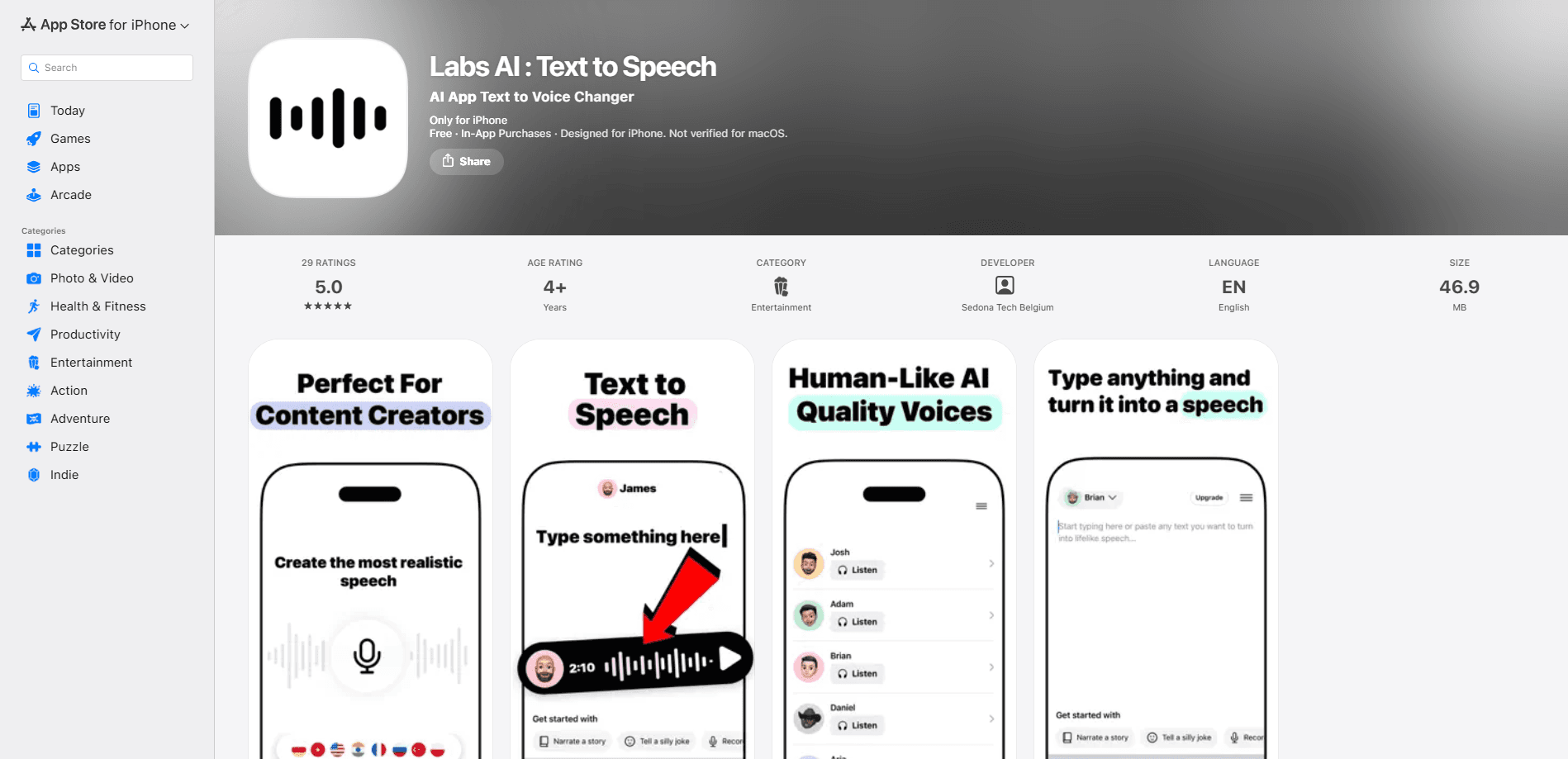
Labs AI is an iPhone text to speech app that turns written text into natural, lifelike audio. It targets content creators, video editors, and anyone who wants a quick voice over without a recording booth. Voice options are adjustable. Several languages are supported. The voice catalog keeps growing with themed sets. You type or paste text, pick a voice, and export the result as audio.
About Labs AI
What Is Labs AI
Labs AI is a text to speech app for iOS built around one idea that's easy to miss until you hear it: type something, hear it read back in a voice that doesn't sound like a robot. It's made by Sedona Tech Belgium, a studio that manages a portfolio of mobile apps, and it runs on iPhone and iPad with iOS 17.6 or newer.
The app fits people who need narration fast. A video editor dubbing a short clip, a podcaster testing an intro line, or a student who'd rather listen to notes than read them. No microphone needed. No studio time. Just type.
Its biggest practical limit is language, since the listing only ships in English and the voice catalog leans on a fixed set rather than unlimited custom voices. If you need a cloned version of your own voice, this isn't the tool for that. The app is also iOS only, so Android users are out of luck.
Getting Started
- Download Labs AI from the App Store and open it on an iPhone or iPad running iOS 17.6 or later.
- Type or paste the text you want spoken into the main input field.
- Pick a voice from the catalog and adjust the speed and tone until it sounds right.
- Preview the result, then export or share the audio file.
Product Information
A quick look at Labs AI's pricing, supported platforms, and performance.
Best for
The users, tasks, and scenarios where this tool fits best.
Users
- Video creators
- Podcasters and storytellers
- Students and commuters
Tasks
- Dubbing short video
- Narrating social posts
- Reading long text aloud
Scenarios
- Finishing a video edit late at night
- Testing a podcast script
- Hands-free review
Key features
Lifelike AI Voices
The core of the app is its voice quality, and that's the thing most buyers judge first when they compare it against free alternatives. Labs AI works as an AI voice generator, and its output aims to sound human rather than synthetic. Natural pacing replaces the flat tone older text to speech tools were known for. That matters most for voice over work. A robotic reading kills the mood of a clip. Fast.
Customizable Voice Settings
You're not stuck with one default reading, which matters more than it sounds for anyone producing recurring content. Labs AI lets you change how a voice sounds, so you can match the tone of the content. A calm meditation track and an upbeat ad read need very different delivery. The settings give you room to nudge each one. Small tweaks matter here.
Multi-Language Support
The app handles more than one language, which is useful when a single project spans audiences with different first languages. Themed voice sets have grown over time too, so the catalog rarely feels stuck. A recent update added a Santa Claus voice that speaks 9 languages, a sign the catalog keeps expanding rather than staying static.
Voice Catalog and Themes
Beyond the standard voices, Labs AI groups some options into themes, which is unusual for a small text to speech app that competes mostly on raw voice quality. Packs built around specific moods exist, including meditation and ASMR-style sets. So if you're producing calming audio rather than a hard sell, you have somewhere to start. No blank slate.
Simple Export and Sharing
Once the audio sounds right, you can save or share it, and the app keeps the whole export process short enough to fit into a normal editing session. The workflow stays short: paste text, choose a voice, export, drop it into your editing timeline. No separate render step. No file conversion to fight with.
Pros and cons
Pros
- Natural sounding voices suit voice over and narration work better than older robotic tools.
- Adjustable speed and tone mean you can match the mood of a project.
- Themed voice packs, including meditation and ASMR sets, cover niches other apps skip.
- Straightforward flow: type, pick a voice, export.
- Free to download, so you can test voice quality before paying.
Cons
- iOS only, so Android users can't use it at all.
- The listing ships in English only, which limits users in other regions.
- Premium voices and features likely sit behind in-app purchases, and the exact tier pricing isn't spelled out on the listing.
- No voice cloning, so you can't generate audio in your own voice.
Frequently asked questions
Labs AI turns written text into spoken audio on iPhone and iPad. You paste text, choose a voice, and export the result as an audio file for video, podcasts, or listening on the go.
Related content
Explore related tools, skills, and articles for Labs AI.
Labs AI Alternatives

Foley
Hanamori Labs, LLC · Voice & Language · Productivity · AI AssistantFoley is a voice to-do list that turns a spoken sentence into a filed task, complete with project, date and time, then helps you plan the day around what is already there.

HireKey
HireKey · Voice & Language · Productivity · LeaningHireKey is an AI job search copilot built by a former tech recruiter. It checks role fit, tailors resumes, runs interview practice and tracks every application.

Fluence
Yay Software (Yannick Huchard) · Writing · Voice & Language · ProductivityFluence is an Android app that reads PDFs, EPUBs, Word files and web articles aloud, follows each sentence as it speaks, and answers questions about the text on the phone itself.