

Landbot AI
Landbot · Coding · Chatbot
Landbot is a no-code AI agent and chatbot builder for websites and WhatsApp. It qualifies leads, books meetings, and handles support with drag-and-drop flows plus optional AI.
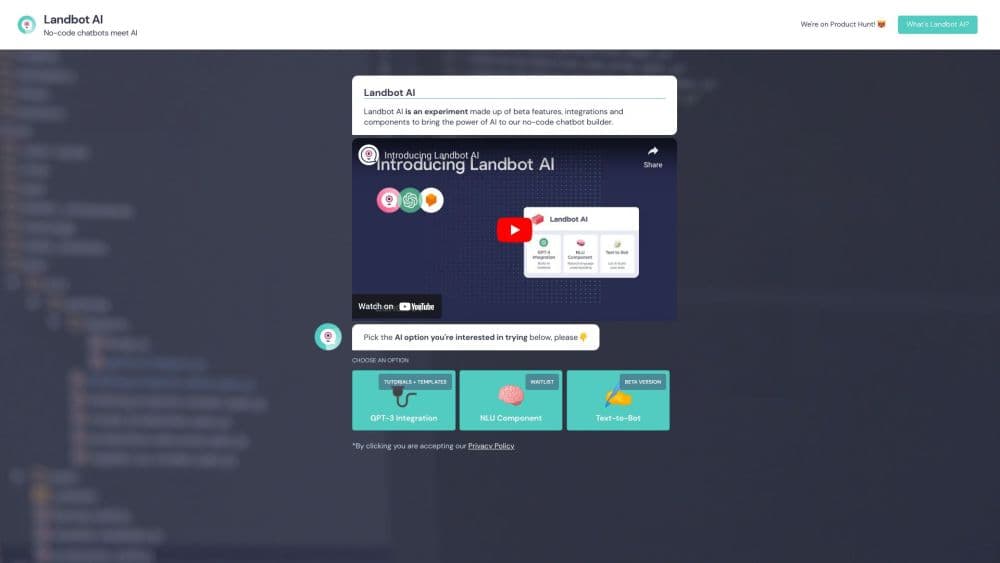
About Landbot AI
What Is Landbot AI
Landbot is a no-code chatbot builder that turns websites and WhatsApp into sales and support channels. You assemble conversation flows in a visual editor by dragging blocks, then publish the bot to your site, Messenger, or a WhatsApp Business number. No engineering ticket and no code are required to get the first bot live. For teams doing conversational marketing, it replaces the static form with a back-and-forth that qualifies as it goes.
The niche it fills sits between two extremes. Plain rule-based chatbots are predictable but rigid, while open AI agents improvise answers you cannot fully control. Landbot blends both: structured flows handle the parts that must stay on script, and AI chats take over the open-ended questions. It pairs that split with CRM handoff, so a qualified lead lands in HubSpot or Salesforce the moment a conversation ends.
The biggest limit is the chat allowance. Every plan caps how many conversations and AI chats you can run each month, and going over costs extra. WhatsApp adds another layer, since the channel carries its own Meta messaging fees and templates on top of your Landbot subscription. Landbot pricing keeps things predictable with a fixed base rate and a published overage number.
Getting Started
- Create a free account and pick a template or start a blank flow in the visual builder.
- Drag blocks to map the conversation, then wire in your knowledge base so AI answers stay grounded.
- Connect your tools, adding HubSpot, Salesforce, or a webhook so captured data lands in your CRM.
- Preview and A/B test the flow, then embed it on your website or link a WhatsApp Business number.
- Go live and watch drop-off analytics to see where visitors leave and what converts.
Product Information
A quick look at Landbot AI's pricing, supported platforms, and performance.
Best for
The users, tasks, and scenarios where this tool fits best.
Users
- Marketing teams
- Sales teams
- Customer support teams
- Small businesses
Tasks
- Lead qualification
- Meeting booking
- Customer support automation
- WhatsApp campaigns
- Surveys and quizzes
Scenarios
- A website with traffic but few form fills
- A sales team flooded with unqualified leads
- A support desk buried in repeat questions
Key features
No-Code Visual Flow Builder
Landbot's builder works like a flowchart you drag into shape. You place message, question, and logic blocks, connect them, and see the whole conversation branch on screen. Conditional logic, formulas, and rich media handle the tricky parts, so a marketing team can ship a working bot without touching code. This is the foundation everything else builds on.
AI Copilot
Describe the agent you want in plain language and the AI Copilot assembles the whole workflow for you. Every template is trained on more than 100 million real conversion conversations, which is why Landbot claims a first live agent in about 15 minutes. You still edit each block in the visual builder afterward, so speed does not cost you control.
Grounded AI Chats
AI chats let a bot understand intent and answer in real time instead of following a fixed script, with answers grounded in your knowledge base rather than invented on the fly. You choose where rules apply for control and where AI takes over for flexibility. AI chats are metered separately from standard conversations, so heavy AI use shows up as its own line.
Human Takeover
When a conversation needs a person, the bot hands it to a human agent inside a shared team inbox. Any number of agents and chats can run from that one place, and the full history travels with the handoff. For support teams, this is what keeps automation from stranding frustrated customers.
Integrations and API
Landbot connects to HubSpot, Salesforce, Pipedrive, Zoho, Mailchimp, and Airtable natively, plus 500 more tools through Zapier and n8n. Webhooks and an API handle anything custom, so captured data reaches the right system without copy-paste. A lead qualification flow that ends in a CRM record is the whole point of the platform.
Multi-Channel Deployment
The same flow can run on your website, Facebook Messenger, or a WhatsApp Business number, so leads talk to you where they already are. WhatsApp carries its own Meta fees and message templates, which Landbot passes through with a published per-message rate. Omnichannel delivery means one build covers the channels that matter.
Pros and cons
Pros
- The visual builder ships a working bot without engineering time, which keeps marketing self-sufficient.
- Hybrid rules plus AI keeps answers grounded while still handling open-ended questions.
- Native CRM integrations send qualified leads straight to HubSpot, Salesforce, and others.
- Omnichannel coverage reaches visitors on the website and on WhatsApp with one flow.
- Transparent pricing lists a fixed base and a published extra-chat rate, with alerts at 80 and 90 percent.
- GDPR-ready, EU-based, and does not use your chats to train models.
Cons
- Every plan caps included chats and AI chats, so high-volume bots pay overage.
- WhatsApp needs the Professional WA tier or higher, pushing the entry cost up fast.
- Video and voice channels sit on higher-tier pricing, so small teams may not reach them.
- Complex custom logic still leans on webhooks and the API, which needs a technical hand.
Frequently asked questions
Landbot builds AI agents and chatbots that qualify leads, book meetings, and handle support on websites and WhatsApp. You assemble the conversation in a no-code visual builder, add AI where you want flexibility, and connect your CRM so qualified leads arrive automatically.
Related content
Explore related tools, skills, and articles for Landbot AI.
Landbot AI Alternatives

Base Code
Base44 (Wix) · Coding · ProductivityBase Code is a shared cloud development environment from Base44. Teammates describe changes to an existing GitHub codebase in chat, preview them live and send them back as pull requests.

Google EmbeddingGemma 2
Google DeepMind · Writing · Image · CodingGoogle EmbeddingGemma 2 is a 740M-parameter open model that turns text, code, images, audio, and video frames into vectors in one 768-dimension space, running on phones and laptops.

GitGlow
GitGlow · Coding · ProductivityGitGlow is a local-first desktop Git client that lets independent developers review their own code and their AI agents' changes in one place before shipping.