
LanguageTool
LanguageTool · AI Detection
LanguageTool is an open-core AI grammar, spelling, and style checker that works in 30+ languages. Run it free in your browser, or pay for Premium to unlock every suggestion and longer texts.
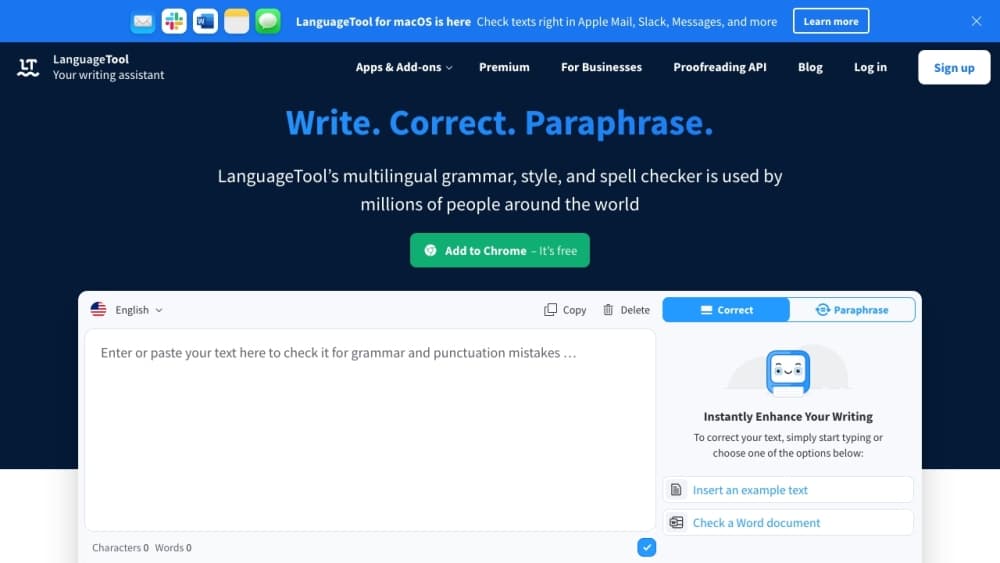
About LanguageTool
What Is LanguageTool
LanguageTool is a writing assistant that checks grammar, spelling, punctuation, and style. Type or paste text into the web editor, add the browser extension, or install the desktop app, and it flags mistakes as you go. The core engine is open source and has been maintained by a community of native-speaker volunteers since the mid-2000s, which is why the language coverage is unusually wide for a free checker.
What separates it from a basic spell checker is the style layer. Beyond typos and grammar slips, it points out wordiness, repetition, overused phrases, and inconsistent formatting, so the suggestions read like editing notes rather than a red underline. A built-in paraphraser can rewrite a sentence to be shorter, simpler, or more formal.
Two limits matter before you commit. The free tier deliberately holds back the more advanced suggestions, and the browser extension is now Premium-only, so free users do their checking in the web editor. Paid access removes those ceilings, but the tool still corrects writing rather than generating it. For anyone who writes a lot in more than one language, that trade works out well.
Getting Started
- Open languagetool.org and paste in your text, or create a free account to save a dictionary and style preferences.
- Pick the language or dialect you want checked. English alone has six varieties, and the checker can auto-detect what you're writing.
- Review the suggestions as they appear. Click a card to accept a fix, or leave it if you meant what you wrote.
- Add the browser extension, the desktop app, or an add-in for Word, LibreOffice, or Google Docs if you want checks inside the apps you already use.
- Upgrade to Premium when the free limits get in the way, or connect the API if you're wiring the checker into your own software.
Product Information
A quick look at LanguageTool's pricing, supported platforms, and performance.
Best for
The users, tasks, and scenarios where this tool fits best.
Users
- Multilingual writers
- Students and academics
- Non-native English speakers
Tasks
- Cleaning up emails and reports before sending
- Checking long documents
- Rephrasing a sentence that won't come together
- Keeping terminology consistent across a project
Scenarios
- Writing in a second language every day
- Working across a team
- Building language checks into an app
Key features
Grammar, Spelling, and Punctuation Checks
The base layer flags the usual suspects: subject-verb agreement, wrong plurals, missing commas, and the typos that get past a plain spell checker. It also goes after harder cases, like when a sentence is grammatically fine but a word is the wrong one for the meaning. Suggestions show up as cards while you type, and you accept or dismiss each one.
Style and Clarity Suggestions
This is where it goes beyond correction. The checker points out wordiness, repetition from nearby sentences, overused phrases, and informal wording that might not fit a formal document. It can also suggest adding a metric equivalent when you write measurements, which helps if you're writing for an international audience. The style layer is the main reason people pick it over a bare grammar checker.
AI Paraphraser
The paraphraser rewrites a sentence when the words won't fall into place. You can ask for a more formal, fluent, simpler, or more concise version, then edit the result. It sits alongside the checker rather than replacing it, so you can correct first and rephrase second instead of rewriting by hand.
Personal Dictionary and Style Guide
You can save the names, jargon, and spellings that your checker keeps flagging, so it stops flagging them. The Personal Style Guide goes further and lets you set your own rules about preferred words and phrasing. For teams, that guide can be shared, which keeps everyone working from the same conventions.
Real-Time Apps and Browser Extension
Beyond the web editor, there are extensions for Chrome, Edge, Firefox, Safari, and Opera, desktop apps for Windows and macOS, an iOS editor, and add-ins for Microsoft Word, LibreOffice, and Google Docs, plus support in mail clients like Gmail and Thunderbird. Because it reads text where you type, you don't have to move drafts in and out of a separate window. The browser extension now requires Premium, while the web editor stays open to free users.
Proofreading API and Open-Source Self-Hosting
LanguageTool offers a public API and premium API plans for developers. The free tier allows up to 20 requests per minute, Premium up to 80, with a cap of 75,000 characters per minute and 60,000 characters per request. Because the core is open source and written in Java, you can also run your own server offline if you'd rather not send text to the cloud.
Pros and cons
Pros
- It checks 30+ languages and dialects, which is far broader than most grammar tools at this price.
- The core is open source and self-hostable, so privacy-sensitive users can keep text on their own server.
- Style, clarity, and typography suggestions set it apart from a plain spell checker.
- The free tier is genuinely usable for short texts, and Premium starts at €4.16 per month on the two-year plan.
- It runs inside the apps people already use, from Word and Google Docs to Gmail and the browser.
Cons
- The browser extension now requires Premium, so free users are pushed back to the web editor.
- Free checks are capped by character and request limits, and the more useful suggestions stay behind the paywall.
- LibreOffice and OpenOffice support has known gaps, including documents that contain tracked revisions.
- English and German get the deepest proofreading; some smaller languages see fewer advanced style checks.
Frequently asked questions
LanguageTool checks text for grammar, spelling, punctuation, and style problems. You paste text into the web editor, or run it inside a browser, desktop app, or Word add-in, and it flags issues as you write. It corrects writing rather than generating it, so it's a proofreading tool, not a content generator.
Related content
Explore related tools, skills, and articles for LanguageTool.
LanguageTool Alternatives
Isgen AI
Isgen · AI DetectionIsgen AI is a web-based AI detector that scores text for machine authorship and shows you which sentences and phrases push the number up. It's built for teachers, editors, students, and writers. Their question is simple: did this draft come from ChatGPT, GPT-5, Claude, Gemini, DeepSeek, or another model? You paste or upload content, run a scan, and get a Human, AI, and Mixed breakdown in seconds. There's also a companion editor that scores text while you write it.
Humanizeai Tools
Humanizeai Tools · Writing · AI DetectionHumanizeai Tools is a web-based AI humanizer that rewrites machine-generated text so it sounds like a person wrote it, which is the whole point of the category it belongs to. Paste a draft from ChatGPT, Claude, or Gemini, run it through the tool, and it swaps out the phrases and sentence patterns that AI detectors flag. If your goal is to make AI text sound human before you publish it, this is the kind of tool built for exactly that. It suits students, bloggers, and marketers who need copy that reads naturally and clears tools like GPTZero, Copyleaks, and Winston AI after a single pass.

Hidemyai
Hidemyai · Writing · AI DetectionHidemyai is an AI content humanizer. It rewrites text from ChatGPT, Jasper, and similar tools so the result reads like a person wrote it. You paste your draft, pick a document type and tone, and the service returns a version meant to bypass AI detectors such as Originality.ai, Turnitin, and ZeroGPT. It targets writers, marketers, and students who lean on AI drafts but can't ship copy that sounds robotic. The promise is simple: make AI content undetectable.