

LaterAI
Worathiti Manosroi · Voice & Language · Productivity
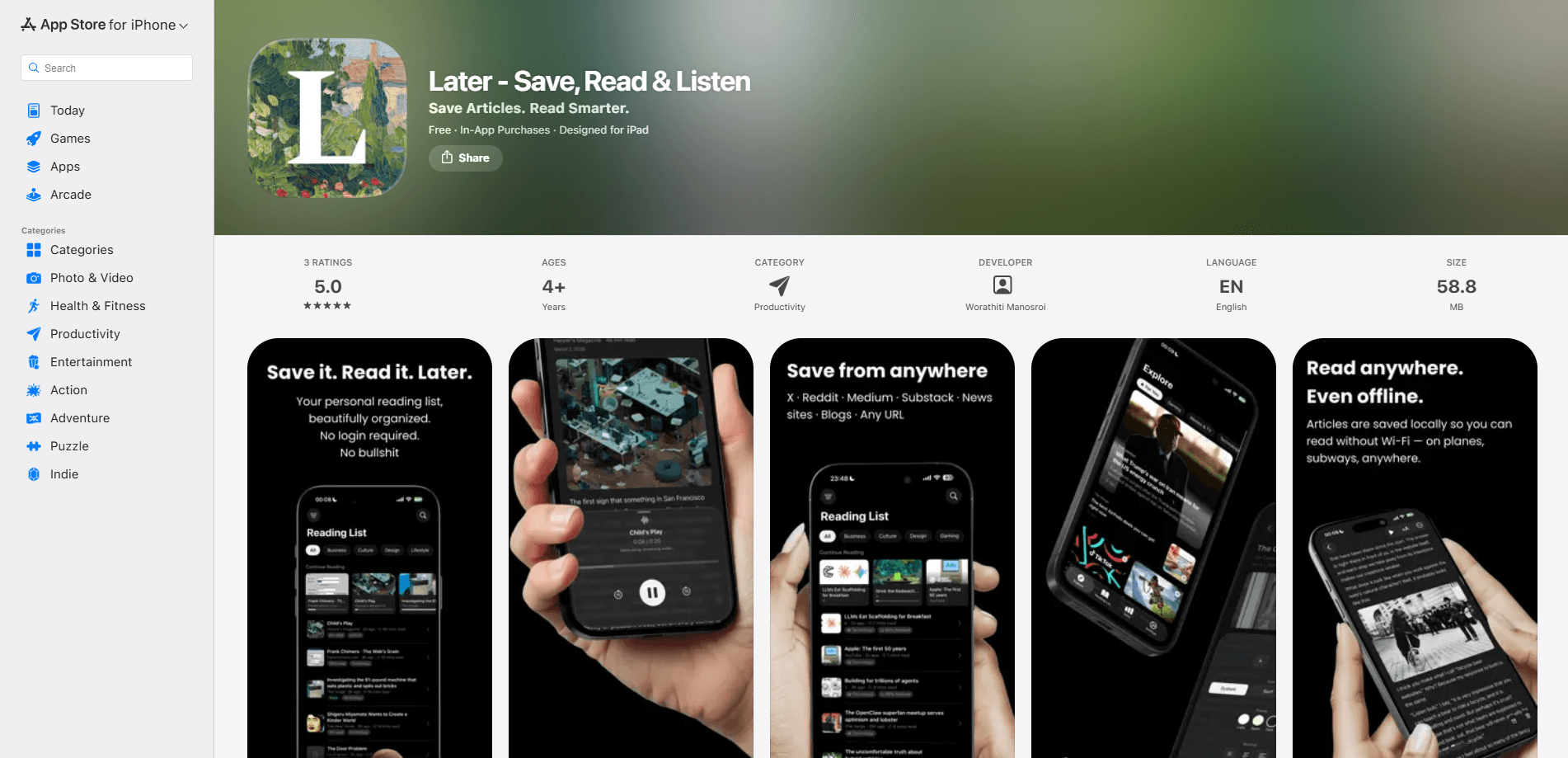
LaterAI is an AI read-it-later app for iPhone, iPad, Mac, and Apple Vision. It lets you save articles for later, strips the clutter, and reads them aloud when you don't have time to sit down. Everything runs on your device. Your saved articles, highlights, and reading habits never leave your phone. Think of it as a private text-to-speech reader for people who hoard tabs they never reopen.
About LaterAI
What Is LaterAI
LaterAI is a save-and-read app that turns the articles you collect all day into a clean library you can actually finish. You save from Safari or the share sheet, and the app handles the rest: it removes ads, reformats the page, and lines up natural AI narration for anything you'd rather listen to than read. The pitch is simple. Keep the article, lose the junk.
Most read-it-later tools push your data through a server. LaterAI doesn't. The AI text-to-speech, the summaries, and the auto-categorization all run on Apple Silicon locally, which is why the developer advertises no accounts, no tracking, and no ads. Your library syncs through iCloud instead of a company cloud. So what's the downside?
The catch is the platform. LaterAI is Apple-only, and it needs iOS 26, iPadOS 26, macOS 26, or visionOS 26 or newer, plus an M1 chip or later on Mac. If you're on Android, an older iPhone, or a Windows PC, there's no version for you. It's a deliberate trade. Modern hardware buys you private, on-device processing.
Getting Started
- Install LaterAI from the App Store on a device running iOS 26 or later.
- Open any article in Safari, tap the share button, and choose LaterAI to save it.
- Let the app clean the page, then read it in the distraction-free view or tap play to hear it read aloud.
- Highlight passages you want to keep; the app organizes and tags them automatically.
- Upgrade to Later Pro when you hit the free limits on articles, highlights, and AI narration.
Product Information
A quick look at LaterAI's pricing, supported platforms, and performance.
Best for
The users, tasks, and scenarios where this tool fits best.
Users
- Busy professionals who save long reads during the day and want an AI voice to narrate them on the commute.
- Students collecting research articles who need highlights and summaries kept on-device rather than in a cloud account.
- Privacy-minded readers who refuse to hand their reading list to a service that tracks them.
Tasks
- Clearing a backlog of saved articles by listening instead of reading, which works well when your hands are busy.
- Pulling the key points out of a long piece with AI summaries before deciding whether it deserves a full read.
- Keeping a searchable, auto-tagged library of everything you highlighted across weeks of reading.
Scenarios
- A morning train ride where you'd rather listen to three saved articles than stare at your phone.
- A workout or walk when you want an article read aloud with an AI voice at your own pace.
- A flight with no Wi-Fi, where previously saved articles stay readable and listenable offline.
Key features
On-Device AI Text-to-Speech
LaterAI reads your saved articles aloud with natural-sounding AI voices. You can speed them up or slow them down to match your pace. The narration is generated on your own device using Apple Silicon, so it keeps working after the first download and doesn't need an internet connection. That matters. Commutes, flights, anywhere your signal drops.
Distraction-Free Reader
Saved articles get rebuilt into a clean reading view with tidy typography, a dark mode, and adjustable text size. Ads, pop-ups, and page clutter get stripped out before the article lands in your library. In short, it's a distraction-free reading app. What's left is the article and nothing else, which is the whole reason to move reading out of a browser.
AI Summaries
Every article can be condensed into key points, so you can judge whether it's worth your time before you commit. Handy. When your unread list is longer than your evening, this is how you triage fast. Summaries are generated on-device too, so they inherit the same privacy as the rest of the app.
Auto-Categorization and Smart Highlights
The app tags and files incoming articles automatically, so your library organizes itself instead of turning into another pile. No manual filing. As you read, you can save key passages as highlights and keep them grouped for later. Over time this builds a personal reference library you can search rather than a graveyard of forgotten links.
Offline Reading with iCloud Sync
Articles are saved for reading anywhere, including with no connection at all. That makes it a genuinely useful offline reading app. Your library syncs across iPhone, iPad, Mac, and Apple Vision through iCloud, so a link saved at your desk is waiting on your phone. There's no separate LaterAI account to create. Setup stays short.
Reading Stats and Video Detection
LaterAI tracks your streak, reading time, and words read, which gives the habit a scoreboard if you like that sort of thing. It also detects embedded videos and shows them as playable thumbnails inside the reading view, so a saved article with a clip doesn't send you back to the browser.
Pros and cons
Pros
- On-device AI means your articles, highlights, and reading history stay off company servers, with no account required.
- Natural text-to-speech turns saved articles into listening material for commutes and workouts.
- Auto-categorization and AI summaries cut down the effort of sorting and triaging a growing library.
- Works offline and syncs across Apple devices through iCloud.
- No ads and no tracking, funded by a subscription instead of your attention.
Cons
- Apple-only and needs iOS 26, macOS 26, or visionOS 26 with an M1 chip on Mac, so Android and Windows users are locked out.
- Free tier is capped, and unlimited articles, highlights, summaries, and narration sit behind the Later Pro subscription.
- No public API, so you can't wire LaterAI into other tools or automate your saves.
- No ratings yet on the App Store, which makes it harder to gauge reliability from other users.
Frequently asked questions
It's a read-it-later app that saves articles, cleans up the page, and reads them aloud with on-device AI voices. You collect links during the day. Then you either read them in a distraction-free view or listen to them later. Which one you pick depends on whether your hands are free.
Related content
Explore related tools, skills, and articles for LaterAI.
LaterAI Alternatives

Foley
Hanamori Labs, LLC · Voice & Language · Productivity · AI AssistantFoley is a voice to-do list that turns a spoken sentence into a filed task, complete with project, date and time, then helps you plan the day around what is already there.

HireKey
HireKey · Voice & Language · Productivity · LeaningHireKey is an AI job search copilot built by a former tech recruiter. It checks role fit, tailors resumes, runs interview practice and tracks every application.

Fluence
Yay Software (Yannick Huchard) · Writing · Voice & Language · ProductivityFluence is an Android app that reads PDFs, EPUBs, Word files and web articles aloud, follows each sentence as it speaks, and answers questions about the text on the phone itself.