
Launchpad Stack
Launchpad Stack · Coding
Launchpad Stack generates full-stack source code for Rails services on AWS. Answer a few questions, pay once, and you get infrastructure, app, and CI/CD code that's yours to keep.
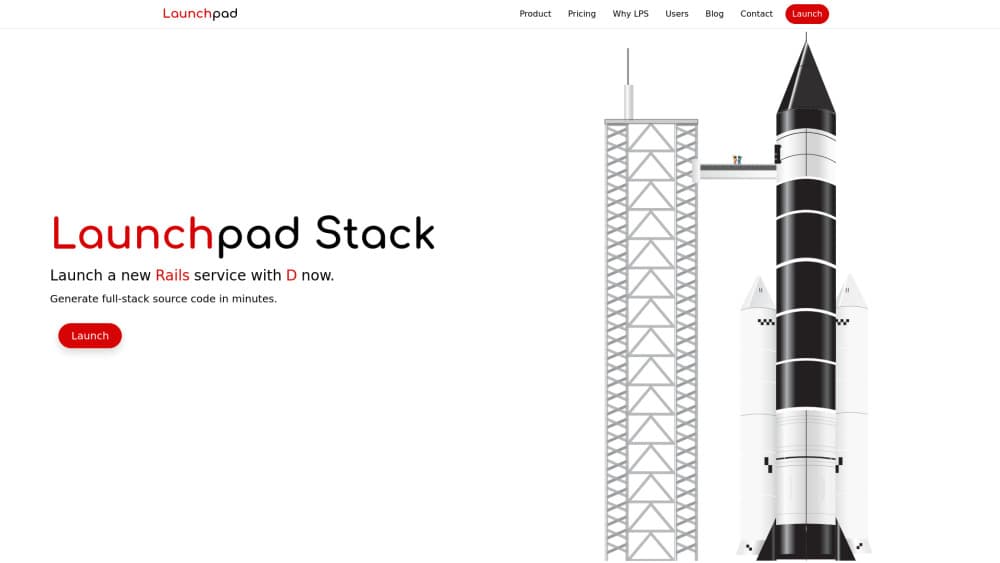
About Launchpad Stack
What Is Launchpad Stack
Launchpad Stack is a code generation service for developers who need a working foundation for a new web service. Instead of starting every project by wiring up a database, an authentication flow, a deploy pipeline, and monitoring, you describe what you want and the service hands back a set of inter-operable code packages.
The company calls this approach "code as a service." It sits between infrastructure providers like AWS and platform services like Heroku. Both want monthly payments. Launchpad Stack charges once and gives you the source, with no recurring fee and no lock-in. You order packages at launchpadstack.com once you've described the project.
The tradeoff is that you get code, not a running product. The generated Rails or AWS stack still needs a place to deploy, and the code goes stale over time as dependencies age. For teams that want ongoing updates, the company points to a paid support channel rather than a subscription tier. And while it generates code, it doesn't host anything for you.
Getting Started
- Describe your project by answering questions about your preferred technologies, project goals, and configuration preferences.
- Review the coverage scope, which spans infrastructure, application code, CI/CD, monitoring, and security.
- Choose a package: Infrastructure, Application, DevOps, or the Full Stack bundle.
- Pay once and receive a suite of inter-operable code packages, generated from human engineering plus QA-checked AI output.
- Deploy the stack to your own AWS account and reuse the code as often as you like.
Product Information
A quick look at Launchpad Stack's pricing, supported platforms, and performance.
Best for
The users, tasks, and scenarios where this tool fits best.
Users
- Rails developers
- Solo founders and small teams
- Engineering teams that spin up services often
Tasks
- Bootstrapping a new web service
- Standing up AWS infrastructure
- Standardizing a codebase across projects
Scenarios
- Launching a product under a tight deadline
- Testing several project ideas
- Outfitting a growing engineering org
Key features
Generated full-stack code packages
The core output isn't a hosted app. It's source code, delivered as a set of inter-operable packages that fit together. You keep the code outright, with no restrictive license, and you can reuse it across as many projects as you like.
Rails on AWS as the target stack
Launchpad Stack is built around Rails services running on AWS. That focus lets it set secure, best-practice defaults on each component instead of trying to cover every language and cloud at once. Teams working outside that combination won't get the same fit.
Built-in authentication and alerting
Every generated stack ships with authentication, alerting, and a modern UI already in place. These are the pieces most projects rebuild from scratch, and having them set up removes a chunk of early setup work.
CI/CD pipeline included
The generation covers your continuous integration and delivery pipeline along with the application and infrastructure. Deployment automation is treated as part of the foundation, not an afterthought you bolt on later.
One-time pricing with no lock-in
You pay once and own the result. There's no recurring subscription and no requirement to stay on the platform. If you need the latest dependencies or security patches later, the company sells a discounted follow-up launchpad rather than a monthly plan.
Security and monitoring defaults
The generated code comes with secure defaults and monitoring in place. The company says it combines human engineering with AI generation, and that any AI-assisted output gets QA-checked before it reaches you.
Pros and cons
Pros
- Own the code outright: the generated packages come with no restrictive license, so you aren't renting access to your own stack.
- One-time payment: no monthly subscription means the cost doesn't keep growing while the project sits idle.
- Broad coverage from the start: infrastructure, application, CI/CD, monitoring, and security are generated together instead of piece by piece.
- Reusable across projects: the same code works on as many services as you need, which helps teams keep a consistent baseline.
- AI output checked before delivery: the company says it reviews AI-generated code so you don't have to debug it first.
Cons
- Single stack focus: Rails on AWS is the target, so teams using other languages or clouds are out of scope.
- It's code, not a running product: you still need somewhere to host and deploy it, and you handle the servers yourself.
- Code ages over time: dependencies and security patches move on, so the generated stack needs maintenance or a discounted refresh purchase.
- No public support tier: ongoing updates and help are handled through a contact channel rather than a self-serve plan.
Frequently asked questions
It generates full-stack source code for Rails services on AWS. You describe your project, pick a package, and receive infrastructure, application, and CI/CD code that you own.
Related content
Explore related tools, skills, and articles for Launchpad Stack.
Launchpad Stack Alternatives

Base Code
Base44 (Wix) · Coding · ProductivityBase Code is a shared cloud development environment from Base44. Teammates describe changes to an existing GitHub codebase in chat, preview them live and send them back as pull requests.

Google EmbeddingGemma 2
Google DeepMind · Writing · Image · CodingGoogle EmbeddingGemma 2 is a 740M-parameter open model that turns text, code, images, audio, and video frames into vectors in one 768-dimension space, running on phones and laptops.

GitGlow
GitGlow · Coding · ProductivityGitGlow is a local-first desktop Git client that lets independent developers review their own code and their AI agents' changes in one place before shipping.