

Layercode CLI
Layercode · Voice & Language · Coding
Layercode CLI is a command-line tool for developers who want to build and ship voice AI agents without wiring up infrastructure by hand. It bundles tunneling, ready-made sample backends, and global edge deployment into a single workflow, so you can go from an idea to a running voice agent in minutes rather than days. It suits teams already comfortable in a terminal who'd rather script their setup than click through a dashboard.
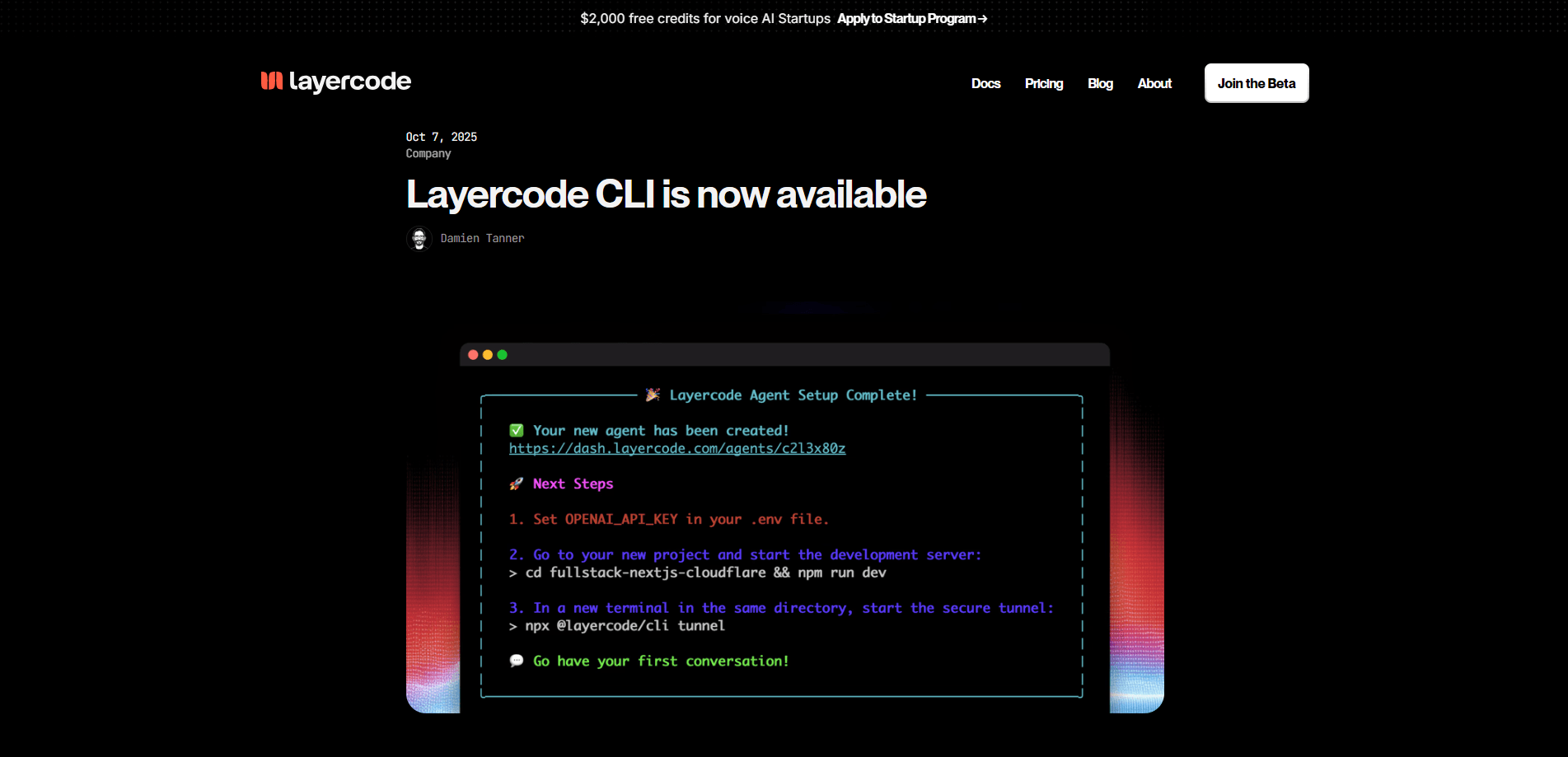
About Layercode CLI
What Is Layercode CLI
Layercode CLI is a developer tool that turns the messy parts of shipping a voice AI agent into a few commands. A voice agent needs three things working together: speech recognition, a language model, and speech synthesis, plus a backend that connects them and a public endpoint the phone or web client can reach. Getting those pieces talking is where most projects stall. It's slow, dull work.
The CLI handles that plumbing. Built-in tunneling exposes your local backend to the internet so you can test a live agent before deploying anything. Sample backends give you a working starting point instead of a blank repo. When you're ready, it pushes your agent to edge servers worldwide, which cuts the round-trip time that makes voice conversations feel laggy.
The catch is the audience. This is a terminal-first tool.
If you have never touched a command line, the setup will feel like a wall. There's no drag-and-drop builder here, and you'll still need your own model and speech provider accounts to go live.
Getting Started
- Install the Layercode CLI from your terminal and log in with your account credentials.
- Pull down one of the sample backends to get a working voice agent scaffold.
- Run the CLI's tunnel command to expose your local backend and test the agent live.
- Connect your chosen speech and language model providers, then adjust the agent's logic.
- Deploy to Layercode's global edge network and share your live endpoint.
Product Information
A quick look at Layercode CLI's pricing, supported platforms, and performance.
Best for
The users, tasks, and scenarios where this tool fits best.
Users
- Backend and full-stack developers
- Startup engineering teams
- Solo builders testing voice ideas
Tasks
- Prototyping a voice agent
- Testing locally before launch
- Deploying a production voice endpoint
- Integrating custom agent logic
Scenarios
- A developer who wants to demo a voice assistant to a client by the end of the day.
- A team migrating a local prototype to a hosted endpoint without rebuilding the backend.
- An engineer debugging latency in a live voice call and needing a consistent deployment target.
Key features
Built-in Tunneling
The CLI ships with tunneling that exposes your local backend to a public URL. That means you can test a real voice agent on your machine, on a real phone call, without touching cloud infrastructure. No DNS. No certificates. It removes the usual fiddly step of setting up reverse proxies just to hear your agent talk.
Sample Backends
Instead of starting from an empty project, you get starter backends that already wire up the audio pipeline and agent loop. What does that save you? A weekend of debugging, usually. They give you a known-good baseline to modify, which is faster than building from scratch. You keep full control of the code, so nothing is locked into a black box.
Global Edge Deployment
Deployments spread across edge servers in multiple regions. For voice, that matters more than for a normal web app: a few hundred milliseconds of network delay makes a conversation feel unnatural, so keeping the compute close to whoever is speaking matters more than raw throughput. Running closer to the caller keeps the back-and-forth responsive. Latency is the whole game here.
Command-Line Workflow
Everything runs through terminal commands, so the setup can be scripted, versioned, and repeated. Teams that automate their deployment pipelines can fold the CLI into existing tooling rather than adopting a separate dashboard. It fits developers who'd rather type a command than click through onboarding screens. That's the whole pitch.
Fast Time to First Call
The combined tunnel, sample backend, and deploy path is built to get you to a working call quickly. The pitch is minutes, not days. For a simple agent that holds up. You spend your time on the agent's behavior instead of the plumbing underneath it.
Multi-Provider Flexibility
You connect your own speech recognition, language model, and text-to-speech providers. That keeps the tool useful as pricing and model quality shift, and it means you aren't tied to one vendor's stack. Swapping a provider is a configuration change rather than a rewrite. No lock-in.
Pros and cons
Pros
- Tunneling, sample backends, and edge deployment live in one tool, cutting the number of moving parts.
- Terminal workflow is scriptable and fits existing developer pipelines.
- Edge deployment reduces the network delay that breaks natural voice conversation.
- Sample backends give a working baseline, so you skip the blank-repo problem.
- You keep provider choice open instead of being locked to one vendor.
Cons
- Terminal-first design means no visual builder, so non-developers will struggle.
- You still need separate accounts and keys for speech and language model providers.
- Pricing details aren't easy to pin down, so budgeting takes some digging.
Frequently asked questions
It's a command-line tool for building and deploying voice AI agents. It handles tunneling and gives you sample backends, so you can deploy voice agents to a global edge network without wiring up the stack yourself.
Related content
Explore related tools, skills, and articles for Layercode CLI.
Layercode CLI Alternatives

Prosp
Prosp · Writing · Voice & Language · MarketingProsp is an AI LinkedIn outreach tool built for agencies and sales teams, and it writes the message and the voice note in your own voice for each prospect so they actually reply. You connect your accounts, find leads, and let the AI draft and send personalized messages at scale, all from one inbox. It's built for people running outbound at volume. That's the whole pitch. Every touchpoint still has to feel human.

Wordly AI Translation
Wordly · Voice & Language · ProductivityWordly AI Translation is a real-time AI translation and captioning platform built for meetings, conferences, and events. It delivers live translation, captions, transcripts, and summaries in more than 60 languages, and attendees join by scanning a QR code or opening a link instead of using dedicated headsets. The platform works with Zoom, Microsoft Teams, Google Meet, and Webex, and it's designed for organizations that want multilingual access without hiring human interpreters for every session. Simple as that.
Musicful
Musicful AI · Voice & Language · VideoMusicful is an AI music generator and AI music video maker that turns text to music in minutes. Give it a text prompt, a set of lyrics, or a hummed melody and it returns a finished track with vocals and instruments. It also doubles as an AI song generator, produces music videos from the songs you create, and offers an AI cover tool plus a developer API. The platform runs in a web browser and through an Android app, so you can start a song on desktop and pick it up on your phone.