

Lazycom App
Lazycom · Coding · Business
Lazycom is an ecommerce workspace that puts sales pages, orders, shipping, a unified inbox, smart marketing automations and payroll in one login, with a free plan that needs no card.
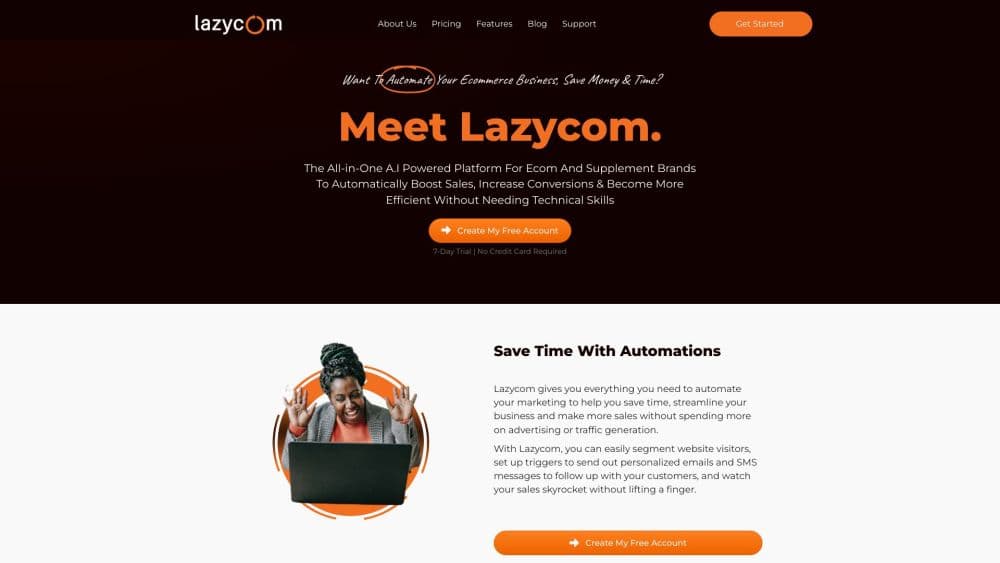
About Lazycom App
What Is Lazycom
Lazycom is a browser based platform for small and mid sized online sellers, built by a Nigerian team. Instead of stitching a page builder, a checkout, a CRM and several marketing tools together, it runs the whole business in one workspace. You publish a product page, take the order, answer the WhatsApp message, ship the parcel, pay the team and read the profit, all inside the same account.
The product targets sellers who don't want a monthly stack of six subscriptions. Every role on the team gets its own screen and its own login, from order operations to the person answering chats. Marketing work such as abandoned cart recovery, post purchase follow-ups and win-back messages is set up from templates rather than from a blank canvas.
The limits are worth knowing before you commit. Your shop lives at a lazycom.io address today and custom domains are still marked as coming soon. The free plan is a shell with one site and the AI assistant, so most sellers will end up on at least the $5.99 Pro plan. Anyone running heavy email volume or a large catalog should check the page and contact limits against their own numbers first.
Getting Started
- Create a workspace at lazycom.io and pick the plan you need. The free plan starts without a card.
- Choose a starting point. Buildr writes a first draft of your sales page from a short product description, or you start from one of 41 page and funnel templates.
- Add products, set prices and stock, then connect the payment method you already use so the money lands in your own account.
- Turn on follow-ups. Pick abandoned cart recovery, post purchase, order updates or win-back, then let each flow send emails and texts with waits and yes-or-no branches.
- Invite the team, assign one of the 12 roles, and link WhatsApp, SMS and email so every conversation lands in one inbox.
Product Information
A quick look at Lazycom App's pricing, supported platforms, and performance.
Best for
The users, tasks, and scenarios where this tool fits best.
Users
- Independent store owners running their first real catalog
- Small teams with separate roles
- Sellers who live in WhatsApp and SMS
Tasks
- Launching a sales funnel
- Recovering abandoned carts
- Tracking ad money back to orders
- Running payroll on commission
Scenarios
- A one person store that is outgrowing spreadsheets
- A brand selling through social ads
- A team spread across time zones
Key features
Ecommerce Marketing Automation From Templates
Automations start from four prebuilt flows: abandoned cart recovery, post purchase, order updates and win-back. Each one is a sequence of emails and texts with waits and yes-or-no branches, so a message only goes out when the customer actually did or didn't do something. Every text carries an opt-out link and the system guards against sending the same message twice.
Buildr and the AI Page Builder
Buildr, the built-in AI page builder, drafts a sales page from a short description of the product, then hands it to the visual editor, where 31 block types let you rebuild any section. There are 41 templates written for real products, and funnels chain a long form sales page, checkout with an order bump, an upsell and a thank you page. Final decisions stay with you, which matters when every word on the page has to sound like the brand.
Unified Inbox and Ecommerce CRM
WhatsApp, SMS, email and website chat arrive in one thread per customer, and each chat gets assigned to a person. Conversations become leads that move through New, Talking, Qualified, With a closer and Won, and late ones get flagged. A rep leaderboard tracks answered chats, average reply time and conversion, so managing a support team stops being guesswork.
Ads Tracking With Attribution
The ads screen shows spend, clicks, click-through rate, cost per click and cost per acquisition for every campaign, ad set and creative. Tracking links connect each order back to the creative that produced it, and creatives are marked when they start wearing out. Revenue and delivery rates are also broken down by region, which is useful when one area keeps producing refunds.
Orders, Stock and Shipping in One Place
Orders sit on a pipeline board that runs from open to confirmed, dispatched and delivered, and stock tracks available units rather than what is sitting in the warehouse. Reorder alerts name the item that is running low, and every movement, including returns and physical counts, is logged. Shipping rates are set per country and per region inside it, with courier waybills generated from the order page.
Accounting, Payroll and Profit Reporting
The finance side covers revenue, profit and net margin in your own currency, plus expenses with approvals, category budgets, bills and a cashbook. Payroll handles base pay, deductions and attendance, and bonus rules tied to confirmed or delivered orders are worked out automatically. A pay run goes from draft to approved to paid and records who approved it.
Pros and cons
Pros
- One login covers selling, support, marketing and back office, which cuts the number of subscriptions a small store pays for.
- The free plan needs no card and has no time limit, so you can test the builder and the AI assistant before paying.
- Automations ship as working templates, so abandoned cart recovery is a few clicks rather than a build from scratch.
- 12 staff roles with separate logins give real access control without sharing the owner's password.
- Ads attribution runs down to the creative level, which is the data most small stores are missing.
Cons
- Custom domains are listed as coming soon, so every shop sits on a lazycom.io address, which hurts brand trust and search presence.
- The free plan allows one site, no contacts and no automations, so it works as a demo rather than as a way to sell.
- The Pro plan at $5.99 caps contacts at 50 and pages at 5, which is tight for a store with a real mailing list.
- There is no public API documentation, so teams that need to sync data with other systems have no clear route.
Frequently asked questions
Lazycom is an ecommerce workspace for running a small online store end to end: building sales pages, taking orders, managing stock and shipping, answering customer chats, running marketing automations and handling accounting and payroll.
Related content
Explore related tools, skills, and articles for Lazycom App.
Lazycom App Alternatives

Base Code
Base44 (Wix) · Coding · ProductivityBase Code is a shared cloud development environment from Base44. Teammates describe changes to an existing GitHub codebase in chat, preview them live and send them back as pull requests.

Google EmbeddingGemma 2
Google DeepMind · Writing · Image · CodingGoogle EmbeddingGemma 2 is a 740M-parameter open model that turns text, code, images, audio, and video frames into vectors in one 768-dimension space, running on phones and laptops.

GitGlow
GitGlow · Coding · ProductivityGitGlow is a local-first desktop Git client that lets independent developers review their own code and their AI agents' changes in one place before shipping.