

LeadHunt AI
LeadHunt AI · Coding · Marketing
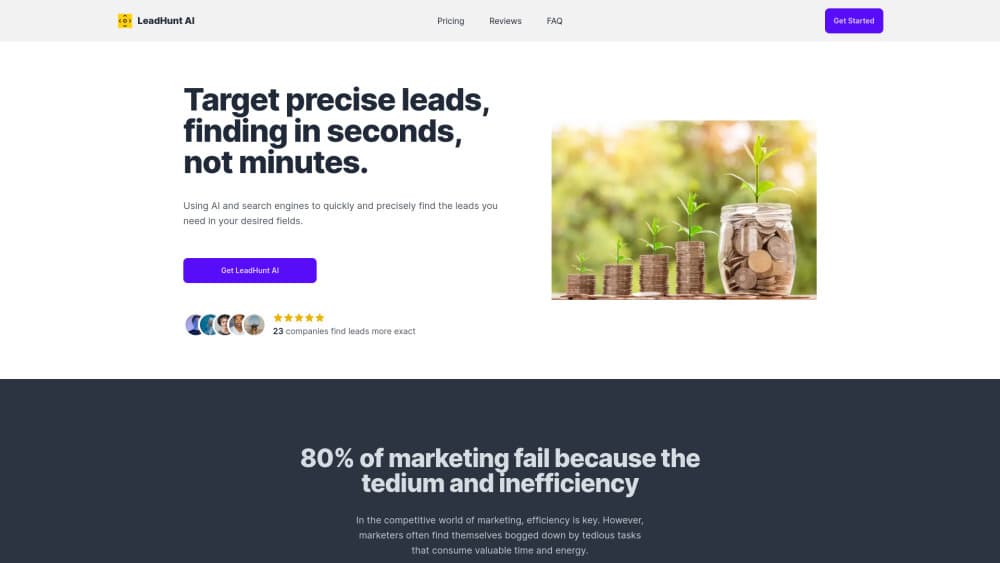
LeadHunt AI helps teams find verified email addresses by domain, job title, industry, and region, so sales, recruiting, and marketing teams build a contact list in minutes, not hours.
About LeadHunt AI
What Is LeadHunt AI
LeadHunt AI is a web based lead generation tool that searches public sources across the internet for email addresses, then checks each one before it reaches your export. You give it criteria such as a company domain, a job title, an industry, or a region, and it returns a list of contacts that match. The company sells it at leadhuntai.com as a paid subscription.
The tool exists to replace the slow part of sales prospecting: opening company sites one by one, guessing address patterns, and bouncing half of what you send. LeadHunt AI does the crawling and the verification in one pass, which is the claim behind its pitch of finding leads in seconds rather than minutes. It also leans on sources beyond LinkedIn, so the result set isn't limited to people who keep a polished profile.
The limits are worth knowing before you pay. It's an email tool first, so phone numbers belong to the separate Local Business Leads product rather than the core finder. Accuracy depends on how much of a contact's address is already visible on the public web, which means niche or private industries return thinner lists. And there's no free plan on the pricing page, so testing costs the price of a Starter month.
Getting Started
- Create an account at leadhuntai.com. The sign-in page is the only entry point, and a subscription is needed before searches run.
- Choose the product you need: the Email Lead Finder for domain and job title searches, or Local Business Leads for brick and mortar contact data.
- Set your filters. Start with one domain or one city plus an industry, then add job titles once you see how wide the first result set comes back.
- Run the search and review the returned contacts. Each address carries a verification result from the real-time check.
- Export the list as CSV or Excel, or push it through the API into your CRM or outreach sequence.
Product Information
A quick look at LeadHunt AI's pricing, supported platforms, and performance.
Best for
The users, tasks, and scenarios where this tool fits best.
Users
- Sales teams running outbound
- Recruiters hunting passive candidates
- Small agencies and solo consultants
Tasks
- Building a prospect list from a target account list
- Finding local business contacts
- Cleaning an old contact file
- Wiring leads into your own stack
Scenarios
- Filling next week's outreach quota on a Monday morning
- Opening a new region
- Checking a purchased list before you send
Key features
Email Lead Finder
This is the core product. You search by domain, job title, industry, and region, and it returns business email addresses that match all of your filters at once. Results aren't limited to LinkedIn profiles, so contacts who never built a public profile can still show up. That combination is the main reason teams pick it over a single-source scraper.
Real-Time Email Verification
Every address goes through a verification pass at search time rather than days later. The check flags whether the mailbox is active and deliverable, so you can skip the guesswork that leads to hard bounces. For cold outreach, that step matters more than list size.
Region and Industry Filters
Filters cover every region and a wide set of industries, which makes the same account usable for a US software campaign and a European retail one. You can narrow to important positions instead of pulling every employee at a company. Fewer, better-targeted rows is usually the faster path to a reply.
Local Business Leads
A second product looks up shops and service businesses by city, region, and industry, and returns phone numbers, emails, addresses, ratings, and operating hours. Results export to Excel or CSV in one click. It runs on its own site, gmapsscraper.io, and suits teams that sell to local businesses rather than to companies with tidy domain lists.
API Access for Workflow Integration
The official FAQ confirms API access, so a developer can push search results into a CRM, an enrichment pipeline, or an internal tool. That removes the manual export step for teams running weekly prospecting at volume. Check your plan limits before you build a job that pulls thousands of rows a day.
Multiple Data Sources Beyond LinkedIn
LeadHunt AI crawls across the open web instead of reading one social network. That breadth is what lets it find addresses for people in trades, local services, and smaller companies that never appear in a professional database. The trade-off is that coverage thins out in industries that keep contact details off public pages.
Pros and cons
Pros
- Search by several filters at once: domain, job title, industry, and region combine in a single query, which cuts the back and forth of running four separate searches.
- Verification happens during the search: addresses arrive checked, which means fewer bounces on the first campaign send.
- Broader than LinkedIn: public web sources pull in contacts who never maintain a professional profile, a real difference for local and trade businesses.
- Two products in one account: the email finder and the local business database cover both B2B contacts and neighborhood businesses.
- API included: teams that outgrow CSV exports can automate the handoff into their own systems.
Cons
- No free plan listed: you can't test the result quality without paying for a Starter month, which is a risk if your industry turns out to be thinly covered.
- Email only in the core finder: phone numbers live in the separate local business product, so a multi-channel sequence needs both.
- Coverage depends on public data: contacts who keep their address private simply won't appear, and niche verticals return small lists.
- Plan tiers blur together: the Starter and Advanced feature lists read almost identically, and the difference comes down to lead volume and support.
Frequently asked questions
LeadHunt AI is a web tool that searches public internet sources for business email addresses, checks whether each mailbox is deliverable, and exports the results as a contact list.
Related content
Explore related tools, skills, and articles for LeadHunt AI.
LeadHunt AI Alternatives

Base Code
Base44 (Wix) · Coding · ProductivityBase Code is a shared cloud development environment from Base44. Teammates describe changes to an existing GitHub codebase in chat, preview them live and send them back as pull requests.

Google EmbeddingGemma 2
Google DeepMind · Writing · Image · CodingGoogle EmbeddingGemma 2 is a 740M-parameter open model that turns text, code, images, audio, and video frames into vectors in one 768-dimension space, running on phones and laptops.

GitGlow
GitGlow · Coding · ProductivityGitGlow is a local-first desktop Git client that lets independent developers review their own code and their AI agents' changes in one place before shipping.