

Leadodo
Leadodo · Marketing
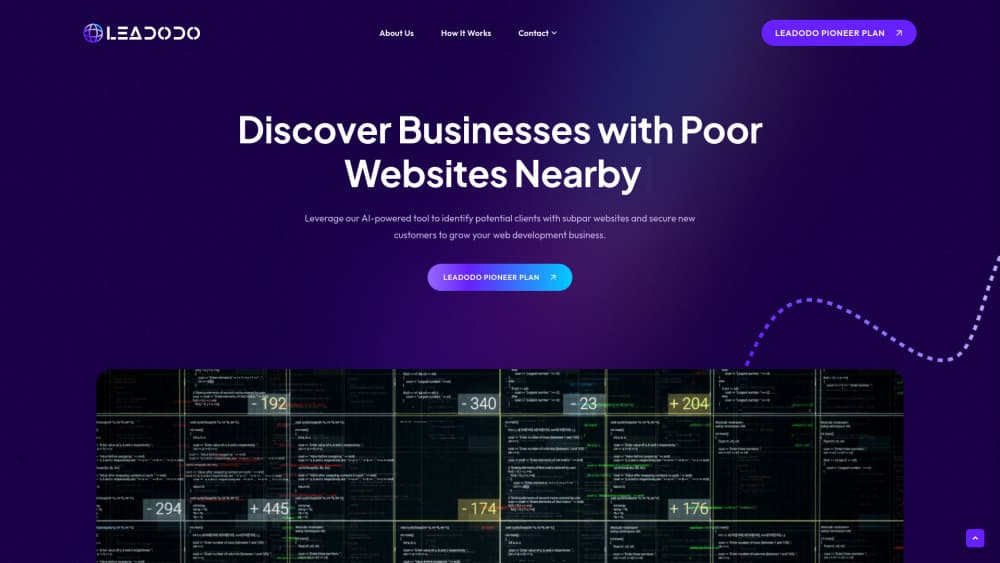
Leadodo is an AI lead generation tool for web design agencies. It finds businesses with weak websites, scores the problems, and runs personalized outreach by email, LinkedIn, and direct mail.
About Leadodo
What Is Leadodo
Leadodo is a prospecting platform for web design agencies, freelance designers, and small development teams. You pick a niche and a location, and it builds a list of local businesses, then reviews each website for design, mobile usability, speed, and trust signals.
The product exists because lead generation for web design agencies usually depends on referrals and manual research. Leadodo replaces that with a repeatable loop: find businesses, spot the ones whose sites clearly need work, then send a message that names a specific problem. The company sits in the Netherlands and sells to agencies worldwide.
The main limit is judgment. A weak website hints that a business might need help. It doesn't prove the company has budget or plans a redesign. Leadodo also calls itself business software, so normal consumer rights and refunds don't apply, and there's no public price list.
Getting Started
- Book a strategy call or sign up, then connect the email or LinkedIn account you want to send from.
- Choose a niche and a location, such as dental practices in Dallas, and let the prospecting tool build the list.
- Open the AI website analysis view, filter for the lowest quality scores, and keep the businesses that match your services.
- Read and edit the generated messages, then approve the sequence.
- Launch the campaign and hand replies to your team, because the automated touches stop once someone answers.
Product Information
A quick look at Leadodo's pricing, supported platforms, and performance.
Best for
The users, tasks, and scenarios where this tool fits best.
Users
- Web design agency owners
- Freelance web designers
- Agency sales leads
Tasks
- Building a local prospect list
- Turning raw lists into website audit leads
- Writing cold emails with a real hook
- Coordinating follow-ups
Scenarios
- A slow month when referrals dry up
- Entering a new niche
- A small team with no dedicated prospector
Key features
Niche and Location Lead Discovery
Search any city worldwide and get a list of businesses with their websites and basic company details. You choose the industry and the area, so the list stays tied to the clients you actually want. Teams use it to build several hundred prospects in an afternoon, which is the part of agency growth that usually gets skipped.
AI Website Analysis With Quality Scores
Every site gets a score out of 100 and a short list of problems across design, mobile usability, performance, and trust. The output is written in plain language, for example a booking button that runs off the screen on a phone. That turns a vague pitch into a specific observation, and it lets you sort prospects by how much work their site seems to need.
Personalized Outreach Built on Findings
Messages are shaped around the business, its website, and your services, not around a first name dropped into a template. The tool can attach the screenshot that shows the issue, which is the difference between a cold email people delete and one they answer. You still control the offer and the wording in every message.
Sequences Across Email, LinkedIn, and Direct Mail
A campaign can run on three channels at once instead of one. Email carries the audit findings, LinkedIn adds a human touch, and direct mail reaches owners who never open inboxes. The steps sit in a single sequence, so you set the order once and stop stitching tools together.
Reply Detection That Stops the Sequence
When a prospect answers on a connected channel, the remaining automated touches stop. Nobody gets a follow-up the day after asking for a meeting, which is the mistake that kills most cold outreach software in practice. Your team picks up the thread from there and books the call.
Team Assignment, Tracking, and Exports
Prospects can be assigned to a person, and the board shows who is following up and what happens next. Lists export to the tools a team already runs, so you don't have to abandon a CRM to use it. For a two or three person agency, that's usually enough to keep prospecting from stalling when client work spikes.
Pros and cons
Pros
- Every message can point at a real website problem, which gives the pitch a reason to exist.
- Quality scores turn thousands of company names into a ranked shortlist you can work top down.
- The sequences mix email, LinkedIn, and direct mail instead of forcing one channel.
- Replies stop the sequence automatically, so prospects aren't chased after they answer.
- Leads can be assigned and exported, which means the tool fits a team that already has a CRM.
Cons
- There's no public price list, so you have to book a call before you know what it costs.
- The score says nothing about budget or timing, so the shortlist still needs a human read.
- Business only terms and a strict no refund policy leave little room for a low risk trial.
- The analysis is tuned for web design work, so agencies selling other services get less out of it.
Frequently asked questions
It finds businesses whose websites look outdated or broken and helps a web design agency start a conversation with them. Discovery, website analysis, and outreach sit in one workflow.
Related content
Explore related tools, skills, and articles for Leadodo.
Leadodo Alternatives

ngram 2.0
ngram · Video · Marketingngram 2.0 is an AI video generator for teams. It turns a prompt, a screen recording, or a product URL into a narrated explainer, product demo, or AI avatar video, and every scene stays editable.

shippedit.me
Krawlup · Marketing · Businessshippedit.me now redirects to Krawlup, a web platform that audits SEO, AEO and page speed every week, then hands the fixes to AI coding agents over MCP.

MePersona
MePersona, Inc. · Writing · Productivity · MarketingMePersona is an AI unified inbox for creators. It learns your voice, drafts replies to fan messages from 12 platforms, and sends only what you approve.