

Leetcode Wizard
Leetcode Wizard · Coding
Leetcode Wizard is a desktop AI coding interview assistant that reads a problem off your screen and returns real time coding answers, edge case tests, and complexity notes in seconds.
About Leetcode Wizard
What Is Leetcode Wizard
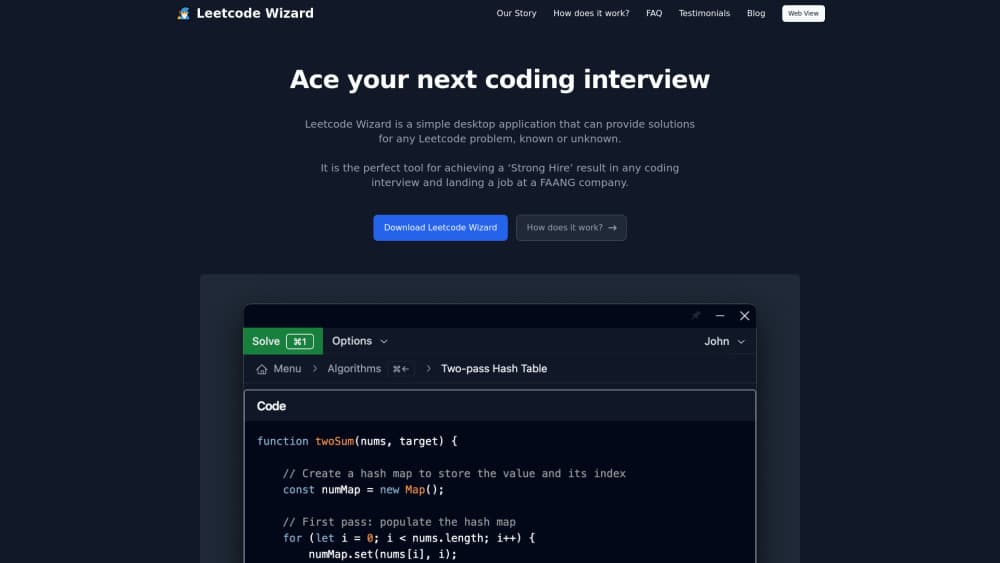
Leetcode Wizard is an invisible desktop app that watches a region of your screen, reads the coding problem sitting there, and writes a solution while the interview is still running. It ships for Windows and macOS and does one job: getting a working answer onto the screen before the timer runs out.
The product answers a specific fear. People grind Blind 75 and NeetCode 150 for months, then freeze on a problem they have never seen. Leetcode Wizard returns a shortlist of algorithms sorted by time complexity, then writes code, edge case tests, and a complexity breakdown for whichever approach you pick.
The limits are easy to state. It runs as a desktop app only, so a Chromebook or a locked down work laptop is out. The site calls it a coding interview cheat app, and it works as an interview aid rather than a study tool, which means it solves the problem in front of you and teaches you nothing about it. Leetcode Wizard is an independent product with no connection to LeetCode itself.
Getting Started
- Download the desktop app for Windows 10, Windows 11, or macOS 11 and newer, then create an account.
- Choose the programming language and the input source it should read, such as LeetCode, HackerRank, or a shared screen.
- Drag the capture box over the problem statement and fire the hotkey to send a solve request.
- Pick one of the suggested algorithms, listed from worst to best time complexity, and paste the generated code into your editor.
- Optionally open the web view on a phone or second laptop so the output mirrors there while the desktop app stays hidden.
Product Information
A quick look at Leetcode Wizard's pricing, supported platforms, and performance.
Best for
The users, tasks, and scenarios where this tool fits best.
Users
- Candidates in an active interview loop
- Self taught developers and career switchers
- New grads and bootcamp students
Tasks
- Solving an unseen problem under a timer
- Sanity checking complexity before you explain an approach
- Second opinion during a mock interview
- Language switching
Scenarios
- A timed online assessment with tab monitoring
- A proctored onsite where the whole screen is recorded
- The last week before a loop
Key features
Screen Reading Without Copy Paste
The app works as a LeetCode solver from pixels, not from the clipboard. It captures the region you mark and reads the problem text directly, which sidesteps the paste blockers that HackerRank and CodeSignal deploy. That detail matters more than any model benchmark, because a solver that needs the clipboard fails on the platforms that matter.
Invisible Overlay With Global Hotkeys
Hotkeys run at a privileged level, the window never appears in screenshots, and screen sharing software does not pick it up according to the vendor. You stay inside the interview tab the whole time, which is the difference between a tool you can operate calmly and one that makes you alt tab under pressure.
Algorithm Shortlist Sorted by Complexity
The AI does not dump one answer. It returns several viable algorithms ordered from worst to best time complexity, so you choose the tradeoff. For a candidate who has to narrate the reasoning out loud, that list doubles as a script.
Humanized Output
Every response passes through a humanizer before it reaches your screen, a step the company added to get past AI writing detectors. The output also follows the current style conventions of the chosen language, so it does not look like a template dump when an interviewer reads your editor.
Edge Case Tests and Complexity Analysis
Each solution ships with tests that exercise the tricky inputs and a written complexity breakdown. This is the part that carries the conversation, since interviewers spend most of the round asking why your approach holds up.
Second Device Web View
A browser view mirrors all output to a phone, tablet, or spare laptop. In a proctored session you keep the desktop app hidden and read from the second device placed near your keyboard, which is the setup the vendor recommends when the whole screen is recorded.
Pros and cons
Pros
- Reads problems straight off the screen, so paste blocking and tab monitoring do not get in the way.
- Returns several algorithms sorted by time complexity, which gives you something to explain rather than one opaque answer.
- Output includes edge case tests and a complexity analysis, the two things interviewers probe hardest.
- The web view makes a proctored round workable without touching the recorded machine.
- Pro unlocks any input source and unlimited solves, and the vendor claims a 93% pass rate in its own interview tests as of October 2026.
Cons
- Desktop only. There is no browser version, so Chromebooks and locked down corporate laptops cannot run it.
- The free trial reads LeetCode alone, so you cannot test it on HackerRank or CodeSignal before paying.
- Leetcode Wizard pricing sits at €49 per month, which is more than most candidates need for a two week search.
- Using it breaks the rules of nearly every hiring process, and a detection, a follow up question, or a later code review can cost you the offer.
Frequently asked questions
Yes. The trial needs no credit card and works on any problem, but it only accepts LeetCode.com as an input source. A paid subscription is required for other platforms and for real interviews.
Related content
Explore related tools, skills, and articles for Leetcode Wizard.
Leetcode Wizard Alternatives

Base Code
Base44 (Wix) · Coding · ProductivityBase Code is a shared cloud development environment from Base44. Teammates describe changes to an existing GitHub codebase in chat, preview them live and send them back as pull requests.

Google EmbeddingGemma 2
Google DeepMind · Writing · Image · CodingGoogle EmbeddingGemma 2 is a 740M-parameter open model that turns text, code, images, audio, and video frames into vectors in one 768-dimension space, running on phones and laptops.

GitGlow
GitGlow · Coding · ProductivityGitGlow is a local-first desktop Git client that lets independent developers review their own code and their AI agents' changes in one place before shipping.