

LegalTranslations.com
Tomedes · Writing · AI Assistant
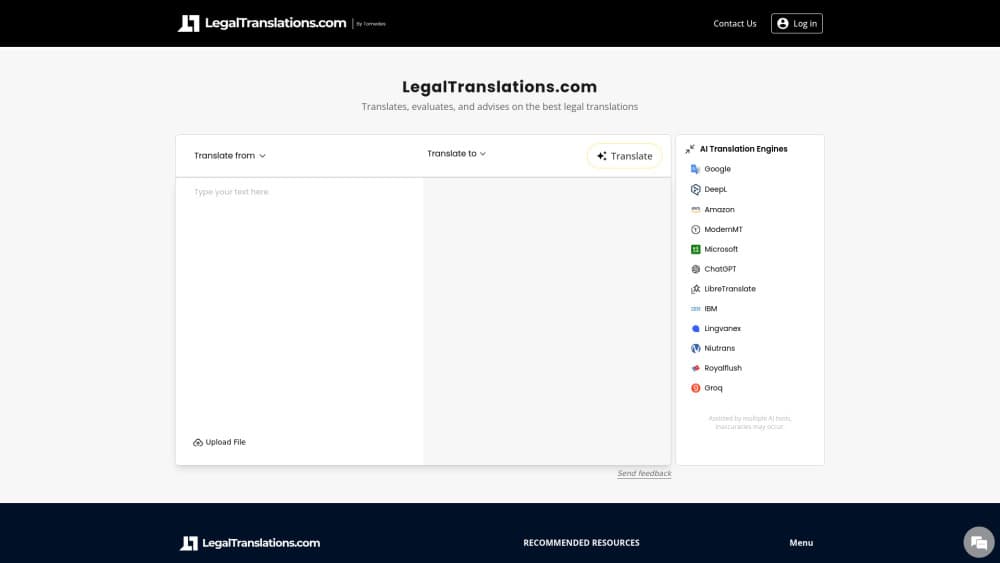
LegalTranslations.com is a web-based AI legal translator from Tomedes. It runs a document through 22 AI models, compares the results, and keeps the wording most of them agree on.
About LegalTranslations.com
What Is LegalTranslations.com
LegalTranslations.com is a browser-based translation tool from Tomedes, a language services company that has worked in translation since 2007. You paste or upload a legal text, and the site sends it to 22 machine translation models at the same time. The pitch is legal document translation without the guesswork of picking one engine and hoping it got the clause right.
The problem it targets is real. A single translation model will occasionally invent a term, drop a defined phrase, or flatten a limitation of liability into something vague. LegalTranslations.com answers that with its SMART feature, which scores every output and surfaces the version that most models produced. You see the agreement level before you commit to a wording, so a clause that six models handled the same way looks different from one where the outputs scattered.
The limits matter as much as the features. Output is machine translation, so it isn't a certified translation and it isn't legal advice. Courts, embassies, and notaries usually want a sworn or certified translator's signature, which this tool doesn't provide on its own. Human verification is available as an add-on, and the company recommends it for anything that carries legal risk. Pricing runs on credits.
Getting Started
- Open the site and paste your text into the source box, or upload a document. Pick the target language from the list.
- Run the translation. SMART returns several model outputs plus an agreement score, with the consensus version marked.
- Read the comparison panel, then edit the chosen output if a defined term or clause needs fixing.
- Request human verification if the file is going to a court, a regulator, or a counterparty, then export the final text.
Product Information
A quick look at LegalTranslations.com's pricing, supported platforms, and performance.
Best for
The users, tasks, and scenarios where this tool fits best.
Users
- Small law firms and solo practitioners
- In-house legal teams at mid-size companies
- Patent and IP practices
Tasks
- Contract translation for NDAs, MSAs, and supply agreements
- Patent translation for abstracts, descriptions, and claims
- Birth certificates, powers of attorney, and other filings
- Due diligence sets
Scenarios
- A cross-border deal is closing and the opposing side sent a redlined agreement in a language nobody in the room reads.
- You need to decide whether a foreign judgment or filing is worth paying a certified translator to handle properly.
- A multilingual compliance queue, where privacy policies and terms of service arrive faster than the legal team can read them.
Key features
SMART Consensus Translation
The core of the product. Instead of trusting one engine, LegalTranslations.com sends your text to 22 models and compares what comes back. Where most of them agree, the wording is likely sound. Where they split, you get a warning that the passage is contested, which is exactly the place a human should look first.
Side-by-Side Output Comparison
Every model output sits next to the others, with quality scores and a note on how far each one drifts from the group. That turns translation into a reading task rather than a trust exercise. A reviewer can see which model produced the chosen text and how many others backed it.
Legal Document Handling
As legal translation software goes, this one is built around legal material: contracts, patents, government forms, and corporate paperwork. Formatting is preserved well enough that clause numbering and headings survive the round trip, which saves the tedious work of rebuilding a document after translation. It is still machine output, so defined terms need a check.
Optional Human Verification
You can push a finished translation to a human linguist for review, which the company calls MTPE, or machine translation post-editing. This is the step that makes the output usable for filing or signature. It costs extra and adds turnaround time, so most teams reserve it for the documents that carry real exposure.
Credit System With Subscriptions
Translation runs on credits, with a monthly plan for regular users and one-off purchases for occasional jobs. Short texts carry a 30-credit minimum, which matters if you plan to translate single paragraphs all day. Unused subscription credits reset rather than accumulate, so size the plan to your actual volume.
Confidentiality for Sensitive Files
The site states that it applies strict data protection standards to uploaded material, and the legal disclaimer makes clear the service is a translation tool, not a source of legal advice. For a law firm, that distinction decides whether a document can leave the office at all. Check the privacy policy against your own client confidentiality obligations before uploading anything privileged.
Pros and cons
Pros
- Consensus scoring gives you a defensible reason to trust one wording over another, which a single-engine tool can't offer.
- Twenty-two model outputs on one screen make terminology errors visible instead of silent.
- Free entry point lets a firm test the tool on real documents before committing to a plan.
- Human post-editing is available in the same workflow, so the machine pass and the review don't live in separate systems.
- Around 47 target languages, including Chinese in both scripts, Japanese, Korean, Arabic, and most European pairs.
Cons
- Not a certified translation service. Courts and immigration offices usually reject machine output, and the add-on review doesn't change that.
- The 30-credit floor for short texts makes small jobs feel expensive relative to their length.
- Subscription credits reset monthly, so a quiet month still costs the same as a busy one.
- No documented public API, which rules it out for firms that want translation wired into a document management system.
Frequently asked questions
There's a free entry point, and you can run a translation before paying anything. Regular use runs on credits, sold as a monthly subscription or as one-off purchases, and short texts are charged a 30-credit minimum.
Related content
Explore related tools, skills, and articles for LegalTranslations.com.
LegalTranslations.com Alternatives

Claude for Google Workspace
Anthropic · Writing · Productivity · BusinessClaude for Google Workspace puts Claude in a sidebar inside Google Docs, Sheets, and Slides, where it reads the file you have open and edits it in place.

Claude Haiku 5.5
Anthropic · Writing · Coding · ChatbotClaude Haiku 5.5 is Anthropic's fastest and cheapest small model, built for high volume tasks at $0.10 per million input tokens with a 1M token context window.

NoteWorthy
Suman Hansada · Writing · Productivity · AI AssistantNoteWorthy is a notes app for iPhone, iPad and Mac that writes titles, tidies formatting, summarizes long notes and files each one with on-device AI. No account, no upload, no network requests.