

Foreplay Ad Swipe File
Foreplay · Marketing
Foreplay Ad Swipe File is a creative workspace where marketing teams save ads, track competitors and measure which creative actually performs. Lens adds the analytics layer.
About Foreplay Ad Swipe File
What Is Foreplay Ad Swipe File
Foreplay Ad Swipe File is one product inside Foreplay, a creative workflow platform for marketing teams and agencies. The core idea is simple: collect the ads you like, organize them into boards, then hold your own creative against real performance data. It pulls ads from the Meta Ad Library, TikTok Creative Center, Instagram and LinkedIn into one searchable place.
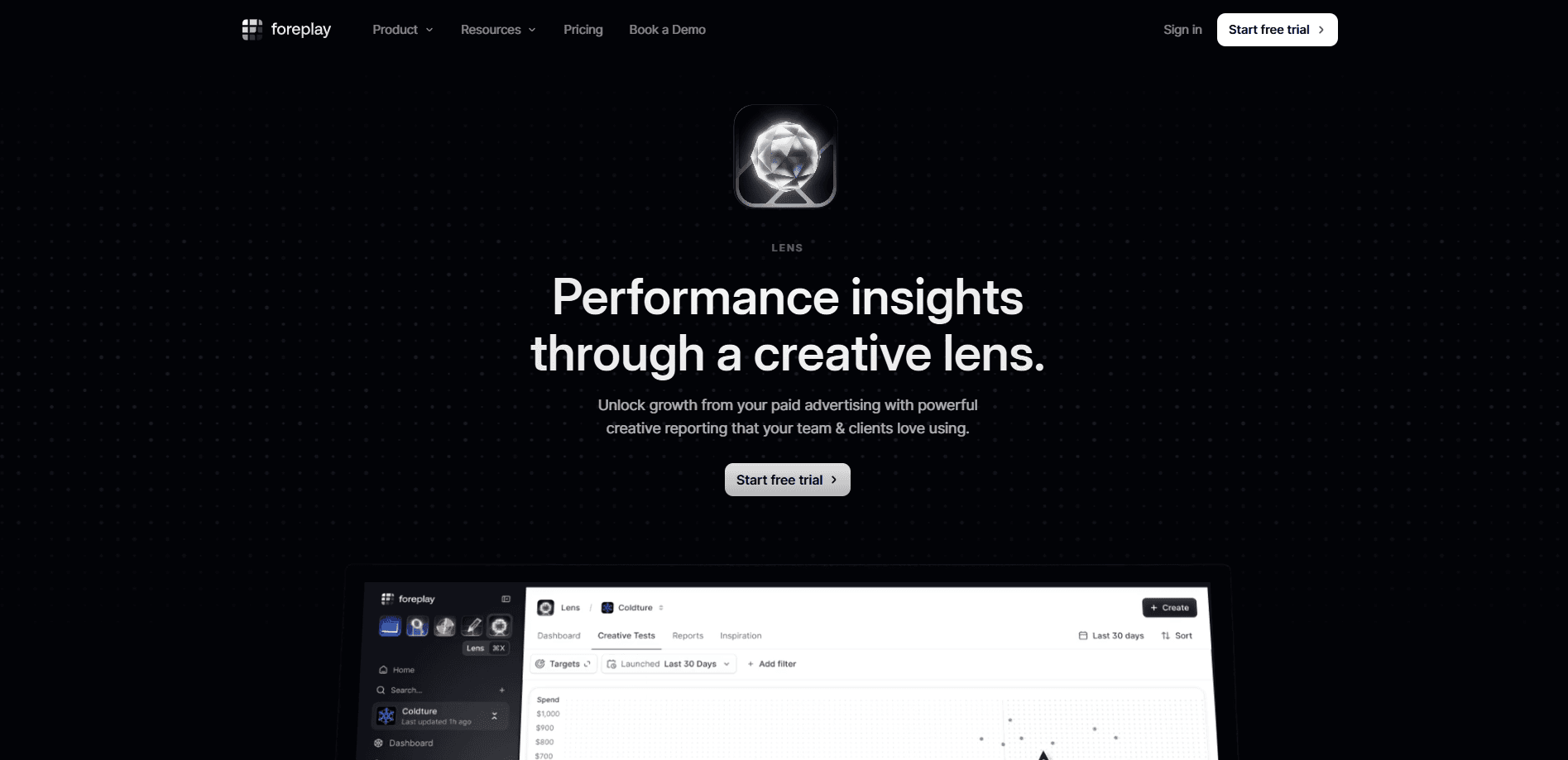
The swipe file started as a way to stop hunting through dead links and group chats for that one ad a colleague half remembered. Today it sits next to Discovery, a search index of 200 million plus ads, and Spyder, a tool that watches competitors and flags every new ad they launch. Lens is where the analytics live. It connects your Meta and TikTok accounts and reports on creative performance without charging you more as your ad spend grows.
The platform suits teams that treat creative as a repeatable process, not a lucky guess. Agencies juggling several client brands, ecommerce shops testing hooks weekly and performance marketers who need to justify a creative decision all get something out of it. Just know the plans are priced per user and per brand, so the bill climbs once you add seats or client accounts.
Getting Started
- Sign up at app.foreplay.co and pick a plan, or start the 7 day free trial to test the workflow
- Install the Chrome extension or the mobile app so you can save ads from Meta, TikTok and Instagram in a couple of clicks
- Connect your Meta and TikTok ad accounts if you want Lens to report on your own creative performance
- Build boards, add brands to Spyder and set up the reports or briefs you want to share with clients
Product Information
A quick look at Foreplay Ad Swipe File's pricing, supported platforms, and performance.
Best for
The users, tasks, and scenarios where this tool fits best.
Users
- Performance marketing teams
- Creative strategists and directors
- Agencies running several clients
- Ecommerce and DTC brands
Tasks
- Building an ad swipe file
- Competitor ad research
- Creative performance reporting
- Writing creative briefs
- Benchmarking against the market
Scenarios
- A client asks why the last batch of ads underperformed
- A new brand signs on
- A weekly creative review
- Entering a crowded category
- Onboarding a freelance designer
Key features
Ad Swipe File and Moodboards
The swipe file is the entry point. You save ads from the Meta Ad Library, TikTok Creative Center, Instagram, LinkedIn and the wider web using the Chrome extension or the mobile app. Then you drop them onto boards, the way you would build a Pinterest board, and share those boards with your team or a client. It replaces the pile of screenshots and expired links that tends to pass for a creative process.
Lens Creative Analytics
Lens is the analytics half of the product and the reason Foreplay works as more than a creative analytics tool. It connects your Meta and TikTok ad accounts and reports on creative performance rather than media buying, so you can see which concepts, hooks, formats and messages are carrying a campaign. Reports are customizable by segment or metric, and the pricing is flat, which matters because most ad analytics tools scale their bill with your spend.
Competitor Tracking with Spyder
Spyder watches the brands you follow and surfaces every ad they launch, live or retired. You get a real-time view of their ad account, a lifespan timeline for each ad, and landing page insights on where their spend goes. It also transcribes and pulls out top hooks, so you read the message and the sentiment, not just the format.
Automated Reports and White-Labeling
The reporting side is built to be shared. You create fully customizable reports and generate external links, including password-protected ones for client work, so an update doesn't turn into a messy PDF and a chain of emails. Agencies can white-label the output, which keeps a client-facing report on-brand.
AI Metadata and Tagging
Lens tags your creative automatically instead of leaving you to label every asset by hand. It identifies the persona an ad speaks to, transcribes hooks and video audio, and flags the themes and styles worth doubling down on. It also supports custom tags by creative ID and internal ratings, so your own team can layer judgment on top of the machine tags.
Benchmarking and Goal Tracking
The tool compares your main KPIs, including CPA, ROAS, CPC, CPM and conversion rate, against a pool of other advertisers, broken out by category and by GMV and AOV bands. Goal tracking turns those targets into something a team can chase, which is useful when you want accountability without micromanaging every test.
Security and Access Control
Creative data is kept private to your workspace. You can restrict access on report snapshots, which matters when you share performance numbers with an agency or a client under contract. Combined with the Chrome extension, mobile app and MCP or API access, the same saved ads flow into the AI tools your team already uses.
Pros and cons
Pros
- Flat pricing that doesn't rise with ad spend, so growing accounts don't pay more for the same reporting
- Swipe file, competitor tracking and creative analytics in one place, which cuts the number of tools you pay for
- AI metadata handles persona, hook and video transcription automatically, saving hours of manual tagging
- Benchmarks cover 100 plus segments, so you can size your results against real rivals, not guesswork
- White-labeled, password-protected reports make client updates look professional
Cons
- Priced per user and per brand, so a large team or an agency with many clients sees the bill climb fast
- No free plan, only a 7 day trial that converts to a paid subscription if you don't cancel
- Lens only connects Meta and TikTok ad accounts, so teams running mostly on Google or Snapchat get less value from the analytics side
- The competitor data comes from ad libraries, so it reflects ads those platforms expose, not spend figures on private campaigns
Frequently asked questions
Foreplay Ad Swipe File is a creative workspace from Foreplay where marketing teams save ads, organize them into boards and research competitors. It sits alongside Lens, which adds creative performance analytics, and Spyder, which tracks competitor ads. Together they cover ad research, reporting and brief writing in one platform.
Related content
Explore related tools, skills, and articles for Foreplay Ad Swipe File.
Foreplay Ad Swipe File Alternatives

ngram 2.0
ngram · Video · Marketingngram 2.0 is an AI video generator for teams. It turns a prompt, a screen recording, or a product URL into a narrated explainer, product demo, or AI avatar video, and every scene stays editable.

shippedit.me
Krawlup · Marketing · Businessshippedit.me now redirects to Krawlup, a web platform that audits SEO, AEO and page speed every week, then hands the fixes to AI coding agents over MCP.

MePersona
MePersona, Inc. · Writing · Productivity · MarketingMePersona is an AI unified inbox for creators. It learns your voice, drafts replies to fan messages from 12 platforms, and sends only what you approve.