

Lightfern for Email
Lightfern Ltd. · Writing
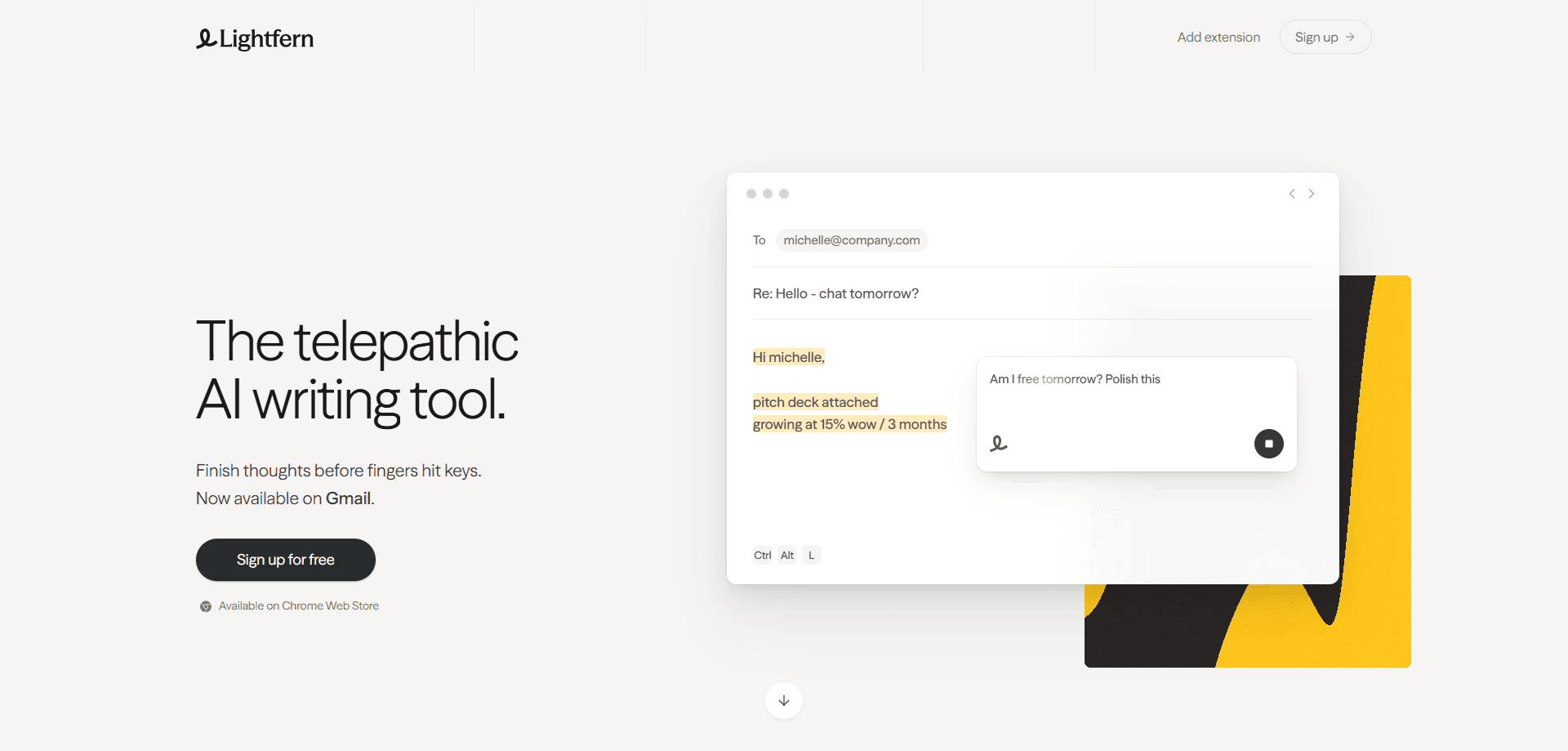
Lightfern for Email is an AI email assistant that finishes your sentences while you type in Gmail, Outlook, and Superhuman. It learns your writing style from the threads you already have, suggests full replies inline, and keeps your inbox data out of model training unless you opt in.
About Lightfern for Email
What Is Lightfern for Email
Lightfern is a browser extension that adds an AI email writer to the web versions of Gmail, Outlook, and Superhuman. Instead of opening a separate chatbot, you draft inside your inbox and let the tool complete thoughts as you go. The pitch is straightforward. It's an email autocomplete that sounds like you, not like a generic AI assistant. Call it the opposite of a one-click email reply generator.
The product comes from a team that cares about style. Its founders came out of OpenAI, and they built Lightfern around the idea that AI communication has flattened how people write. That conviction is the reason the tool reads your past conversations and writing style before it suggests anything at all.
The biggest limit is scope. Lightfern works on web inboxes only, so desktop clients and mobile apps are out for now. Pricing isn't published on the site.
So what does a plan actually cost? You'll need to sign up to find out.
Getting Started
- Install the Lightfern browser extension from its website and sign up for an account.
- Connect your email so Lightfern can read your threads and learn your writing style.
- Open a message in Gmail, Outlook, or Superhuman and start typing a reply.
- Accept or adjust the suggested autocomplete, then send when it sounds right.
Product Information
A quick look at Lightfern for Email's pricing, supported platforms, and performance.
Best for
The users, tasks, and scenarios where this tool fits best.
Users
- Professionals who live in email
- Founders and sales teams doing follow-ups
- Privacy-conscious writers
Tasks
- Replying to short messages
- Drafting full responses
- Keeping a consistent voice
Scenarios
- Clearing a backlog after a trip
- Following up after a conference
- Handling a difficult conversation
Key features
Ultracomplete suggestions
Lightfern's core feature is what it calls Ultracomplete: autocomplete that draws on your past conversations, writing style, and the current thread to finish your thoughts. The team claims it's the fastest and most context-aware autocomplete model available. In practice, you type a few words and accept the rest when it matches what you meant. Simple as that. The result reads like a sentence you'd write yourself, which is the whole point of an email reply generator that doesn't sound generated.
Inbox-wide context
Every contact gets a small history that sits beside your draft, showing where you met and what you discussed, and that context feeds both the autocomplete and the fuller drafts so suggestions stay grounded in the actual relationship.
Inline drafting and answers
You can ask Lightfern to draft a whole reply, adjust its tone, or answer a question about the thread, all without leaving the message you're writing, which keeps your attention on the reply instead of on a second window. Nothing forces you into a separate window. That matters for anyone who loses focus when switching tabs mid-reply.
Zero data retention by default
Your emails aren't used for model training unless you explicitly opt in, and the company backs that default up with a dedicated trust center and security pages that explain how the extension handles your inbox data end to end. For teams that handle sensitive mail, this is often the deciding detail.
Works in the inbox you already use
Lightfern runs in Gmail, Outlook Web, and Superhuman Web as a browser extension. There's nothing to configure beyond installing it and connecting your email. It meets people where they already work instead of asking them to abandon the inbox they've used for years.
Built for tone control
The tool adapts suggestions to the situation, from a casual two-line reply to a hard conversation, and you can nudge the tone before sending rather than rewriting a robotic output by hand. That control is what separates it from one-click reply generators.
Pros and cons
Pros
- It learns your writing style by reading the threads already sitting in your connected inbox and mirroring how you normally phrase things, so your replies don't read like they came from a template.
- Zero data retention by default keeps your email out of model training unless you choose otherwise.
- Setup is quick: install the extension, connect your inbox, and start typing.
- Inline drafting means no tab switching and no copy-pasting between apps.
Cons
- Web only, so if you rely on desktop clients or mobile apps to handle most of your email, Lightfern won't help until those are supported.
- Pricing isn't listed on the website, so you can't compare plans before creating an account.
- Quality depends on your history. A fresh inbox gives the model little to learn from, so early suggestions feel generic.
- No documented public API, which rules out custom integrations for now.
Frequently asked questions
It's an AI email assistant and email reply generator that autocompletes and drafts replies inside your inbox. You use it to write faster without leaving your email app. Your tone stays intact, too.
Related content
Explore related tools, skills, and articles for Lightfern for Email.
Lightfern for Email Alternatives

Google EmbeddingGemma 2
Google DeepMind · Writing · Image · CodingGoogle EmbeddingGemma 2 is a 740M-parameter open model that turns text, code, images, audio, and video frames into vectors in one 768-dimension space, running on phones and laptops.

MePersona
MePersona, Inc. · Writing · Productivity · MarketingMePersona is an AI unified inbox for creators. It learns your voice, drafts replies to fan messages from 12 platforms, and sends only what you approve.

Fluence
Yay Software (Yannick Huchard) · Writing · Voice & Language · ProductivityFluence is an Android app that reads PDFs, EPUBs, Word files and web articles aloud, follows each sentence as it speaks, and answers questions about the text on the phone itself.